
MyFitnessPal Calorie Calculator Setup Made Simple
Learn how to use MyFitnessPal's calorie calculator correctly. Set realistic goals, avoid common mistakes, and find easier tracking alternatives.
You spend twenty minutes setting up your MyFitnessPal account, excited to finally lose those extra pounds, only to find yourself starving by day three or seeing zero progress after weeks of tracking. The problem isn't your willpower—it's that the calorie calculator myfitnesspal uses gave you the wrong target from the start. Getting your calorie goals right before you log a single meal can mean the difference between sustainable weight loss and another abandoned diet app collecting dust on your phone.
Table of Contents
How MyFitnessPal Calculates Your Calories
Most people using the calorie calculator myfitnesspal offers have no idea what's actually happening behind the scenes. The app asks you a bunch of questions about your age, weight, height, and how active you are, then spits out a number. That number becomes your daily calorie target, but understanding where it comes from can help you figure out if it's actually right for you.
What TDEE Means and Why It Matters
The calorie counter myfitnesspal uses starts with something called TDEE, which stands for Total Daily Energy Expenditure. This is basically how many calories your body burns in a full day just living your normal life. It includes everything from breathing and digesting food to walking around and exercising.
TDEE has four main parts that all add up together. Your body burns calories even when you're sleeping, and that's actually the biggest chunk of your daily burn.
| TDEE Component | What It Means | Typical Percentage |
|---|---|---|
| BMR (Basal Metabolic Rate) | Calories burned at rest | 60-75% |
| Activity Thermogenesis | Exercise and movement | 15-30% |
| Food Digestion | Energy to process food | 10% |
| Non-Exercise Movement | Fidgeting, standing, daily tasks | 5-15% |
How Activity Levels Change Your Numbers
When you set up the calories counter myfitnesspal provides, you pick an activity level like sedentary, lightly active, or very active. This choice multiplies your base calorie burn by different amounts, which can swing your daily target by 500 calories or more. A lot of people pick the wrong activity level because they overestimate how much they actually move.
Here's what those activity levels actually mean in real life:
- Sedentary means you sit most of the day with little to no exercise
- Lightly active is a desk job plus walking or light exercise 1-3 days per week
- Moderately active includes moderate exercise 3-5 days weekly
- Very active means hard exercise 6-7 days a week
The Deficit That Determines Weight Loss
Once myfitnesspal calculate calories for your TDEE, it subtracts calories based on your weight loss goal. Want to lose one pound per week? The app takes away 500 calories from your TDEE since one pound of fat equals about 3,500 calories. Pick two pounds per week and it removes 1,000 calories daily.
But here's where things get tricky. The app sometimes suggests calorie targets that are way too low, especially for people who don't have much weight to lose. It won't go below 1,200 calories for women or 1,500 for men, but even those minimums can be too aggressive for some folks.
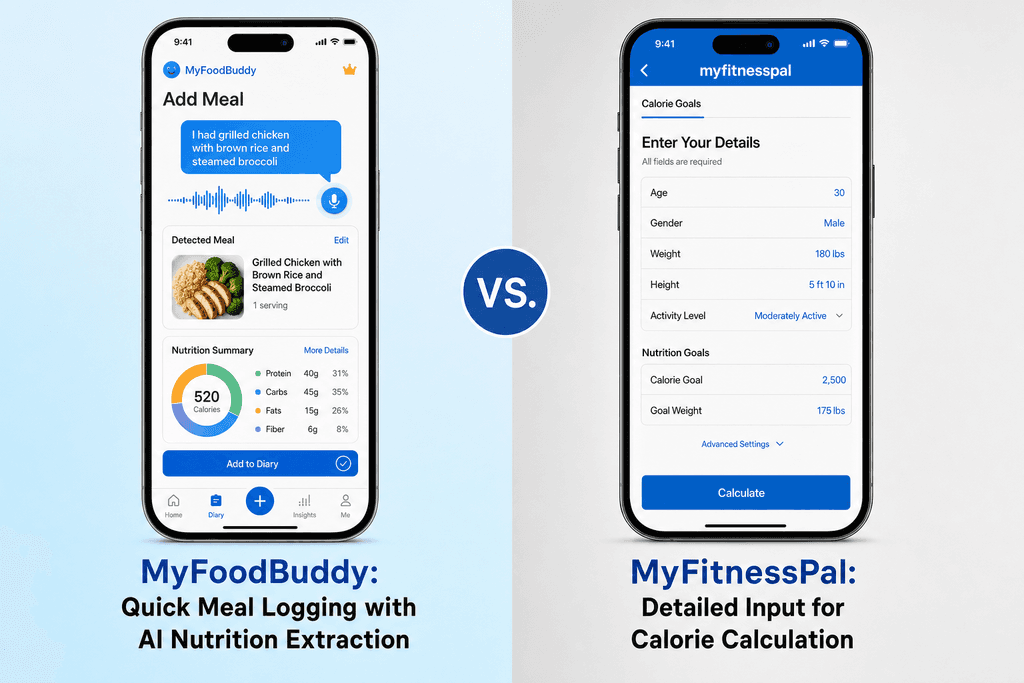
Apps like MyFoodBuddy take a different approach by helping you understand these numbers better through AI-powered insights. Instead of just giving you a target and hoping you stick to it, you get explanations about why your numbers are what they are. When you know the math behind your calorie goal, you can spot when something doesn't add up and adjust accordingly.
Setting Up Your Profile for Accurate Results
Most people mess up their calorie calculator setup in the first five minutes, and they don't even know it. The problem usually starts with the activity level question. When MyFitnessPal asks if you're sedentary, lightly active, or moderately active, most people think about that one time they went to the gym last week and pick "moderately active." But here's what actually matters: your baseline activity without intentional exercise. If you sit at a desk for eight hours a day, you're probably sedentary, even if you hit the gym after work.
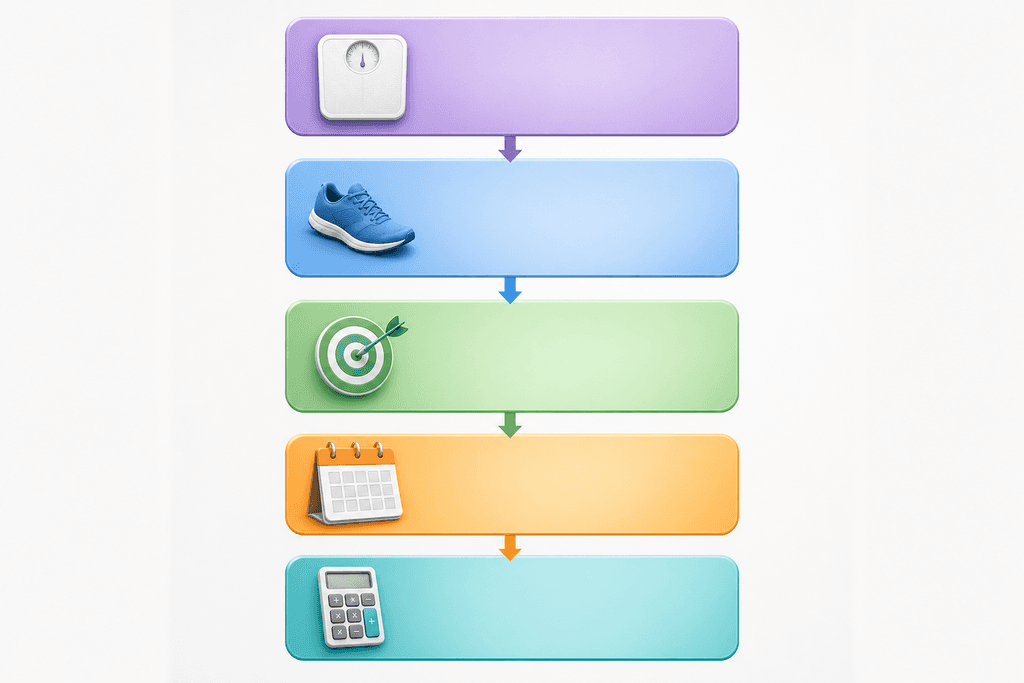
Your starting weight is more important than most people realize. It affects how many calories your body burns just existing, and getting this number right sets the foundation for everything else. Don't round up or down to make yourself feel better. Just use the real number.
Information to Gather Before Setup
- Your current weight (weigh yourself first thing in the morning)
- Your height in feet and inches or centimeters
- Your age and biological sex
- Honest assessment of your daily movement (not counting workouts)
- Your target weight goal
- How many days per week you actually exercise
The activity level categories can be confusing. Sedentary means you're sitting most of the day with minimal walking. Lightly active is for people who are on their feet a few hours daily, like teachers or retail workers. Moderately active applies to people who are moving most of the day, like nurses or construction workers.
Here's where people get tripped up: if you have a desk job but work out five days a week, you should still select sedentary as your baseline. The calorie counter myfitnesspal uses will add exercise calories separately when you log your workouts. This prevents double-counting your activity and keeps your numbers accurate.
Choosing the Right Weight Loss Goal
Two pounds per week sounds perfect on paper. You do the math and realize you could lose 26 pounds in three months. But there's a reason most people who pick this aggressive target end up quitting within a few weeks. The calorie deficit required is massive, and unless you have a lot of weight to lose, it's not sustainable. You'll be hungry, tired, and probably pretty cranky.
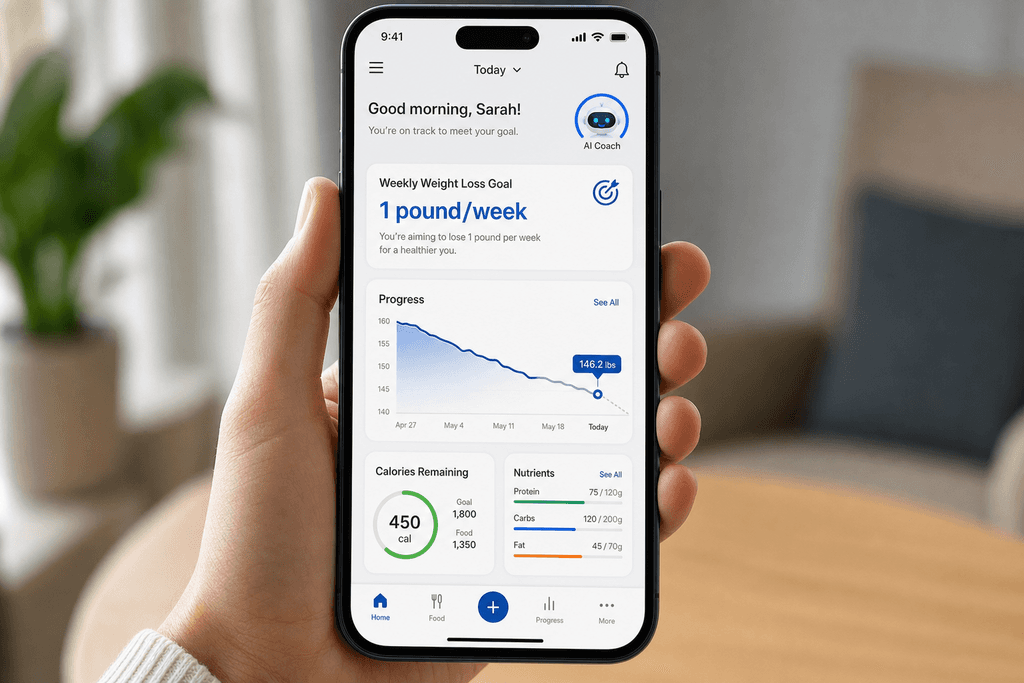
The sweet spot for most people is 0.5 to 1 pound per week. It doesn't sound exciting, but it's what actually works long-term. You can still eat at restaurants, have energy for your workouts, and not feel like you're starving all the time.
| Weekly Goal | Daily Calorie Deficit | Best For |
|---|---|---|
| 0.5 lbs/week | 250 calories | Last 10-15 lbs |
| 1 lb/week | 500 calories | Most people |
| 1.5 lbs/week | 750 calories | 50+ lbs to lose |
| 2 lbs/week | 1000 calories | 100+ lbs to lose |
Your current weight matters when picking a goal. If you're trying to lose the last 15 pounds, your body won't cooperate with aggressive deficits. But if you're 100 pounds overweight, a faster rate might be appropriate and safe. The myfitnesspal calculate calories feature adjusts your daily target based on what you select.
When you set too aggressive a deficit, your body fights back. You get hungrier, your energy drops, and your metabolism slows down to conserve energy. You might lose weight faster initially, but you'll also lose more muscle and feel miserable. Most people end up binging or quitting entirely.
There are times when faster loss makes sense. If you're working with a doctor or have a medical reason to lose weight quickly, go for it. But for most people trying to fit into their jeans better, slower is smarter. If you're looking for custom calorie tracking that adapts to your needs, you'll want something that makes adjustments easy without starting from scratch.
Adjusting for Exercise and Daily Activity
The biggest debate in calorie tracking is whether you should eat back the calories you burn during exercise. MyFitnessPal adds these calories automatically when you log a workout, which confuses a lot of people. Some folks eat them all back, others ignore them completely, and most people fall somewhere in between. The truth is that it depends on your goals and how accurate your calorie burn estimates are.
Here's the problem: the calories counter myfitnesspal shows for exercise are usually overestimated. That 30-minute run might show 400 calories burned, but the real number is probably closer to 250-300. Fitness trackers and cardio machines tend to be generous with their estimates.
Eating Back Exercise Calories
Pros:
- Prevents excessive calorie deficits that slow metabolism
- Gives you energy for harder workouts
- Makes the diet feel less restrictive
- Helps preserve muscle mass during weight loss
Cons:
- Easy to overeat if calorie burn is overestimated
- Can slow weight loss progress
- Requires careful tracking and honesty
- Doesn't work well with inconsistent exercise
A good middle ground is eating back about 50-75% of your exercise calories. This accounts for overestimation while still fueling your workouts. If you burned 400 calories according to the app, eat back 200-300 of them.
The difference between setting your activity level high versus logging individual workouts matters more than you'd think. If you set yourself as "active" in your profile, don't also log every workout. That's double-counting. Pick one method and stick with it. Most people find it easier to set their baseline as sedentary and log workouts separately.
If you're not losing weight after a few weeks, something needs to change. Maybe you're eating back too many exercise calories, or your portion sizes are bigger than you think. The good news is you don't have to start over. Just adjust your daily calorie target down by 100-200 calories and see what happens over the next two weeks. Tools like automated calorie calculators can help you make these adjustments without the guesswork.
For people who find traditional calorie tracking too time-consuming, apps like MyFoodBuddy simplify the whole process. Instead of manually searching databases and measuring portions, you can just say what you ate and let AI handle the calculations. It's especially helpful when you're trying to log homemade meals or eating on the go. The key is finding a system that you'll actually stick with, because consistency beats perfection every time.
Why People Quit MyFitnessPal (And What Works Better)
Studies show that 80% of people who download a calorie counter myfitnesspal or similar tracking app abandon it within the first two weeks. The problem isn't that people lack motivation or don't care about their health goals. The real issue is that traditional calorie tracking takes way too much time and mental energy. When you're hungry and just finished eating, the last thing you want to do is spend five minutes searching through databases, weighing portions, and logging every single ingredient.
The Time Drain Problem
The biggest complaint about using a myfitnesspal calorie calculator isn't about the features or the accuracy. It's about how long it takes to log a simple meal. Think about logging something basic like a homemade sandwich. You need to search for bread, select the right brand, measure the exact amount, then repeat this process for mayo, turkey, cheese, lettuce, and tomato.
| Traditional Apps | Voice Apps |
| 3-5 minutes per meal | 10-15 seconds |
| Multiple taps and searches | One voice command |
| 80% quit rate | Higher retention |
Why Database Searching Kills Motivation
The mental load of tracking every ingredient creates what researchers call "decision fatigue." Your brain gets tired from making all these tiny choices about which database entry matches your food best. This friction adds up fast, and eventually, people just stop logging altogether.
- Searching through hundreds of similar food entries wastes time
- Guessing portion sizes adds stress and uncertainty
- Manual entry for home-cooked meals feels overwhelming
- The process interrupts your actual eating experience
The Voice Tracking Solution
Modern apps like MyFoodBuddy solve this by letting you just say what you ate. Instead of tapping through menus and searching databases, you simply tell the app "I had a turkey sandwich with mayo and a side salad" and the AI figures out the rest. This cuts logging time from minutes to seconds.
- No more searching through endless food databases
- No need to measure every single ingredient
- Log meals while you're still eating or right after
- The calories counter myfitnesspal users wish they had
The truth is that consistency beats perfection when it comes to calorie tracking. An app that you actually use every day with 90% accuracy is way better than a perfectly detailed calorie counter myfitnesspal setup that you abandon after a week. Most people don't need to know they ate exactly 247 calories. They need to know they're roughly on track without spending their whole day logging food.
Your Next Steps
Setting up your calorie calculator myfitnesspal account doesn't have to be complicated, but getting a few key settings right makes all the difference. The most important thing is choosing your activity level honestly and starting with a conservative weight loss goal of 0.5 to 1 pound per week. Too many people jump straight to 2 pounds per week and end up miserable or giving up entirely. Your calorie counter myfitnesspal setup should work with your lifestyle, not against it. To ensure you get your calorie targets right, refer to our MyFitnessPal Calorie Setup Guide for Accurate Daily Targets.
Once you've got everything configured, give it at least 2-3 weeks before making any changes. Your body needs time to adjust, and you need enough data to see if the myfitnesspal calculate calories feature is working for your goals. Track consistently during this period, even on weekends when things get messy.
Here's what matters most:
- Set realistic activity levels based on actual movement, not wishful thinking
- Choose a moderate calorie deficit you can stick with long-term
- Log everything for at least two weeks before adjusting
- Don't stress about hitting macros perfectly at first
If you find the traditional calories counter myfitnesspal approach too time-consuming with all the searching and measuring, there are easier alternatives worth considering. MyFoodBuddy lets you just say what you ate and handles the rest through AI, which saves a ton of time if you're someone who dreads opening a tracking app. You can learn more about how voice commands make calorie tracking easier or explore ways to automate your tracking for better accuracy.
The best time to start tracking is today, not Monday or next month. Your future self will thank you for taking action now instead of waiting for the perfect moment that never comes.
Common Questions About Calorie Calculators
Setting up a calorie calculator myfitnesspal style can bring up a lot of questions, especially when the numbers don't seem to match what you expected. Whether you're wondering about accuracy, exercise calories, or why the scale isn't budging, these answers will help you understand how calorie tracking really works. Most people run into the same issues when they start tracking, so you're definitely not alone in wondering about these things.
How accurate is MyFitnessPal's calorie calculator?
The calorie counter myfitnesspal provides is based on standard formulas that estimate your needs, but it's just a starting point. These calculators use your age, weight, height, and activity level to guess your daily calorie needs, but everyone's metabolism is different. You might need to adjust the numbers after a few weeks of tracking to see what actually works for your body.
Should I eat back my exercise calories?
This depends on how you set up your activity level in the calculator. If you selected "sedentary" and then log workouts separately, eating back 50-75% of those calories usually makes sense since fitness trackers often overestimate calorie burn. If you already included exercise in your activity level, don't eat them back or you'll be double-counting.
What if I'm not losing weight with the recommended calories?
The calories counter myfitnesspal suggests might be too high for your actual metabolism, or you might be underestimating portion sizes. Most people underestimate their food intake by about 20-30%, which can completely wipe out a calorie deficit. Try weighing your food for a week to see if your logging is accurate, then adjust your calorie goal down by 100-200 calories if needed.
How often should I update my calorie goals?
You should recalculate your calorie needs every 10-15 pounds of weight loss, or every 2-3 months if you're maintaining. As your weight changes, so do your calorie needs, and what worked at the start might not work anymore. Your body requires fewer calories to maintain a lower weight, so adjustments are normal.
Is there an easier way to track calories than MyFitnessPal?
If you find the myfitnesspal calculate calories process too time-consuming with all the searching and manual entry, there are simpler options. MyFoodBuddy lets you just say what you ate out loud or type it quickly, and the AI figures out the calories for you in seconds. No more searching through databases or scanning barcodes unless you want to, which makes daily tracking way less of a chore.
What's a realistic calorie deficit for weight loss?
A deficit of 500 calories per day leads to about one pound of weight loss per week, which is sustainable for most people. Going much lower than that can make you tired, hungry, and more likely to quit. Slow and steady actually works better than aggressive cuts that leave you miserable and binging on weekends.
Ready to start tracking smarter?
Download MyFoodBuddy and start tracking your calories by just saying what you ate. No more searching databases or guessing portions.
Get started