MacroFactor vs MyFoodBuddy, feature by feature
MacroFactor is a premium macro tracker and diet coach from Stronger By Science Technologies. MyFoodBuddy is an iPhone calorie tracker where you text or say what you ate and an AI coach named Fiona logs it. Both are paid, ad-free and track macros and micronutrients. They split on how goals are set and how much work a meal takes.
| Feature | MyFoodBuddy | MacroFactor |
|---|---|---|
| Log by typing a normal sentence | Several foods in one sentence | Describe. Type or dictate a meal and it finds matching common foods to review |
| Log by talking | Speech-to-text into Describe or search | |
| Log from a photo | AI photo logging, or photo plus a description | |
| Barcode scanner | Plus a nutrition label scanner | |
| Search a food database | Saved foods and meals. No database search screen, you describe the food instead | 1.36 million verified food entries |
| Fix entries by chatting | Tell Fiona what changed and she updates the entry | Not listed publicly |
| Protein, carbs and fat | ||
| Vitamins and minerals | 20+ vitamins and minerals | Full micronutrient tracking with custom targets |
| Personal calorie and macro goals | Set from your age, weight, height and activity, editable | Coached, Collaborative or Manual programs, balanced, low-carb, keto or carb-focused, different macros by day |
| Goals that adjust to your real progress | Calculates expenditure from intake and trend weight and adjusts targets weekly | |
| Weight tracking | Log it in chat or sync from Apple Health | With a Weight Trend that smooths daily swings |
| AI coach you can ask questions | Fiona answers questions about your food, goals and progress | An algorithmic coach that updates your targets at a weekly check-in |
| Streaks and badges | Habit tracking for logging streaks | |
| Friends or community | Friends and leaderboards | An official Facebook group and subreddit, outside the app |
| Apple Health sync | Weight, sleep, steps and workouts | Apple Health and Google Fit |
| Android app | iPhone only | |
| Web app | Its FAQ says a desktop version is planned | |
| Free version | ||
| Ads | No ads | Never serves ads or uses ad networks |
| Free trial of the paid plan | 7 days | 7 days |
Two rows matter most. Goals that adjust to your real progress is MacroFactor’s core feature and a clear no for MyFoodBuddy. AI coach you can ask questions goes the other way. MacroFactor’s coach is an algorithm that updates your numbers at a weekly check-in, while Fiona is a coach you can message about your food, goals and progress any time.
How MacroFactor works day to day
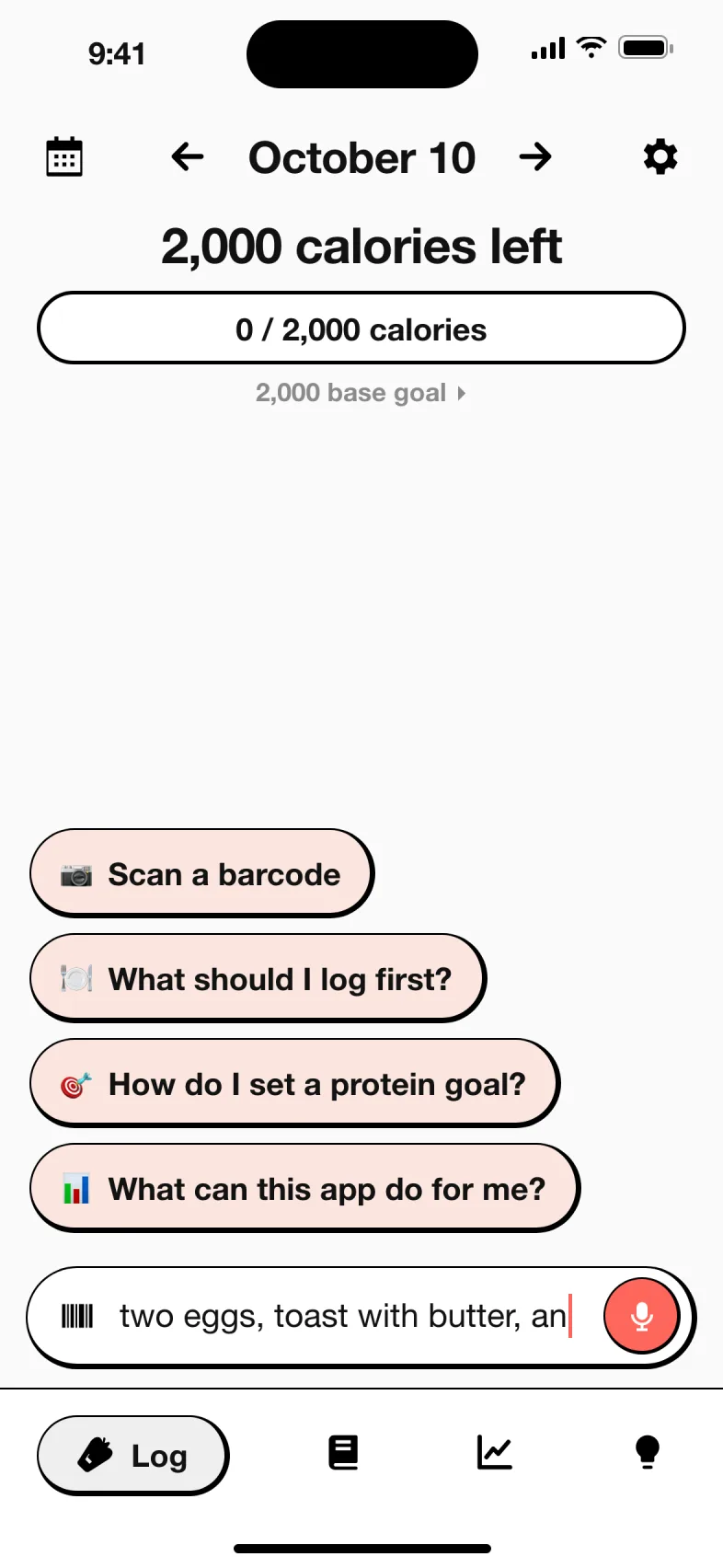
MacroFactor is made by Stronger By Science Technologies LLC. Here is the routine as its app page and help center describe it.
- Pick a program. Choose a goal (lose, maintain or gain), a rate, and a Coached, Collaborative or Manual mode. Plans can be balanced, low-carb, keto or carb-focused, with different macros by day and support for fasting days.
- Log everything you eat. Search the 1.36 million entry verified database, scan a barcode or nutrition label, snap a photo for AI logging, or type or dictate a meal into Describe. Foods land on a Plate where you check quantities before logging.
- Weigh in. Daily is ideal, once a week is the minimum. The Weight Trend smooths out day-to-day swings.
- Let the algorithm work. MacroFactor compares what you ate with how your trend weight moved over about three weeks and calculates your real energy expenditure.
- Check in weekly. At the weekly check-in your calorie and macro targets are adjusted to that expenditure and your goal. You never see red numbers or warnings for going over.
How MyFoodBuddy works day to day
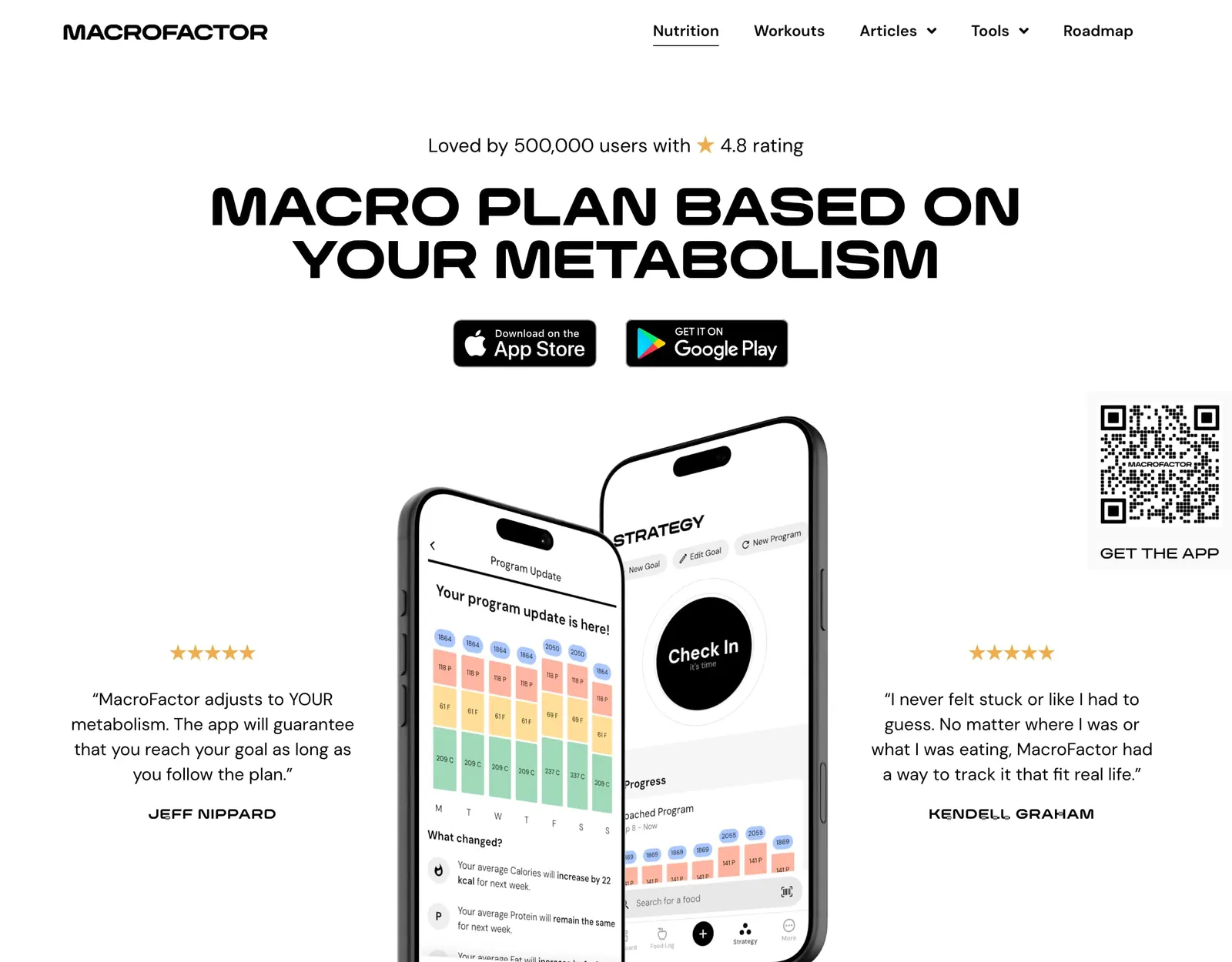
MyFoodBuddy was built by a founder who wrestled in college and trains jiu-jitsu, and who got sick of searching databases and fixing grams by hand. The loop is short.
- Set your goals once. Calorie and macro goals come from your age, weight, height and activity, and you can edit them.
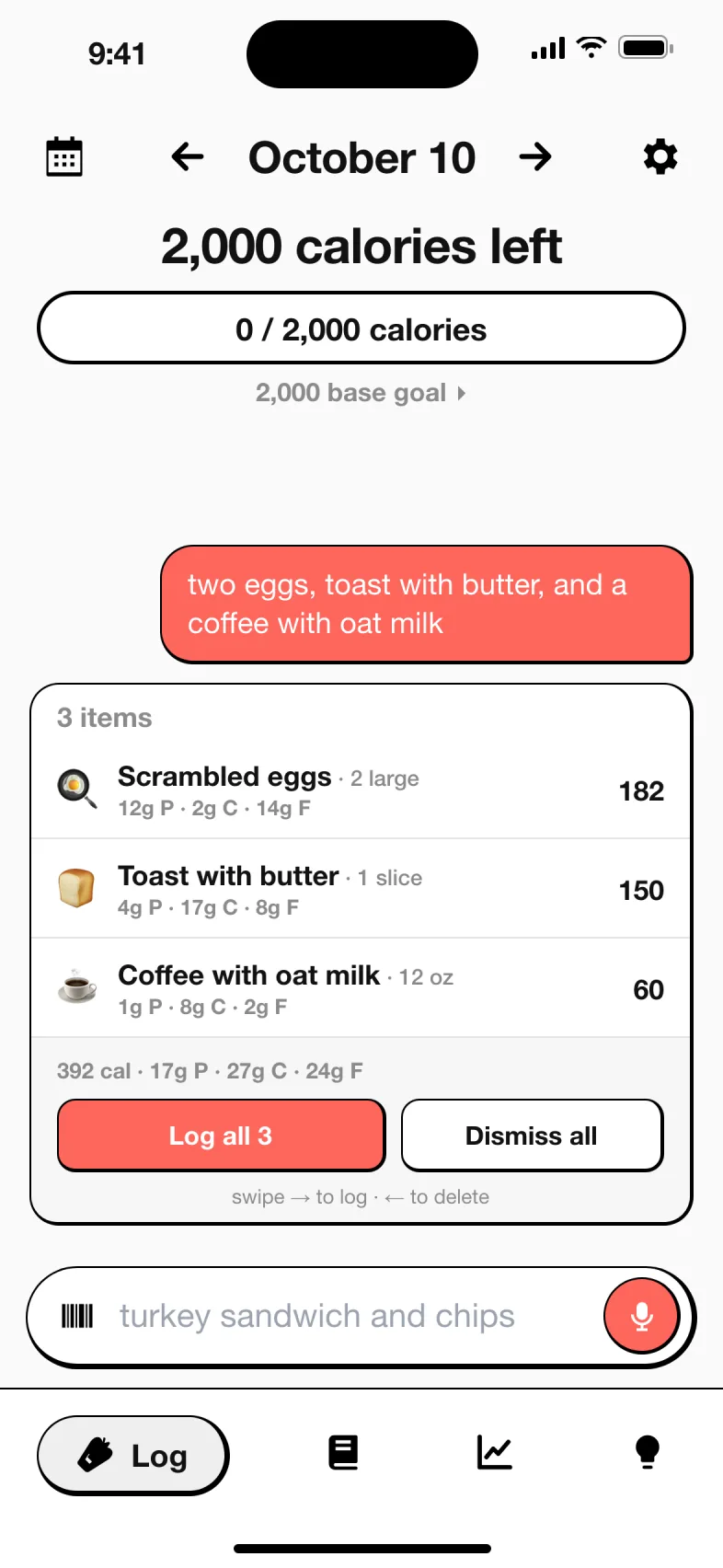
- Say what you ate. Type or speak a normal sentence, like “chicken burrito bowl with rice, black beans and guac, and a protein shake.” Several foods in one message is fine.
- Fiona logs it. She splits the sentence into foods and amounts, looks each one up and shows a card per food with calories, protein, carbs and fat. Tap Log it.
- Fix anything by chatting. “The rice was a double portion” is enough for Fiona to update the entry.
- Ask about your day. Fiona answers what is left today or how your week went. Weight, sleep, steps and workouts sync from Apple Health.
Everyday foods are matched in USDA FoodData Central, branded foods in Edamam and barcodes in Open Food Facts. If you give a number yourself, your number wins. More on the about page.
How much does MacroFactor cost compared to MyFoodBuddy
MacroFactor is premium only, and its FAQ says there will never be a free version. US prices are $11.99 a month, $47.99 every 6 months or $71.99 a year. MyFoodBuddy is $39.99 a year or $7.99 a month. Both start with a 7-day free trial.
| App | Plan | Monthly | Yearly | Includes |
|---|---|---|---|---|
| MyFoodBuddy | Yearly | n/a | $39.99 | Everything, after a 7-day free trial |
| MyFoodBuddy | Monthly | $7.99 | n/a | Everything, billed monthly |
| MacroFactor | Monthly | $11.99 | n/a | Full access to MacroFactor Nutrition, billed monthly |
| MacroFactor | Yearly | n/a | $71.99 | Full access, equal to $5.99 a month |
| MacroFactor | Bundle with MacroFactor Workouts | n/a | $89.99 | Nutrition and Workouts apps together, yearly |
US prices from each app's public pricing or App Store listing, checked MyFoodBuddy Oct 18, 2026, MacroFactor Oct 18, 2026. Apps change prices and run sales often, so confirm in the app before you buy.
What you would actually pay
| If you want | MacroFactor | MyFoodBuddy |
|---|---|---|
| A full year, paid yearly | $71.99 ($5.99 a month) | $39.99 (about $3.33 a month) |
| A full year, paid monthly | $143.88 ($11.99 x 12) | $95.88 ($7.99 x 12) |
| Six months | $47.99 | $47.94 monthly, or the $39.99 year |
| Food tracking plus a lifting program | $89.99 a year for the Nutrition and Workouts bundle | No workout app. Workouts sync in from Apple Health |
| Free, long term | Not offered | Not offered |
Over a year MyFoodBuddy costs $32 less on yearly billing and $48 less on monthly. MacroFactor’s price buys the adaptive coaching and a deeper logger, so the real question is whether you will use them, which the next section covers.
What MacroFactor’s adaptive TDEE does that MyFoodBuddy does not
This is the honest center of the comparison. MacroFactor’s expenditure algorithm is a real feature that MyFoodBuddy does not have, and for some people it is the reason to pick MacroFactor.
MacroFactor starts with energy balance. Calories in minus the change in stored energy equals calories out. It knows calories in from your log, estimates the change in stored energy from your trend weight, and solves for your expenditure. Its own example says that if you eat about 3,000 calories a day and your weight trend shows a 200 calorie daily surplus, your expenditure is about 2,800. It looks at roughly three weeks of data, keeps updating as you lose or gain, and adjusts your targets at each weekly check-in. Optional expenditure modifiers can add step-informed data.
MyFoodBuddy sets your calorie and macro goals from your age, weight, height and activity. You can edit them, and weight syncs from Apple Health, but the app does not recalculate your goals from your results. If you want that, MacroFactor is the better tool.
Where MyFoodBuddy fits is the step before. The algorithm only works if you log every meal, and logging is the part most people drop. MyFoodBuddy is built to make that step one sentence. If you have quit trackers because each meal took too long, a fixed goal you actually log against may serve you better than a smart one fed with half the data.
How MacroFactor AI logging compares to describing a meal
People ask “is MacroFactor AI accurate”. We have not tested either app’s accuracy, so here is what each app says about how its AI logging works.
- MacroFactor Describe. Type a meal or use the keyboard mic, tap Find Foods, and the matching foods go to your Plate to review and adjust. Its help page says Describe searches common generic foods, not the branded database, so “Applebee’s cheeseburger” returns the same generic cheeseburger. It handles amounts like “100g of tomato sauce” well but can split compound descriptions, such as a multigrain bread with seeds, into separate ingredients. A tip it gives is to type “500 calorie bean burrito” when you only know the calories.
- MacroFactor photo AI. Take or upload a photo, optionally add a description, and edit the estimated foods on the Plate. Its tips include top-down photos, good light and a food scale in view.
- MyFoodBuddy. Type or say the meal in one sentence. Fiona splits it into foods and amounts, matches everyday foods in USDA FoodData Central and branded foods in Edamam, and shows a card per food. If nothing matches, the AI estimates and the card shows it before anything is saved. If you state a number, your number is used. Fix anything by telling Fiona.
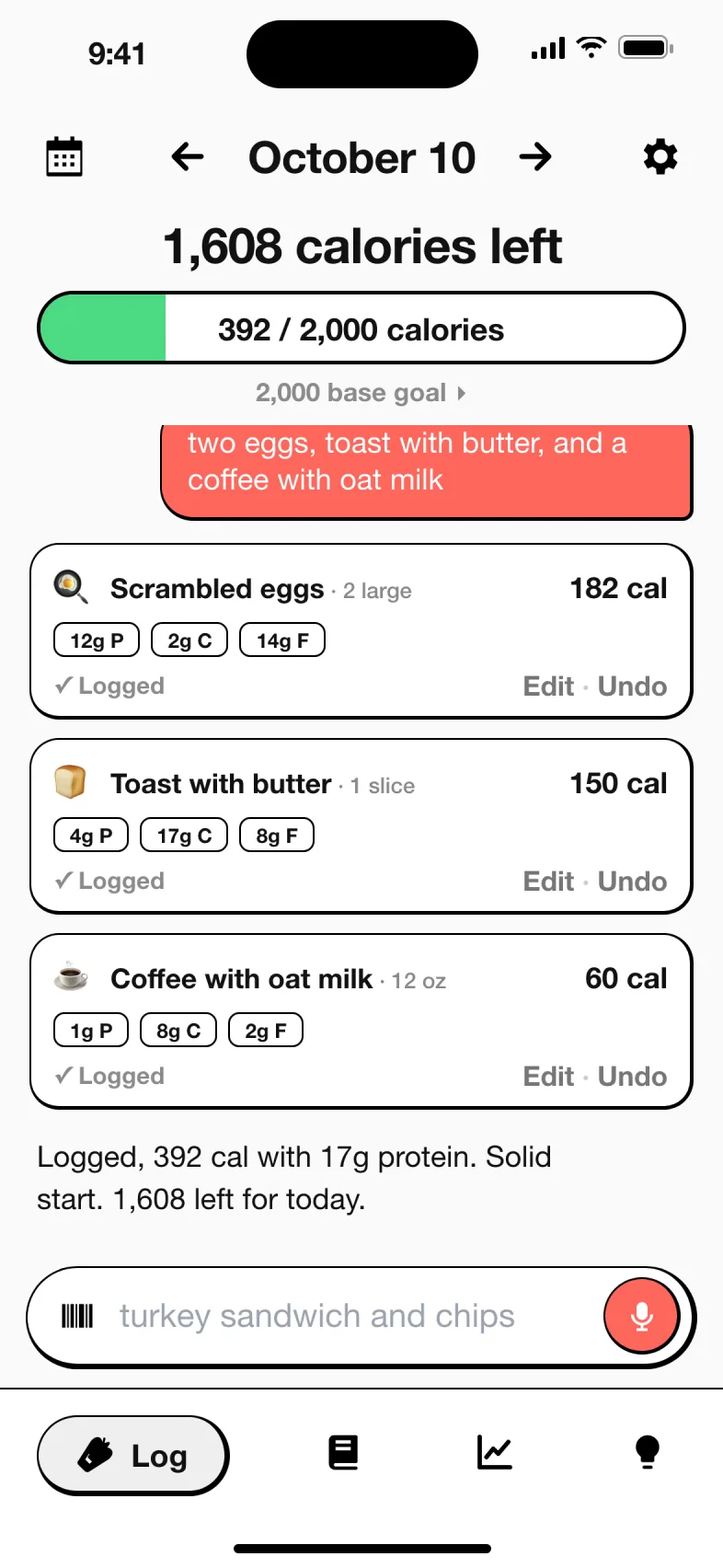
MacroFactor gives you more ways in, photos included, and a database to fall back on. MyFoodBuddy gives you one way in that is meant to be quick every time, with corrections by chat instead of editing quantities.
Is there a cheaper or free MacroFactor alternative
Cheaper, yes. Free with the same features, no. MacroFactor’s adaptive coaching is its own design, and any app that copies the idea still needs your full food log and weigh-ins to work.
- MyFoodBuddy is $39.99 a year, $32 less than MacroFactor’s yearly plan, with no ads. You trade adaptive targets and photo logging for one-sentence logging and an AI coach you can ask questions.
- Free trackers exist, such as the free tiers of MyFitnessPal and Carb Manager, but they rely on database search and keep some features for paying users.
- Doing it by hand works too. Log in any app, keep a weekly average of your weight, and adjust calories yourself when the trend stalls. MacroFactor automates exactly that.
Is MacroFactor worth it, and what do reviews say
MacroFactor is a smaller app with a strong reputation. On October 18, 2026 it had about 23,300 ratings averaging 4.8 on the US App Store and 17,300 reviews averaging 4.8 on Google Play, with 1 million plus downloads there. MacroFactor itself says 500,000 users.
Garage Gym Reviews scores it 4.18 out of 5, with the energy expenditure algorithm, a fast food database, the barcode scanner and weekly coaching as pros and no free plan as the con.
App Store reviews praise how fast logging is and the screened database. One reviewer who describes herself as a part-time registered dietitian praises its screened entries after years on MyFitnessPal, and another switched from Carb Manager with months left on that subscription.
Is it worth $71.99 a year? If you will log every meal and weigh in, and you care about bulking or cutting precisely, the reviews above suggest most users think so. If you are likely to skip meals in the log, the algorithm has less to work with and you are paying for coaching you will not fully get.
When MacroFactor is the better pick
- You want targets that adjust to your real metabolism every week. MyFoodBuddy does not do this.
- You lift and are running a bulk, cut or maintenance phase, possibly with the MacroFactor Workouts app.
- You already log every meal and weigh in most days, so the algorithm gets complete data.
- You want photo logging, a nutrition label scanner, recipe import from a link or copy and paste of whole days.
- You use Android or an iPad, or want your data exportable at any time.
When MyFoodBuddy is the better pick
- You want to pay $39.99 a year instead of $71.99.
- You have quit trackers before because logging took too long, and want to describe a meal in one sentence.
- You would rather fix entries by chatting than adjust quantities on a plate.
- You want a coach you can ask questions, not only weekly number updates.
- You like friends, leaderboards and streaks inside the app.
Still comparing? See MyFoodBuddy against MyFitnessPal, the keto tracker Carb Manager and the AI tracker Eato, or browse every comparison.
Frequently asked questions
Is MacroFactor free?
No. MacroFactor is premium only and its FAQ says there will never be a free version. It has a 7-day free trial, then costs $11.99 a month, $47.99 every 6 months or $71.99 a year.
What is a cheaper alternative to MacroFactor?
MyFoodBuddy costs $39.99 a year or $7.99 a month and lets you log a meal by typing or saying one sentence. It does not have MacroFactor’s adaptive expenditure algorithm, so your goals stay fixed unless you change them.
Is MacroFactor worth it?
It is worth it if you log every meal and weigh in at least weekly, because its weekly target updates depend on complete data. If you often skip meals in your log, you will get less out of the coaching you pay for.
How does MacroFactor calculate TDEE?
It uses your logged calories and the change in your trend weight over about three weeks to back-calculate your energy expenditure, then adjusts your targets at a weekly check-in. It does not rely on smartwatch calorie estimates for the core calculation.
Is MacroFactor AI accurate?
We have not tested it. MacroFactor says Describe matches common generic foods rather than branded items and works best with simple descriptions and amounts, and that photo estimates should be reviewed and edited on the Plate.
Does MyFoodBuddy adjust my calories like MacroFactor?
No. MyFoodBuddy sets your goals from your age, weight, height and activity and you can edit them, but it does not recalculate them from your results.
Does MacroFactor have ads?
No. MacroFactor says it will never serve ads or use ad networks to track you. MyFoodBuddy has no ads either.
Is MacroFactor on Android or the web?
MacroFactor is on iPhone, iPad, Apple Watch and Android, with a desktop version planned. MyFoodBuddy is iPhone only.
Related comparisons
Sources and how we checked
Every fact about another app on this page comes from that app's own public pages, its App Store listing or the independent sources below, read on the dates shown. We did not use paid accounts. If something has changed, email adam@foodbuddy.my and we will fix it.
MyFoodBuddy (verified Oct 18, 2026)
- MyFoodBuddy on the App Store checked Oct 18, 2026
- About MyFoodBuddy checked Oct 18, 2026
MacroFactor (verified Oct 18, 2026)
- MacroFactor on the US App Store (description and In-App Purchases) checked Oct 18, 2026
- MacroFactor homepage checked Oct 18, 2026
- MacroFactor Nutrition app page, features, pricing and FAQ checked Oct 18, 2026
- MacroFactor help, Expenditure checked Oct 18, 2026
- MacroFactor help, How frequently do I need to log my weight checked Oct 18, 2026
- MacroFactor help, Log Foods with Describe checked Oct 18, 2026
- MacroFactor help, AI Food Logging checked Oct 18, 2026
- MacroFactor help, How MacroFactor Subscriptions and Bundles Work checked Oct 18, 2026
- MacroFactor on Google Play checked Oct 18, 2026
- Garage Gym Reviews, MacroFactor checked Oct 18, 2026