Foodvisor vs MyFoodBuddy, feature by feature
Foodvisor is one of the older photo calorie counters, on the App Store since 2016, and it has grown into a full program with lessons, recipes and workouts. MyFoodBuddy is narrower. It is built around one idea, logging a meal by describing it. Rows marked “Not listed publicly” are things Foodvisor does not state on its own pages.
| Feature | MyFoodBuddy | Foodvisor |
|---|---|---|
| Log by typing a normal sentence | Several foods in one sentence | Smart Add, describe a meal in a few words. Premium only |
| Log by talking | Listed in its App Store description | |
| Log from a photo | Photo meal analysis is Premium | |
| Barcode scanner | ||
| Search a food database | Saved foods and meals. No database search screen, you describe the food instead | Manual logging is the free version |
| Fix entries by chatting | Tell Fiona what changed and she updates the entry | Not listed publicly |
| Protein, carbs and fat | Changing your macro split is Premium | |
| Vitamins and minerals | 20+ vitamins and minerals | Vitamins and minerals are part of Premium meal analysis |
| Weight tracking | Log it in chat or sync from Apple Health | |
| Fasting timer | Fasting tracking, with all fasting programs on Premium | |
| Meal plans or recipes | Hundreds of recipes on Premium. 28 days of menus in a one-time Sport and Meal Plan pack | |
| AI coach you can ask questions | Fiona answers questions about your food, goals and progress | A Coach tab with daily lessons and tailored advice. A chat you can ask is not listed |
| Streaks and badges | A seed mascot, quests and streaks that cannot be turned off | |
| Friends or community | Friends and leaderboards | Friends and a support group |
| Apple Health sync | Weight, sleep, steps and workouts | Also Garmin Connect and Samsung Health for activity |
| Android app | iPhone only | |
| Web app | The website only manages your subscription | |
| Free version | Manual logging in the food diary | |
| Ads | No ads | Premium lists no ads among its features |
| Free trial of the paid plan | 7 days | A trial where you pick the price, per its refund policy. Referred friends get 14 days free |
Two rows matter most. Free version, because Foodvisor has one and MyFoodBuddy does not, though Foodvisor’s free version is manual logging only. And logging by typing a sentence, which is MyFoodBuddy’s core and a Premium extra in Foodvisor, where it is called Smart Add.
How Foodvisor works day to day
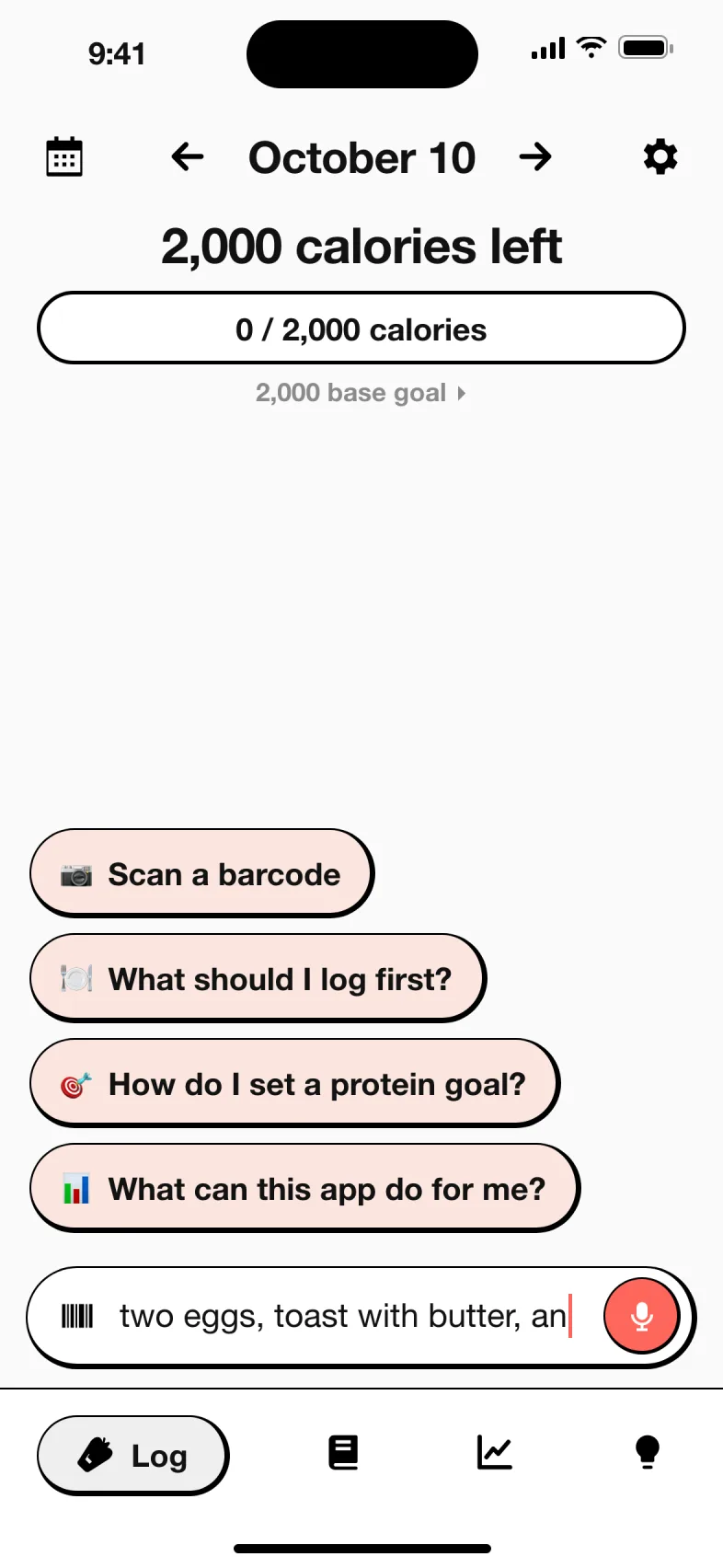
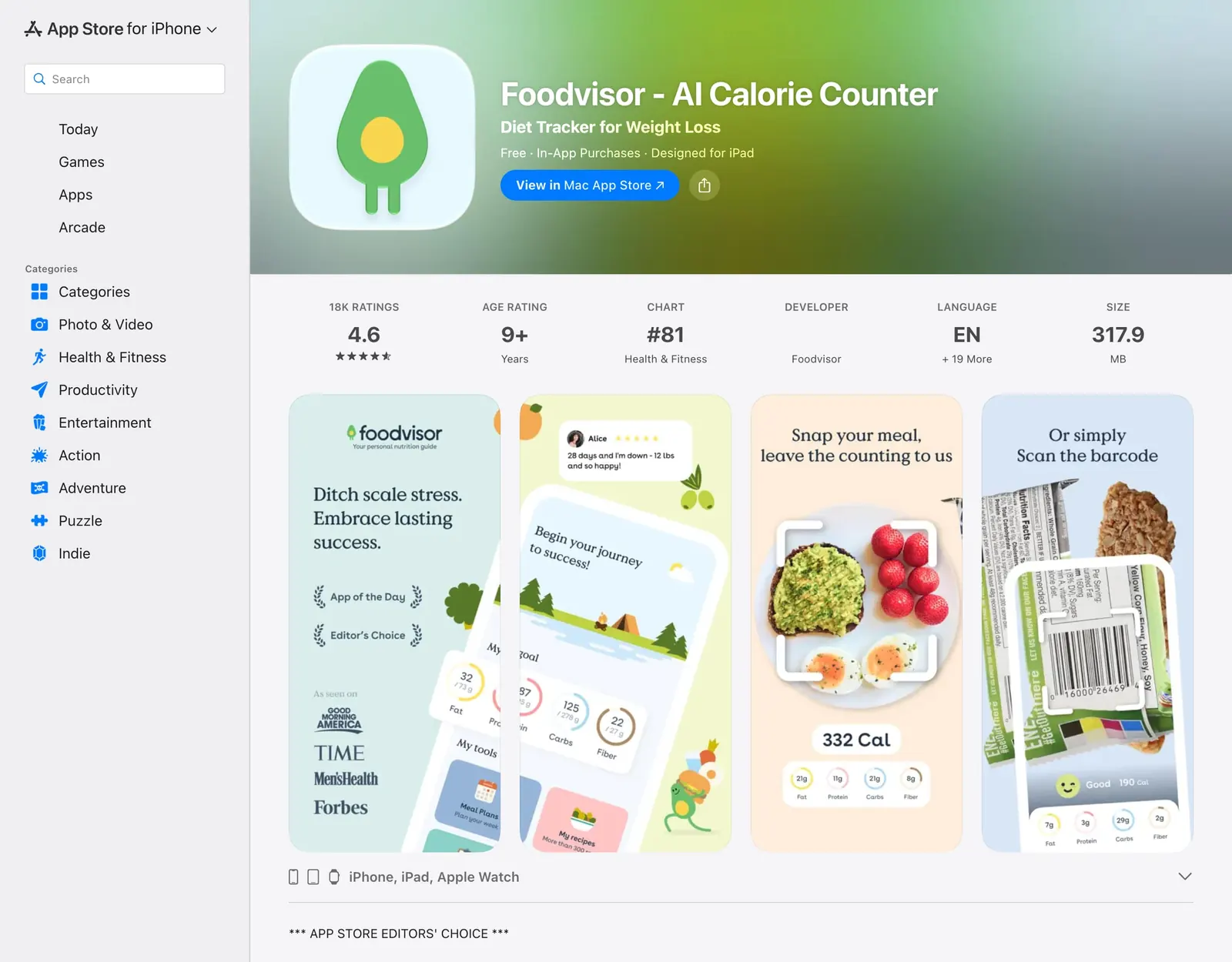
Foodvisor is made by a company in Paris. Its App Store listing says it has more than 15 million users. Here is the routine as its own pages describe it.
- Answer a questionnaire. Foodvisor builds a personalized program and calorie and macro goals from it, and you choose the free version or Premium.
- Open a meal and add foods. Tap + next to breakfast, lunch, dinner or a snack. Then take a photo of the plate, scan a barcode, search the database, pick from favorites, speak, or on Premium use Smart Add to describe the meal in a few words.
- Check the photo result. Foodvisor’s help center says the AI recognizes the visible foods and estimates quantities, and you adjust the foods and amounts before confirming. Missing items are added by search.
- Follow the Coach tab. Daily classes on nutrition, psychology and motivation, plus articles, recipes and, on Premium, workout sessions.
- Grow your seed. Logging meals, water and activity completes daily quests that make a seed mascot grow, get dressed and bloom.
How MyFoodBuddy works day to day
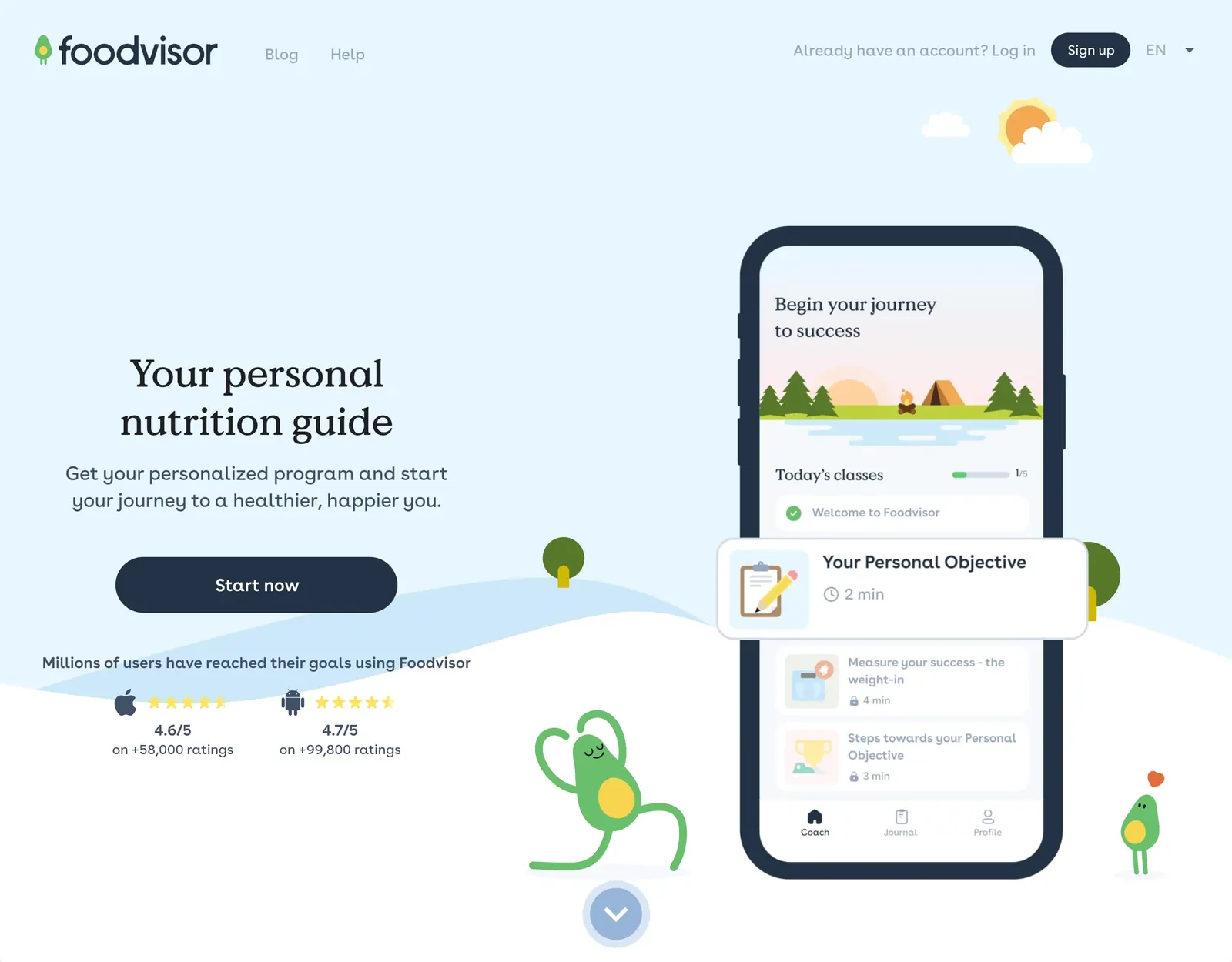
MyFoodBuddy has one logging screen, a chat with Fiona, an AI coach. There is no meal slot to open and no photo step.
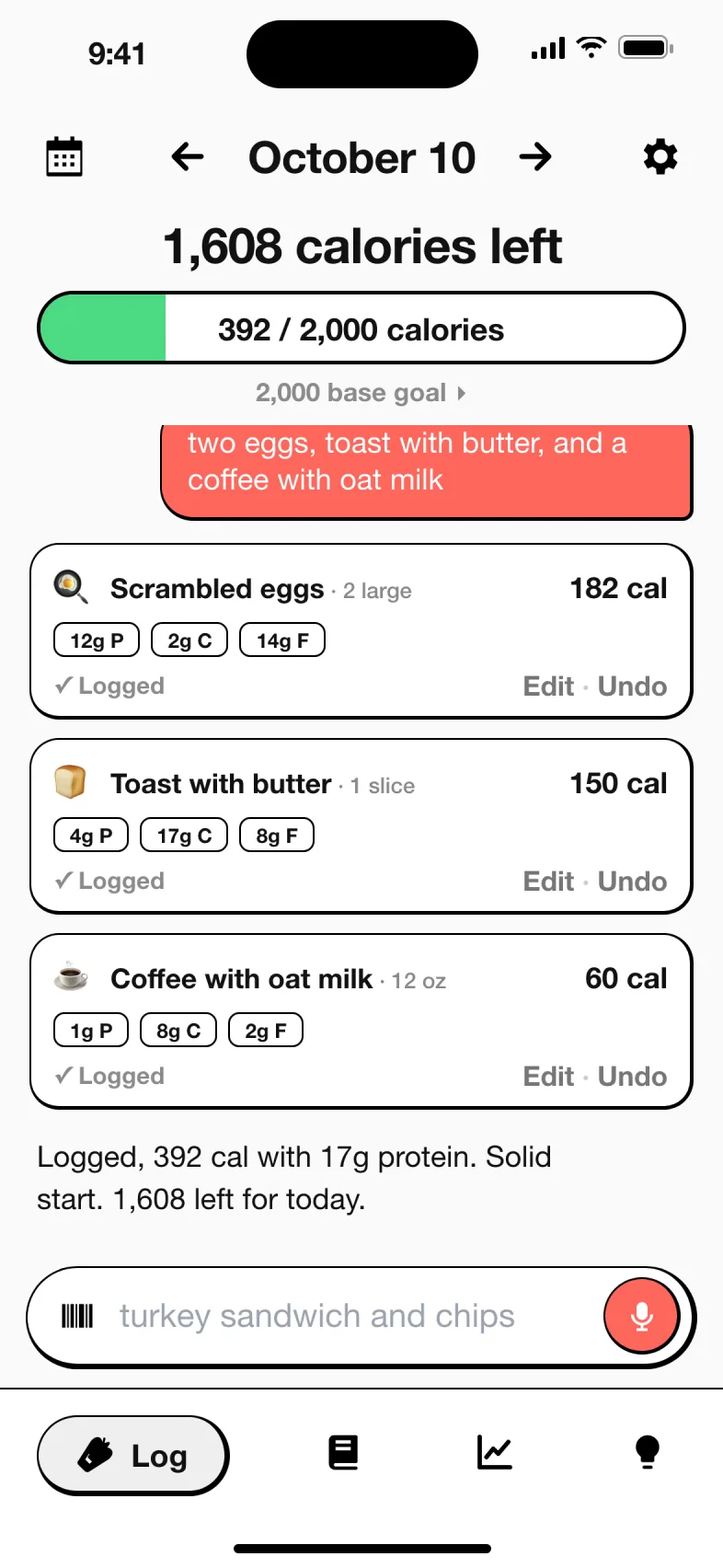
- Say what you ate. Type or speak a sentence like “two eggs, toast with butter and a coffee with oat milk.”
- Check the cards. Fiona splits the sentence into foods and amounts, looks each one up and shows a card with calories, protein, carbs and fat.
- Tap Log it. The day’s totals update. If you state a number yourself, your number wins.
- Fix it by chatting. Tell Fiona about the bigger portion or the forgotten dressing and she updates the entry. Ask her what is left for the day.
- Scan packaged food with the barcode scanner, and sync weight, sleep, steps and workouts from Apple Health.
Values come from USDA FoodData Central, Edamam and Open Food Facts, and the app tracks fiber, sugar, sodium and 20+ vitamins and minerals for everyone, not as an upgrade. See the about page for how the numbers are chosen.
How much does Foodvisor cost compared to MyFoodBuddy
Foodvisor’s help center says it cannot give a fixed price, because Premium depends on your country, whether you buy through Apple, Google or its website, and any running promotion. The US App Store lists one month of Premium at $14.99, $29.99 and $39.99, three months at $59.99 and $89.99, and other Premium purchases at $23.99 and $83.99 without a stated period. MyFoodBuddy is $39.99 a year or $7.99 a month after a 7-day free trial.
| App | Plan | Monthly | Yearly | Includes |
|---|---|---|---|---|
| MyFoodBuddy | Yearly | n/a | $39.99 | Everything, after a 7-day free trial |
| MyFoodBuddy | Monthly | $7.99 | n/a | Everything, billed monthly |
| Foodvisor | Free | Free | Free | Manual food logging in the food diary |
| Foodvisor | Premium, 1 month (lowest listed) | $14.99 | n/a | Photo meal analysis, Smart Add, vitamins and minerals, lessons, recipes, fasting programs, no ads |
| Foodvisor | Premium, 3 months | n/a | n/a | The same Premium features, listed at $59.99 and $89.99 for three months |
US prices from each app's public pricing or App Store listing, checked MyFoodBuddy Oct 18, 2026, Foodvisor Oct 18, 2026. Apps change prices and run sales often, so confirm in the app before you buy.
What you would actually pay
| If you want | Foodvisor | MyFoodBuddy |
|---|---|---|
| Free use, long term | Free version with manual logging, Premium features locked | No free tier |
| One month of the full app | $14.99 to $39.99 on the App Store | $7.99 |
| Three months | $59.99 or $89.99 on the App Store | $23.97 at $7.99 a month |
| A full year | No clearly labeled yearly price on the US App Store | $39.99 |
| A trial first | A trial where you pick the price, or 14 days free through a referral | 7 days free |
| A household | Family plan for up to five members on iPhone | No family plan listed |
If you only want manual logging, Foodvisor costs nothing and MyFoodBuddy costs something. If you want photo or text logging and full nutrient detail, Foodvisor’s listed monthly prices start above MyFoodBuddy’s $7.99. Check the price Foodvisor shows you in the app, since it varies.
Is Foodvisor free, and what does Premium add
Yes, there is a real free version. During signup you choose it or a paid subscription. Here is the split from Foodvisor’s own help center.
| Free | Premium | |
|---|---|---|
| Manual logging in the food diary | Yes | Yes |
| Photo meal analysis | No | Yes |
| Smart Add, describe a meal in words | No | Yes |
| Vitamins, minerals and micronutrients | No | Yes |
| Changing your macro split | No | Yes |
| Daily courses, expert articles, hundreds of recipes | No | Yes |
| All intermittent fasting programs, unlimited workouts | No | Yes |
| Ads | Shown | None |
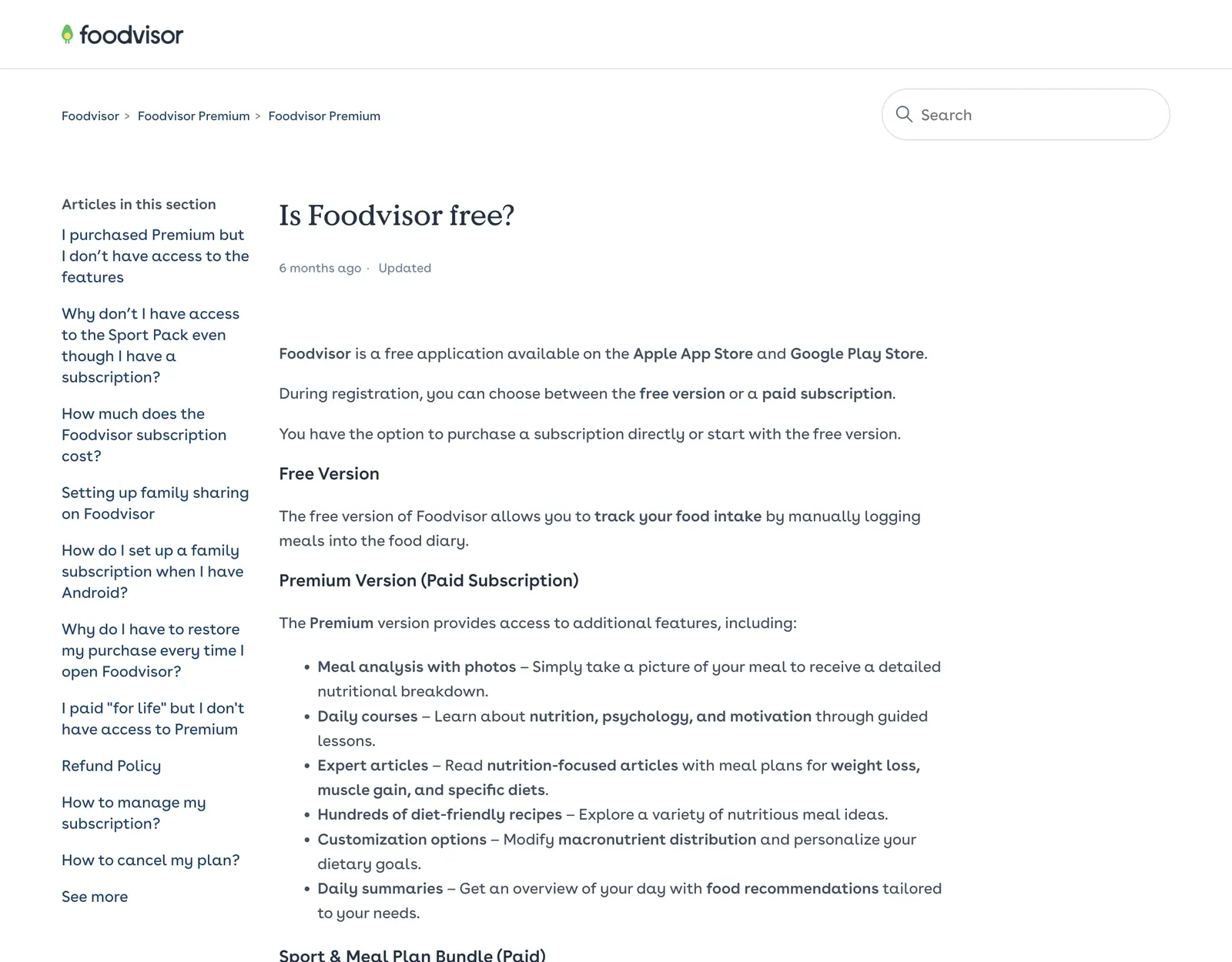
So the feature that gives Foodvisor its name, logging from a photo, is a paid one. A one-time Sport and Meal Plan pack (workout programs and 28 days of menus) is sold separately and is not a subscription. On refunds, Foodvisor says requests must come within 14 days and renewal charges are not refunded.
How Foodvisor photo logging works, and where it needs your help
Foodvisor’s help center is candid about what makes photo logging work. It asks you to separate the foods on the plate, shoot from above in good light, and use the barcode scanner rather than photographing packaging. When a food is not recognized, you pick the right one from the suggestions or search for it and add it by hand.
There are rules about what you are logging, too. Photos should be of the cooked meal as you eat it. Foods count as cooked unless marked raw, plain pasta and rice count as raw unless the label says cooked, and pasta with sauce is always logged cooked. Getting those right matters for the totals.
Foodvisor was not part of the NIH study of photo apps presented in July 2026, so we have no measured error rate for it. That study found the four photo features it tested missed about 30 grams of fat per meal, which is the part of a meal a camera sees least. We cover it in detail on Cal AI vs MyFoodBuddy.
MyFoodBuddy avoids the photo step entirely. You name the foods, including the oil or sauce, and each gets a card you check before saving. We do not claim that is more accurate, since we have no test data. It does mean nothing depends on lighting or plate layout.
Can you turn off the Foodvisor seed and quests
No. Foodvisor’s help center says there is no setting to hide or disable the seed mascot, quests, the shop, chests and gems, or the animations, vibrations and sounds that go with them after you log a meal or keep a streak. It adds that Foodvisor has received a large volume of negative feedback about this, in every language, and that an option to switch it off is not planned in the short term.
Plenty of people like it. The App Store listing pitches the seed as “a reason to come back every day,” and several reviews say the app finally felt engaging. If that is you, it is a real point in Foodvisor’s favor.
If you would rather just log and leave, MyFoodBuddy keeps the extras lighter, with streaks, achievements, a color-coded calendar, and friends and leaderboards if you want them.
Is Foodvisor worth it, and what do reviews say
Foodvisor is well reviewed. It is an App Store Editors’ Choice, and when we checked on October 18, 2026 it had about 18,000 US App Store ratings averaging 4.6. On Trustpilot most reviews were five-star.
The positive reviews praise the friendly design, the lack of a restrictive diet, the lessons, the recipes and the short at-home workouts. Several App Store reviewers say it was the first tracker they kept using. The complaint Foodvisor itself acknowledges most is the gamification you cannot switch off.
Whether Premium is worth it depends on how much of the program you use. If you want photo logging plus lessons, recipes, fasting programs and workouts in one app, the bundle is broad. If you only want fast, accurate-enough logging, you are paying for a lot you may not open.
When Foodvisor is the better pick
- You want a free manual food logger and may never pay.
- You want photo logging of plated meals, and voice and barcode as backups.
- You like a structured program, with daily lessons, recipes, fasting programs and workouts in the same app.
- You enjoy the seed mascot and quests and find they keep you coming back.
- You use Android, an iPad or an Apple Watch, or want a family plan for up to five people.
When MyFoodBuddy is the better pick
- You want to log a whole meal from one sentence, typed or spoken, without opening a meal slot or taking a photo.
- You want vitamins and minerals and text logging in the base price, not behind an upgrade.
- You want one clear price, $39.99 a year or $7.99 a month, with a 7-day free trial and no ads.
- You want to fix entries by chatting and ask Fiona what is left for the day.
- You would rather skip the mascot, quests and shop.
Comparing other AI trackers? See Cal AI vs MyFoodBuddy, BitePal vs MyFoodBuddy and Calo vs MyFoodBuddy.
Frequently asked questions
Is Foodvisor free?
Foodvisor has a free version that lets you log meals manually in the food diary. Photo meal analysis, Smart Add text logging, vitamins and minerals, lessons and recipes are Premium.
How much does Foodvisor Premium cost?
Foodvisor does not publish a fixed price and says it varies by country, platform and promotion. The US App Store lists one month at $14.99, $29.99 or $39.99 and three months at $59.99 or $89.99. MyFoodBuddy is $39.99 a year or $7.99 a month.
Is Foodvisor worth it?
It is worth it if you will use the program, meaning photo logging, lessons, recipes, fasting programs and workouts. If you only want quick logging, a simpler app may cost less for what you use.
Is Foodvisor accurate?
Foodvisor has not published a measured error rate and was not in the 2026 NIH study of photo apps. Its help center says some foods may not be recognized and asks you to separate foods and shoot from above in good light.
Can I use Foodvisor on a computer?
No. Foodvisor’s help center says there is no web version. The website only manages your subscription, and the app runs on iPhone, iPad, Apple Watch and Android.
Can I turn off the seed in Foodvisor?
No. Foodvisor says there is no setting to disable the seed, quests, shop or animations, and that an option is not planned in the short term.
Does Foodvisor have voice logging?
Yes, its App Store description says you can speak to the app and it logs the food. Describing a meal in typed words, called Smart Add, is Premium only.
What is a Foodvisor alternative without photos?
MyFoodBuddy logs a meal from one typed or spoken sentence, with a barcode scanner for packaged food and edits by chatting. It has no free tier, costs $39.99 a year and is iPhone only.
How do I get a Foodvisor refund?
Foodvisor says refund requests must be made within 14 days, through Apple, Google or Foodvisor support depending on where you paid. Renewal charges are not refunded.
Related comparisons
Sources and how we checked
Every fact about another app on this page comes from that app's own public pages, its App Store listing or the independent sources below, read on the dates shown. We did not use paid accounts. If something has changed, email adam@foodbuddy.my and we will fix it.
MyFoodBuddy (verified Oct 18, 2026)
- MyFoodBuddy on the App Store checked Oct 18, 2026
- About MyFoodBuddy checked Oct 18, 2026
Foodvisor (verified Oct 18, 2026)
- Foodvisor homepage checked Oct 18, 2026
- Foodvisor on the US App Store (description, in-app purchases, release date) checked Oct 18, 2026
- Foodvisor help center, Is Foodvisor free? checked Oct 18, 2026
- Foodvisor help center, How much does the Foodvisor subscription cost? checked Oct 18, 2026
- Foodvisor help center, How do I log a meal eaten out? checked Oct 18, 2026
- Foodvisor help center, How to add a meal? checked Oct 18, 2026
- Foodvisor help center, Can I use Foodvisor on a computer? checked Oct 18, 2026
- Foodvisor help center, Refund Policy checked Oct 18, 2026
- Foodvisor help center, Is it possible to disable the seed and other gamification features? checked Oct 18, 2026
- Foodvisor help center, Setting up family sharing on Foodvisor checked Oct 18, 2026
- VentureBeat, Foodvisor raises $4.5 million (November 2019) checked Oct 18, 2026
- Foodvisor reviews on Trustpilot checked Oct 18, 2026