
MyFitnessPal Calorie Calculator Setup Made Simple
Learn how to use MyFitnessPal's calorie calculator and macro setup for weight loss. Get accurate numbers and start tracking smarter today.
You set your calorie goal to 1,200 because it sounds right, then wonder why you're starving by noon or why the scale hasn't budged in weeks. Most people who struggle with weight loss aren't failing because of willpower—they're working with the wrong numbers from day one. The myfitnesspal calorie calculator is one of the most popular free tools out there, but if you don't set it up correctly, you'll waste months spinning your wheels instead of seeing real progress.
Table of Contents
Understanding How Calorie Calculators Work
Your body burns calories every single day just by existing, and that number changes based on what you do. When you use a myfitnesspal calorie calculator or any fitness pal calorie calculator, it's trying to figure out exactly how many calories your body needs. This isn't just random math, it's based on real science about how your body uses energy. The calculator asks you questions about your age, weight, height, and activity level because all these things affect how much fuel your body burns.
What BMR and TDEE Actually Mean
BMR stands for Basal Metabolic Rate, which is just a fancy way of saying how many calories your body burns if you stayed in bed all day doing nothing. Think of it as your body's idle mode, like a car engine running but not moving. Your heart beats, your lungs breathe, your brain thinks, and all of that takes energy.
TDEE means Total Daily Energy Expenditure, and that's the real number you care about. This is your BMR plus all the calories you burn from moving around, exercising, and even digesting food. When you use the myfitnesspal calculate calories feature, it's trying to estimate your TDEE so you know how much to eat.
- BMR is what you burn just staying alive
- TDEE includes everything you do during the day
- Most people's TDEE is 20-50% higher than their BMR
- The calorie counter myfitnesspal uses combines both numbers
How Your Activity Level Changes Everything
The difference between someone who sits at a desk all day and someone who works construction can be over 1,000 calories. That's why the calorie calculator myfitnesspal provides asks about your activity level. Getting this wrong means your whole plan is off from day one.
| Activity Level | Description | Multiplier |
|---|---|---|
| Sedentary | Desk job, little exercise | BMR × 1.2 |
| Lightly Active | Light exercise 1-3 days/week | BMR × 1.375 |
| Moderately Active | Moderate exercise 3-5 days/week | BMR × 1.55 |
| Very Active | Hard exercise 6-7 days/week | BMR × 1.725 |
| Extremely Active | Physical job plus hard exercise | BMR × 1.9 |
Most people overestimate their activity level, which leads to eating too much. Be honest with yourself here.
Maintenance Versus Deficit Calories
Once you know your TDEE, you have your maintenance calories, which is the amount you need to eat to stay exactly the same weight. Want to lose weight? You need to eat less than maintenance, creating what's called a calorie deficit. Want to gain weight? Eat more than maintenance, creating a surplus.
The myfitnesspal macro calculator takes your goal and automatically subtracts or adds calories to your TDEE. A safe deficit is usually 500 calories per day, which leads to losing about one pound per week. Go too low and you'll feel terrible and probably quit.
- Maintenance calories keep your weight stable
- A 500 calorie deficit loses about 1 pound per week
- A 250 calorie deficit is better for slow, sustainable loss
- Deficits over 1,000 calories are hard to maintain
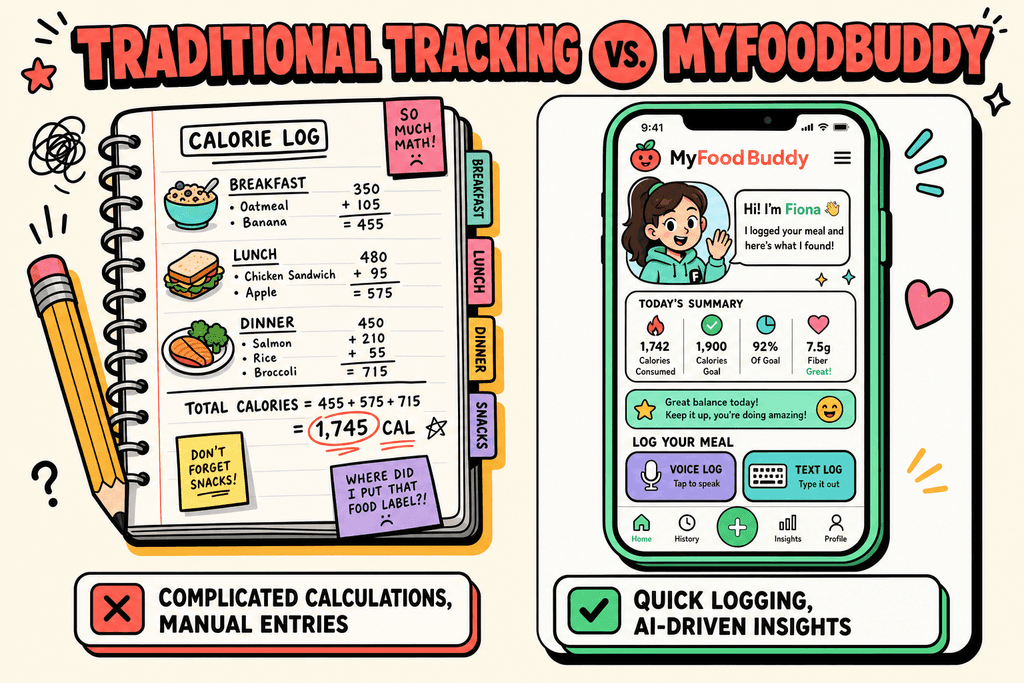
The problem is that tracking everything in apps like the calories counter myfitnesspal can take forever. You have to search for foods, measure portions, and log every single thing. That's where simpler options like MyFoodBuddy come in, letting you just say what you ate instead of typing and searching through databases. But first, you need to understand what numbers you're actually tracking and why they matter.
Setting Up Your MyFitnessPal Calorie Calculator
Most people mess up their calorie calculator setup in the first five minutes, then wonder why they're not losing weight. The myfitnesspal calorie calculator is actually pretty straightforward, but there are a few spots where people tend to shoot themselves in the foot. Getting your initial setup right means you'll actually see results instead of spinning your wheels for weeks. The good news is that once you know what to watch out for, the whole process takes maybe ten minutes. Let's walk through exactly how to do this without the common mistakes that trip people up. To help you avoid these common pitfalls, be sure to read our MyFitnessPal Calorie Setup Guide for Accurate Daily Targets.
First, you need to find the calculator in the app. Open MyFitnessPal and tap on "More" at the bottom right, then hit "Goals." From there, tap "Calorie, Carbs, Protein & Fat Goals" and you'll see where the magic happens.
What You Need Before Starting
- Your current weight (be honest, the scale doesn't judge)
- Your goal weight
- Your height and age
- A realistic idea of how active you actually are
Here's where most people mess up: choosing their activity level. If you work a desk job and go to the gym three times a week, you're probably "lightly active" at best, not "very active." The fitness pal calorie calculator will give you way too many calories if you overestimate here, and then you'll be confused when the scale doesn't budge.
The activity levels break down like this: sedentary means you basically sit all day with minimal movement. Lightly active is a desk job plus some walking or light exercise. Moderately active means you're on your feet a good chunk of the day or doing regular workouts. Very active is for people with physical jobs or serious athletes.
Setting Realistic Weight Loss Goals
Your weight loss rate matters more than you think. MyFitnessPal will ask how much you want to lose per week. The options usually range from 0.5 to 2 pounds per week. If you pick 2 pounds per week but only have 15 pounds to lose, you're setting yourself up for misery with super low calories.
| Weight to Lose | Recommended Rate |
|---|---|
| Less than 20 lbs | 0.5-1 lb/week |
| 20-50 lbs | 1-1.5 lbs/week |
| 50+ lbs | 1.5-2 lbs/week |
The calorie calculator myfitnesspal uses will spit out a number based on all this info. But here's the thing: lying about your stats only hurts you. If you tell the app you're 20 pounds lighter than you are or way more active than reality, you'll get a calorie target that doesn't match your actual needs. Then you'll either not lose weight or feel like the whole system is broken.
Getting Your Macros Right for Weight Loss
Calories are just one piece of the puzzle. What those calories are made of actually matters when you're trying to lose weight without feeling like garbage. Macros are just protein, carbs, and fats, the three things that make up all your food. The myfitnesspal macro calculator sets default percentages, but those defaults aren't always ideal for weight loss. Most people do better with more protein than what MyFitnessPal suggests out of the box.

To adjust your macros, go back to that Goals section and look for the percentages. MyFitnessPal usually defaults to something like 50% carbs, 20% protein, and 30% fat. That's fine for general health, but if you're trying to lose weight, bumping up protein helps a ton.
Why Protein Matters So Much
Higher protein does two important things: it keeps you fuller longer, and it helps you hold onto muscle while you're losing fat. When you're eating fewer calories, your body will break down muscle for energy if it doesn't get enough protein. More muscle means a faster metabolism, so you really don't want to lose it.
- Protein keeps you full: It takes longer to digest than carbs
- Preserves muscle mass: Your body won't cannibalize muscle for energy
- Higher thermic effect: Your body burns more calories just digesting protein
For weight loss, most people do well with a 40/30/30 split (40% carbs, 30% protein, 30% fat) or even 30/35/35 if you really want to prioritize protein. The calories counter myfitnesspal provides will stay the same, you're just changing where those calories come from.
| Goal | Carbs | Protein | Fat |
|---|---|---|---|
| Weight Loss | 30-40% | 30-35% | 30-35% |
| Muscle Gain | 40-50% | 25-35% | 20-30% |
| Maintenance | 45-55% | 20-25% | 25-30% |
The truth about low-carb versus balanced macros is that both can work. Some people feel great on lower carbs, others get cranky and tired. The best macro split is the one you can actually stick to. If you love bread and pasta, don't force yourself into a super low-carb plan because you'll just end up quitting.
Adjusting Your Numbers When Progress Stalls
Your calorie needs aren't set in stone. As you lose weight, your body needs fewer calories to function because there's literally less of you to fuel. A 200-pound person burns way more calories just existing than a 170-pound person. This is why the myfitnesspal calculate calories feature needs updating as you go. Most people forget this part and then get frustrated when their progress stops.
You should recalculate your calories every 10 to 15 pounds you lose. Go back into that Goals section and update your current weight. The calorie counter myfitnesspal generates will drop a bit, which is normal and expected. If you don't do this, you'll eventually hit a point where you're eating at maintenance for your new weight instead of a deficit.
Real Plateaus Versus Normal Fluctuations
Before you panic and slash your calories, make sure you're actually stuck. Your weight bounces around day to day because of water, food in your digestive system, and hormones. A real plateau is no change on the scale for three to four weeks straight, not just a few days of the same number.
- Normal fluctuation: Weight stays same for 3-7 days
- Possible plateau: No change for 2-3 weeks
- Actual plateau: No movement for 4+ weeks
The problem with dropping calories too low too fast is that it makes everything harder. You'll be hungry, tired, and more likely to binge. Plus, super low calories can slow your metabolism over time. If you hit a real plateau, drop your calories by just 100 to 200 per day, not 500.
Here's something most people don't want to hear: tracking accuracy affects your results way more than the calculator itself. If you're eyeballing portions or forgetting to log cooking oil, you could easily be eating 300 to 500 more calories than you think. The calculator can be perfect, but if you're not logging accurately, it won't matter.
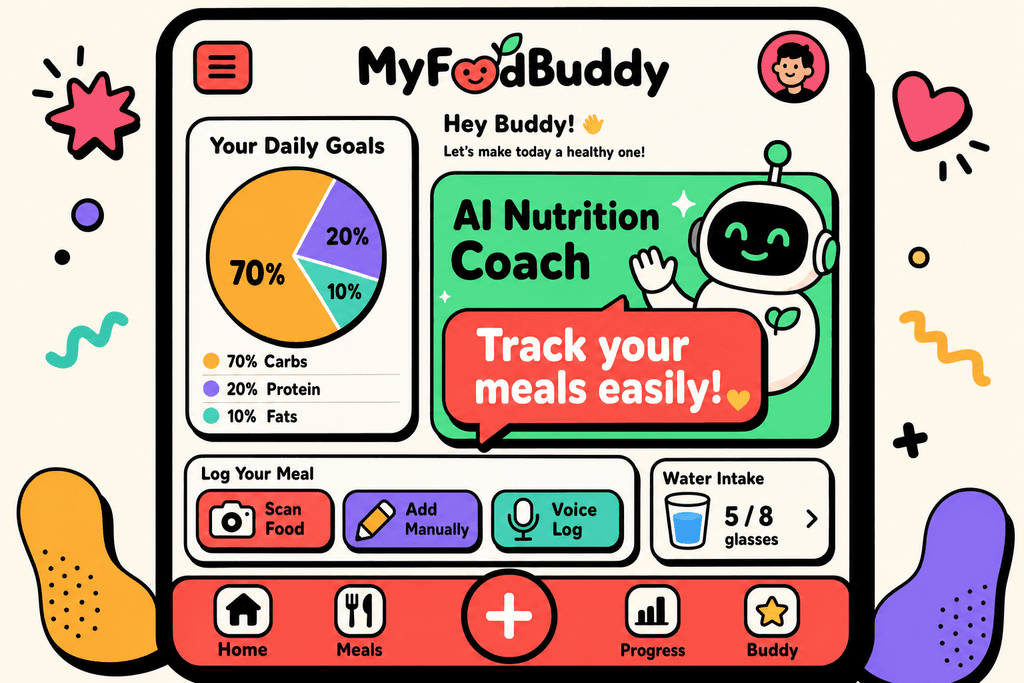
This is where apps like MyFoodBuddy make the whole process less painful. Instead of searching through databases and measuring everything, you can just say what you ate and the AI figures out the nutrition. When tracking takes 30 seconds instead of five minutes, you're way more likely to actually do it consistently. And consistency is what gets results, not having the perfect calculator setup.
Your Next Steps with Calorie Tracking
Setting up the myfitnesspal calorie calculator gives you a number to start with, but that's all it is. A starting point. The calculator uses your age, weight, height, and activity level to estimate what you need, but your actual body might need more or less. Think of it like getting directions to a new place - the map gets you close, but you might need to adjust once you're actually driving.
The real magic happens when you track consistently for 2-4 weeks and watch what your weight does. If you're eating the calories the myfitnesspal calculator suggested but not losing weight, you'll need to drop them a bit. If you're losing too fast or feeling exhausted, you might need to eat more.
Here's the thing though - most people quit tracking because it takes too long. Searching through databases, weighing every ingredient, and logging each item separately gets old fast. That's where something like MyFoodBuddy comes in handy. You just say what you ate and it figures out the calories for you, which means you're more likely to actually stick with it past week two.
The best calorie calculator myfitnesspal setup in the world won't help if you stop using it after a few days. You can try MyFoodBuddy free for 7 days to see if easier tracking helps you stay consistent. But whatever you use, remember that tracking beats guessing every single time.
Common Questions About MyFitnessPal's Calculator
Setting up a calorie calculator can feel confusing, especially when you're trying to figure out if you're doing it right. People often have the same questions about how these tools work and whether they should trust the numbers they see. Here are the answers to the most common questions about using the myfitnesspal calorie calculator and getting your goals set up properly.
Is MyFitnessPal's calorie calculator accurate?
The myfitnesspal calculator calories are based on standard formulas that estimate your needs, but they're just starting points. Your actual calorie needs depend on factors like metabolism, muscle mass, and daily activity that no calculator can measure perfectly. Most people find the estimates are within 10-15% of their actual needs, which means you'll likely need to adjust based on your real-world results over a few weeks.
Should I eat back my exercise calories?
This depends on how you set up your activity level in the fitness pal calorie calculator. If you selected "sedentary" and then log workouts separately, eating back 50-75% of those calories usually works well since calorie burn estimates are often inflated. If you already included exercise in your activity level setting, don't eat them back or you'll be double-counting.
Why is my calorie goal different from my friend's?
The calorie counter myfitnesspal generates is personalized to your height, weight, age, gender, and activity level. Someone who weighs more or is taller naturally burns more calories just existing, so they get a higher goal. Your friend might also have selected a different weight loss rate or activity level, which changes the numbers significantly.
How often should I update my calorie goals?
You should recalculate your goals every 10-15 pounds of weight loss or every 2-3 months. As your weight changes, your body needs fewer calories to function, so sticking with old numbers can stall your progress. This is one area where apps like MyFoodBuddy make things easier since they help you track trends and adjust without the manual recalculation hassle.
What if I'm not losing weight with the recommended calories?
If you've been consistent for 3-4 weeks and the scale hasn't moved, the myfitnesspal macro calculator might have overestimated your needs. Try reducing your daily goal by 100-200 calories and track for another few weeks. Also check that you're logging accurately, since small measurement errors add up quickly and can hide a deficit.
Can I use MyFitnessPal for weight gain or maintenance?
Yes, the calorie calculator myfitnesspal offers works for any goal, not just weight loss. When setting up your profile, you can select "gain weight" or "maintain weight" and it adjusts your calorie target accordingly. The same principles apply, you'll just be eating at a surplus or at your maintenance level instead of a deficit.
Ready to start tracking smarter?
Download MyFoodBuddy and start tracking your calories by just saying what you ate. No more searching databases or guessing portions.
Get started