Chipotle Macros Calculator for Custom Orders
Build your Chipotle order and see live calories, protein, carbs and fat totals. Free macro calculator for weight loss tracking.
A loaded chipotle macros calculator can show a swing of 300 calories or more between a plain chicken bowl and a stuffed burrito with extras, just from picking a tortilla, guac, cheese, and sour cream instead of leaving them off. That flour tortilla alone runs about 320 calories, guac adds roughly 230, and cheese and sour cream stack on another 230 together, so the difference between a clean bowl and a fully loaded burrito adds up fast. The tool below lets you pick your exact base, protein, rice, beans, salsas, and toppings and see the calorie and macro totals update as you build, so you know your real order instead of a generic menu average. No more guessing at portion sizes or flipping through a nutrition PDF trying to match up ingredients by hand.
Table of Contents
Build Your Order And See Totals Live
This section is the calculator itself, the part you actually came to use. You pick a base, then move through protein, rice, beans, salsa, and toppings, and the totals shift with every tap.
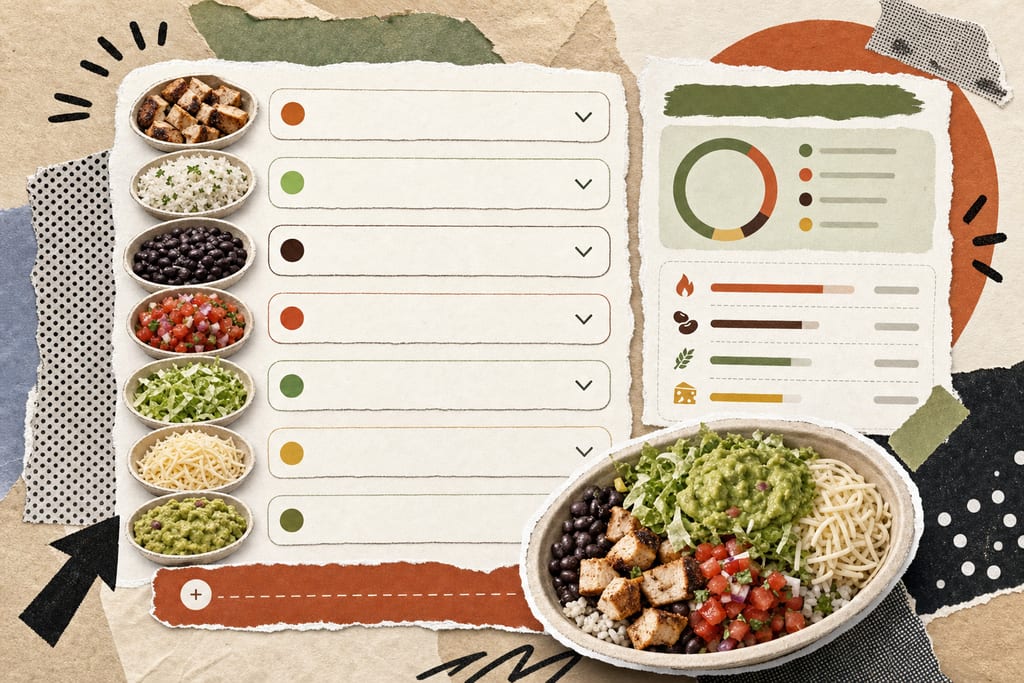
Each category works like a menu you'd face in line. Options include:
- Base: bowl, burrito, salad, or tacos
- Protein: chicken, steak, barbacoa, sofritas, or carnitas
- Rice and beans: white rice, brown rice, black beans, or pinto beans
- Salsa: mild, medium, hot, or corn
- Toppings: lettuce, cheese, sour cream, guacamole, or queso
As you check boxes, calories, protein, carbs, and fat update live at the top of the screen, no refresh needed. Chicken on its own is a good baseline to picture: 4 oz of Chipotle Chicken runs 180 calories, 32g protein, 7g fat, and 0g carbs, so every rice, bean, or topping choice you add stacks on from there. A reset button clears the build so you can start a fresh order without closing the page. If you're working toward a daily goal instead of a single meal, custom calorie targets help you see where one Chipotle order fits into the rest of your day. If you want to use the same kind of build-as-you-go approach for another fast-food order, a Subway calories calculator for sandwiches, salads, and meals works the same way before you order or log it.
How These Numbers Match Chipotle's Own Data
The totals here aren't guesses. They pull from the same source Chipotle uses on its own site, so the math lines up with what the company publishes, not a third party's estimate pulled from somewhere else.
A few facts worth knowing about where this data comes from:
- Chipotle runs its own official calculator at chipotle.com/nutrition-calculator, covering bowls, burritos, tacos, salads, and sides
- Chipotle updated its official nutrition PDF in January 2026 with current menu values
- Third-party tools drawing from that same data, like Chipotle Calorie Counter, estimate 80 to 90% accuracy for standard portions
- Chipotle's own PDF states serving sizes are approximations only and may vary from order to order
That last point matters more than it sounds. Chipotle itself says its listed serving sizes are approximate, which means even the company's own numbers are a starting point, not a guarantee. A tool synced to the January 2026 update will track closer to what's actually on the line today than one running on older figures. If you want to check how a tracker compares to logging meals by hand, see custom calorie tracking vs traditional food logging.
Why Your Real Order Might Not Match The Total
Even with good data behind it, the bowl in front of you can weigh more or less than the one the calculator assumes. A 2024 Wells Fargo analyst visit to eight New York City locations found some bowls weighed up to 33% more than others, just depending on who scooped it.
Toppings swing the total fast too. Watch for these when building an order:
- Flour tortilla: about 320 calories
- Chips: about 540 calories
- Guacamole: about 230 calories
- Sour cream: about 120 calories
- Cheese: about 110 calories
Because of that portion drift, it's worth building in a cushion rather than trusting the number to the calorie. Add a 10% buffer to your logged total, so if the calculator shows 750, log 825 instead. A November 2024 class-action lawsuit over portion inconsistency was decided in Chipotle's favor in early 2026, with the court ruling that social media posts weren't enough to prove fraud, which just confirms portions aren't uniform but aren't considered a company failure either. Logging meals by voice through an app that applies that kind of buffer automatically takes the guesswork out of days like this.
What To Do With Your Order Once It's Built
Once you've got your bowl or burrito mapped out, the next step is simple: say it or type it into a meal tracker and let it log the total for you. Instead of rebuilding the same order in a calculator every time you eat at Chipotle, you say "chicken bowl, brown rice, black beans, mild salsa, cheese" once and move on. That keeps your weight loss tracking consistent day to day, without redoing the math on repeat orders or second-guessing what you entered last time.
Chipotle Order Tracking Questions
Does skipping rice or going light on protein actually cut many calories?
Yes, but not as much as cutting the tortilla, chips, or cheese. Rice and protein portions sit in the 180 to 210 calorie range per serving, so going light shaves maybe 50 to 100 calories off a scoop. Dropping a high-calorie add-on entirely does far more work for your total than trimming a base ingredient down.
Can I trust the total if I order through the app instead of in person?
The nutrition data behind a custom order doesn't change based on how you order, but the person scooping your food does. App orders still get made by a human on the line, so the same portion drift applies whether you order on your phone or point at the glass. The ingredients going into the bowl are what matters, not the ordering method.
What do I do if my local Chipotle always gives bigger portions than any calculator shows?
Adjust your logged number up based on what you've seen at that specific location, rather than trusting the calculator to the calorie every visit. If your usual bowl always runs heavier, add a bit more than the standard buffer already covered for that spot. Logging the meal by voice once you know your real portion keeps the correction simple instead of recalculating it each time.
Ready to start tracking smarter?
Download MyFoodBuddy and start tracking your calories by just saying what you ate. No more searching databases or guessing portions.
Get started