
MyFitnessPal Login Issues? Here's Your Quick Fix
Struggling with MyFitnessPal login problems? Get instant solutions for password resets, sign-in errors, and account access issues.
You're finally committed to losing weight, tracking every meal, and then it happens—you can't log in to MyFitnessPal when you need it most. Login problems with myfitnesspal are more common than you'd think, and they can completely derail your progress when you're ready to log that lunch or check your daily calories. This guide walks you through every myfitnesspal login fix so you can get back to tracking in minutes, plus we'll show you why apps like MyFoodBuddy skip these headaches with simpler voice-based logging that just works.
Table of Contents
Why MyFitnessPal Login Problems Happen
Over 200 million people use MyFitnessPal to track their meals, which means their servers handle millions of myfitnesspal login attempts every single day. With that much traffic, things can go wrong pretty quickly. Sometimes it's your fault, sometimes it's theirs, and sometimes it's just bad timing. Understanding what's actually causing your login issue is the first step to fixing it fast.
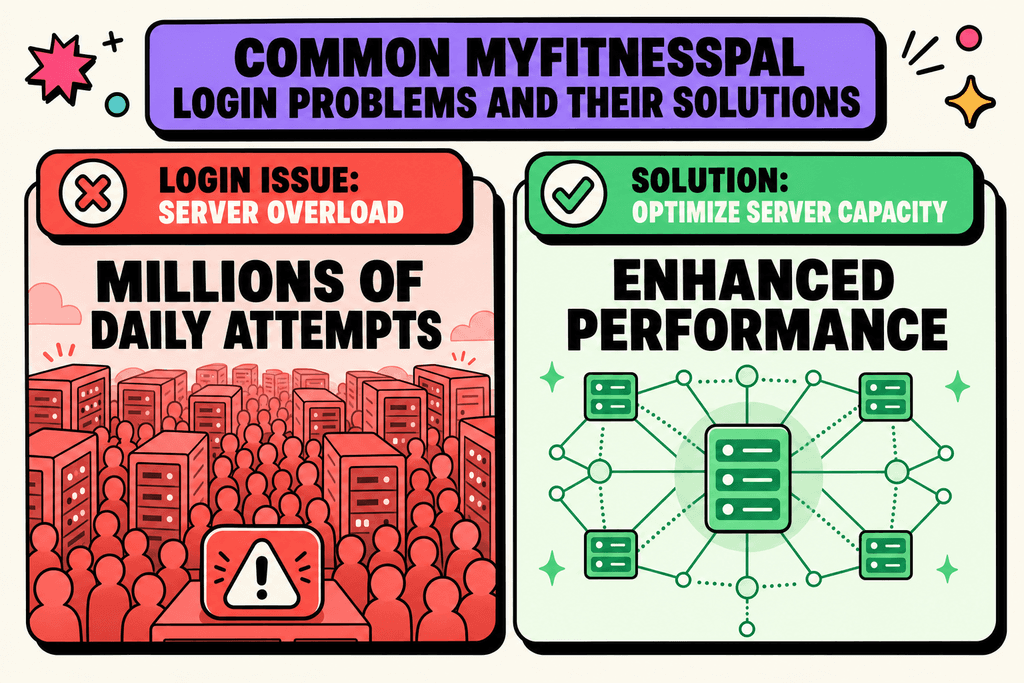
The good news is that most login problems fall into a few simple categories. Knowing which category your problem fits into can save you hours of frustration and get you back to tracking your meals.
Check MyFitnessPal Server Status First
If MyFitnessPal keeps logging you out every few days, check whether the problem is on their side before resetting your password again. The fastest test is to try both the app and the website. If both keep kicking you out, loading slowly, or showing sign-in errors, there may be a service issue rather than something wrong with your account.
Look for an official status page, outage notice, or recent support posts mentioning login problems, sessions expiring, or maintenance. Third-party outage trackers can help too, but the most useful clues are whether lots of users are reporting the same problem at the same time. When there is an outage, the fix is usually just waiting and trying again later instead of repeatedly reinstalling the app.
If the status page says all systems are operational but you are still being signed out often, move on to device-specific fixes like updating the app, clearing cache, or logging out on old devices. That helps you quickly separate a widespread MyFitnessPal outage from a recurring logout issue tied to your phone, browser, or saved session.
The Most Common Culprits
When you can't log in to myfitnesspal, it's usually one of these issues causing the headache. Some are quick fixes, while others need a bit more work.
- Forgotten passwords or usernames that you swear you remember correctly
- Outdated app versions that don't play nice with current servers
- Server maintenance or outages on MyFitnessPal's end
- Account security locks triggered by suspicious activity
- Poor internet connection making it seem like the app is broken
Apps like MyFoodBuddy avoid some of these headaches by using simpler authentication methods, but any app that stores your data online can run into similar issues.
Temporary vs Permanent Problems
Not all login issues are created equal. Some fix themselves in minutes, while others need you to take action before you can get back in.
| Problem Type | How Long It Lasts | Who Fixes It |
|---|---|---|
| Server outage | Minutes to hours | MyFitnessPal team |
| App update needed | Until you update | You |
| Wrong password | Until reset | You |
| Account suspended | Days to weeks | Support team |
| Cache issues | Until cleared | You |
Temporary glitches usually happen during peak hours when everyone's trying to myfitnesspal log their breakfast at the same time. These clear up on their own.
How Updates and Servers Mess Things Up
App updates are supposed to make things better, but they can actually cause login headaches. When MyFitnessPal pushes a new version, older versions sometimes stop working with their servers.
- Forced updates that lock out old app versions
- Server-side changes that break compatibility
- Security patches that require re-authentication
- Database migrations that temporarily block access
About 15-20% of users report login issues within 48 hours of a major app update. The myfitnesspal log in process gets extra picky during these times because the system is trying to keep everything secure while rolling out changes.
Fixing Password and Sign-In Problems
About 40% of people trying to myfitnesspal login hit a wall with password issues at some point. You're trying to log your breakfast, but instead you're stuck staring at an error message. The most common problem is simply forgetting which password you used, especially if you haven't logged in for a while. Maybe you changed it on your phone but not your computer, or you're mixing it up with another app's password. The good news is that most password problems have quick fixes that don't require any tech skills.
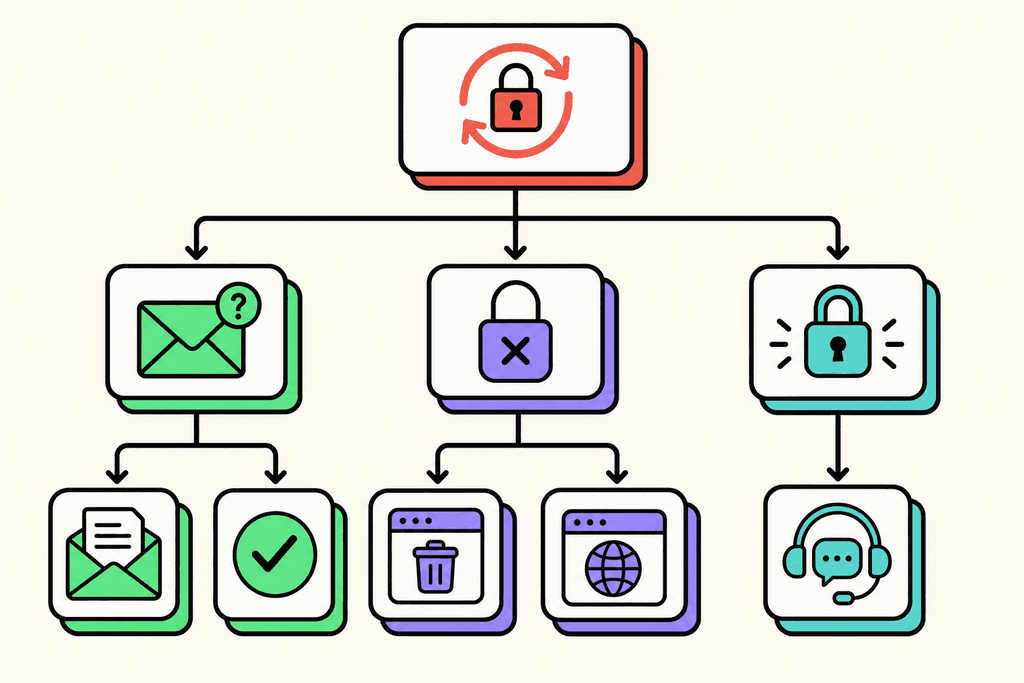
The password reset process is your first stop. Head to the login page and click "Forgot Password" below the sign-in button. Type in the email address you used to create your account, then check your inbox for the reset link.
Password Reset Checklist
- Click "Forgot Password" on the login screen
- Enter your registered email address
- Check your inbox and spam folder within 5 minutes
- Click the reset link (it expires after 24 hours)
- Create a new password with at least 8 characters
- Log in immediately to confirm it works
Sometimes the reset email never shows up, which is frustrating when you're trying to track your meals. Check your spam folder first because these emails often get filtered there. If it's been more than 10 minutes and still nothing, try requesting another reset email but make sure you're using the exact email address tied to your account.
Clearing your browser cache and cookies fixes a surprising number of login glitches. Your browser stores old login data that can conflict with new passwords. Go to your browser settings, find the privacy or history section, and clear data from the past 24 hours. Then try to log in to myfitnesspal again with your credentials.
Email verification issues pop up when you're trying to log in but the system says your email isn't verified yet. Go back to your original signup email and look for the verification link. If that email is long gone, you can request a new verification email from the login page.
Solving App and Account Access Issues
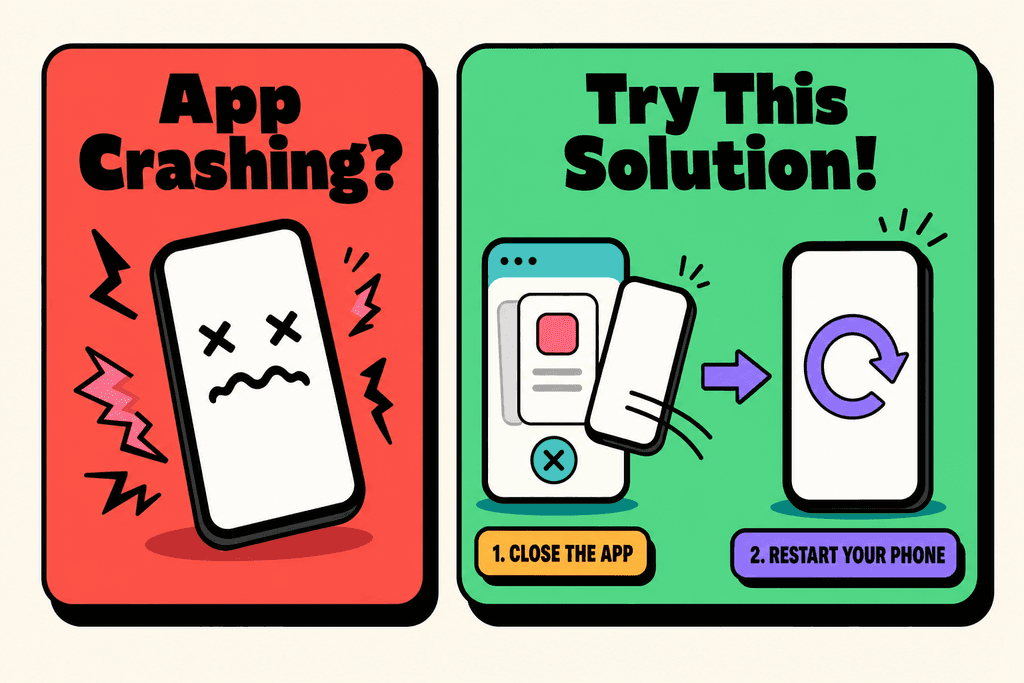
The app crashing right when you open it is one of those problems that makes you want to throw your phone. This usually happens after an update or when your phone's operating system changed. Before you do anything drastic, try the simple stuff first. Close the app completely by swiping it away from your recent apps, then restart your phone. This clears the temporary memory and often fixes the crash issue right away.
Account suspended or account not found errors are scarier because they make you think your data is gone forever. Most of the time, these errors happen because of a server hiccup or because you're trying to myfitnesspal log in with the wrong email address. Double-check that you're using the email you originally signed up with, not a newer email you might have switched to.
App Troubleshooting Steps
- Force close the app and restart your device
- Check if your app needs an update in the app store
- Verify you have a stable internet connection
- Try logging in through the website instead of the app
- Disable VPN if you're using one
- Check if MyFitnessPal's servers are down (search social media)
Switching phones creates its own set of headaches. Your login credentials should work on any device, but sometimes the app acts weird on a new phone. Make sure you're downloading the official app from your device's app store, not some third-party version.
Two-factor authentication problems lock people out more often than you'd think. If you're not getting the verification code, check that your phone number in the account settings is correct. The code usually arrives within 30 seconds, so if it's been longer, request a new one.
Reinstalling the app is the nuclear option, but sometimes it's necessary. Before you delete anything, make sure your account data is synced to the cloud. Then uninstall the app, restart your phone, and download a fresh copy. This wipes out any corrupted files that might be causing login issues. If you're tired of dealing with these constant login headaches, apps like MyFoodBuddy let you log meals by just speaking what you ate, which means fewer logins and less frustration overall.
Getting Back Your Lost Data and Streaks
Your tracking streak represents weeks or months of consistent effort, so losing it because of login problems feels like a punch to the gut. The thing is, your streak might not actually be broken even if it looks that way. Login issues can make your data appear missing when it's really just not displaying correctly. Before you panic, try logging out completely and then logging back in to refresh the connection to the server.
Missing food logs and weight entries usually aren't actually deleted. They're stored on the server, not just on your phone. If you can't see your history after fixing your login issue, the data sync might have failed.
- Pull down on your home screen to manually refresh the data
- Check if you accidentally switched to a different account
- Look at the web version to see if your data shows there
- Wait 15 minutes for the server sync to complete
Contacting support is your best bet when nothing else works. Be specific about what happened and when. Tell them the exact error message you saw, what device you're using, and what you've already tried. The more details you give, the faster they can help you recover your data.
Most data isn't actually lost, it's just hidden behind sync errors or display glitches. Your account stores everything on their servers, so even if your phone shows blank screens, the information is usually still there. The exception is if you created entries while offline and then deleted the app before they could sync.
Preventing future problems is easier than fixing them. Make sure your app auto-updates, keep your login credentials saved in a password manager, and check occasionally that your data is syncing properly. Or consider switching to something simpler where you don't have to worry about complex logins and sync issues. MyFoodBuddy uses AI to log your meals in seconds through voice input, which means less time fighting with apps and more time actually reaching your weight loss goals.
Why Login Hassles Hurt Your Weight Loss Progress
Getting locked out of your calorie tracking app at 9 PM after a big dinner is more than just annoying. It's the exact moment when your motivation crashes into a wall of password reset emails and error messages. Studies show that people are most likely to abandon new habits within the first two weeks, and technical problems during this critical window can be the final straw. When you're ready to log your meals and myfitnesspal login issues pop up, that burst of motivation starts to fade fast.
The Momentum Killer
Think about what happens when you can't log in to myfitnesspal during your tracking streak. Your brain starts making excuses before you even finish troubleshooting. The psychological damage goes deeper than missing one day of data.
- Breaking a 30-day streak feels like starting over from zero
- Login frustration creates negative associations with healthy habits
- Each failed attempt makes it easier to skip tracking tomorrow
- Technical barriers give your brain permission to quit
Time You Can't Get Back
The real cost isn't just frustration. It's the minutes that pile up every time you need to myfitnesspal log in and something goes wrong.
| Task | Time Spent | Weekly Cost |
|---|---|---|
| Password reset | 5-10 minutes | 35-70 minutes |
| App troubleshooting | 3-8 minutes | 21-56 minutes |
| Actual meal logging | 2-5 minutes | 14-35 minutes |
You end up spending more time fighting with login screens than actually tracking your food. That's backwards, and it's why so many people give up on calorie counting altogether.
The Simpler Path Forward
Apps that require constant logins and complex authentication create unnecessary friction. MyFoodBuddy takes a different approach by keeping access simple while you focus on what matters - logging your meals in seconds through voice or text. No password drama, no locked accounts, just quick tracking when you need it.
- Voice input means no typing passwords on tiny keyboards
- Faster access keeps your tracking habit alive
- Less friction means better consistency over time
When the barrier to entry drops from minutes to seconds, staying consistent becomes automatic instead of a daily battle with technology.
Keep Your Weight Loss Momentum Going
So we've covered the main fixes for when you can't get into your MyFitnessPal account. Whether it's resetting your password, clearing your cache, updating the app, or checking if the servers are down, these steps should get you back to tracking your meals. The important thing is that you're trying to stay consistent with logging your food, which is honestly half the battle when you're trying to lose weight. If you're considering whether the premium features are worth it for your weight loss goals, take a look at our article on MyFitnessPal Premium features, cost, and whether it is worth it.
But here's something worth thinking about. If you're dealing with myfitnesspal login problems regularly, or if the whole process of tracking feels like a chore, that's a sign. Your tracking tool should make your life easier, not harder.
The truth is, a lot of people give up on their weight loss goals not because they lack willpower, but because their tools get in the way. When logging a simple meal takes five minutes of searching through databases and adjusting portion sizes, it's easy to just skip it. Then one skipped meal becomes two, and before you know it, you've lost your streak.
That's why we built MyFoodBuddy differently. You can just say what you ate or type it quickly, and the AI figures out the calories for you. No searching, no measuring, no frustration. It takes about 10 seconds to log a meal, which means you're more likely to actually do it every day.
If you're tired of fighting with login issues or spending too much time on food tracking, it might be time to try something simpler. You've got questions about making the switch, and we've got answers below.
Common MyFitnessPal Login Questions
Login problems can be frustrating, especially when you're trying to stick to your health goals. These questions come up all the time from people struggling to access their MyFitnessPal accounts. We've put together the most common issues and their fixes so you can get back to tracking your meals without the headache.
Can I log in with Facebook or Google instead of email?
Yes, MyFitnessPal supports social login options including Facebook and Google. If you originally signed up using one of these methods, you'll need to use that same login method each time. Trying to log in with email when you signed up through Facebook won't work, which is why some people think their account doesn't exist.
What if I forgot which email I used to sign up?
Check your most commonly used email accounts for any messages from MyFitnessPal, including welcome emails or daily summaries. You can also try the password reset feature with different email addresses to see which one is associated with your account. If you're still stuck, their support team can help verify your account using other information like your username.
Why does it say my account doesn't exist?
This usually happens when you're using a different login method than you originally signed up with. If you created your account through Facebook, you can't log in with email and password. Double-check whether you used social login or email when you first joined. Sometimes people also misremember their email address or have typos in their username.
How long does password reset take?
Password reset emails typically arrive within a few minutes. Check your spam folder if you don't see it right away. The reset link expires after a certain time period, so use it quickly once you receive it. If you're not getting the email after 10 minutes, try requesting another reset or check that you're using the correct email address.
Will I lose my data if I reinstall the app?
No, your data is stored on MyFitnessPal's servers, not just on your device. Once you log back in after reinstalling, all your meal logs and progress will still be there. This is true for most calorie tracking apps, including MyFoodBuddy, which syncs everything to the cloud so you never lose your hard work.
Can I access MyFitnessPal from multiple devices?
Yes, you can use the same myfitnesspal login credentials on your phone, tablet, and computer. Your data syncs across all devices automatically. Just remember that if you're constantly switching between devices and having login issues, it might be time to consider a simpler option like MyFoodBuddy, where logging meals takes seconds through voice input instead of dealing with complex multi-platform setups.
Ready to start tracking smarter?
Download MyFoodBuddy and start tracking your calories by just saying what you ate. No more searching databases or guessing portions.
Get started