Subway Calorie Calculator For Sandwiches Sides and Toppings
Use a Subway calorie calculator to build your sandwich, pick toppings, and log the total fast so weight loss tracking stays simple.
There's no single answer to a subway calorie calculator question because no two Subway orders are the same sandwich. One person's foot-long Italian B.M.T. with double cheese and mayo can run hundreds of calories past someone else's plain turkey on wheat with mustard. Bread, cheese, sauce, and extra meat each add their own number, so a printed chart only tells you what one specific build costs, not yours. The fix is picking your exact bread, protein, cheese, veggies, and sauce one at a time and watching the total climb as you go, instead of guessing or trying to memorize a chart that doesn't match your tray.
Table of Contents
Pick Your Sandwich Bowl or Wrap and Add It Up
This is where the subway calories calculator at fastfoodnutrition.org actually earns its keep. It hosts a Subway Nutrition Calculator for the Canada menu where you click items and watch calories and Weight Watchers points total up as you build.
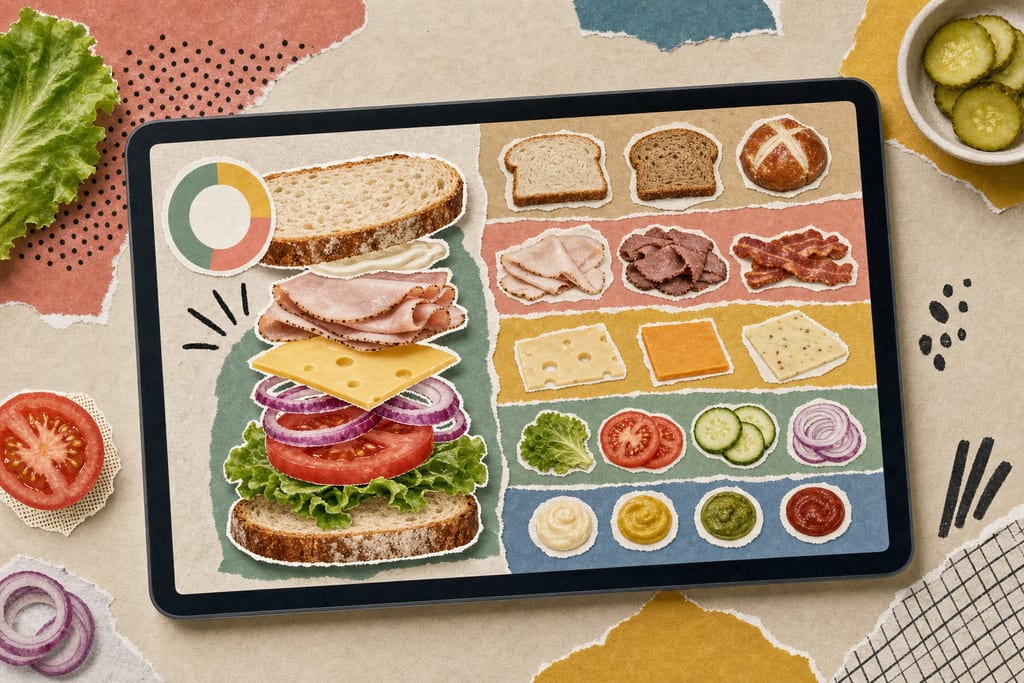
The tool splits everything into four categories, and you can mix items across them in one build. Sandwiches is the biggest group, with 15 items including Italian B.M.T., Meatball Marinara, Oven Roasted Chicken, Tuna, and Veggie Delight.
- Sandwiches: 15 items, your bread-and-protein base
- Salads: 7 items, same fillings without the bread
- Rice Bowls: 4 items, including newer adds like Southwest Steak & Avocado
- Rice Wraps: 4 items, mirroring the bowl lineup in wrap form
The rice bowl and wrap lists were recently expanded too, with Sweet Onion Chicken Teriyaki, Southwest Steak & Avocado, and Green Goddess Veggie versions now showing up in both formats. That gives you more than 30 base items to start from before you even touch toppings, so picking the right category first saves you from building the wrong base twice.
Where These Calorie Numbers Actually Come From
The totals you see aren't guesses. They pull straight from Subway's own published nutrition figures, just organized into a tool you can click through item by item.
That said, the site itself is upfront about what it's not. It states plainly that you should not rely on it for medical or nutritional advice, and points readers toward a dietician or doctor for that instead.
- Numbers come from Subway's published figures, not independent lab testing
- All trademarks and nutrition data belong to Subway, the calculator just arranges them
- The tool covers the Canada menu specifically
- US menu items and their calorie counts were not confirmed to match what's shown here
That last point matters if you're ordering south of the border. Subway's US and Canada menus don't always carry identical builds, so cross-check your region before you trust a number down to the calorie.
Turn That Total Into a Logged Meal in Seconds
Once the calculator gives you a final number, the next job is getting it into your actual food diary without rebuilding the whole sandwich a second time. Typing or saying the finished total beats re-entering bread, meat, cheese, and sauce one at a time in a separate app.
This is the part where voice logging earns its spot. With MyFoodBuddy, you can say your finished Subway order out loud and the AI pulls a nutrition breakdown without you tapping through menus, similar to the approach described in voice-powered calorie tracking for fast food orders.
- Build your sandwich in the calculator and note the total
- Speak or type that total into your diary app
- Save it as a favorite if it's your usual order
- Next visit, log it with one tap instead of rebuilding it
This matters most if weight loss is the goal, because small skipped or rounded entries don't show up on any single day. They quietly add up over weeks, and a few hundred calories missed here and there can stall progress you'd otherwise see on the scale.
Pick Your Logging Method Before You Order
Build your sandwich once, write down the total, and decide right then how it's going into your diary, before you're at the counter with a line forming behind you. If you've got a usual order, build it at home tonight so the number is ready the next time you're hungry. Saying the finished total out loud into an app beats typing bread, protein, cheese, and sauce in one by one, and it definitely beats doing that twice because you rebuilt the sandwich from memory at the register.
Subway Calculator Questions Before You Order
Does the calculator total include sauces and extra cheese, or do I need to add those separately?
You add them yourself as separate selections in the build. The tool doesn't assume a default amount of sauce, cheese, or extra meat, so if you skip clicking a topping, it won't show up in your total. Go through every layer of your actual order, including double cheese or extra sauce, or the number you end up with will read lower than what you really ate.
Can I trust the Weight Watchers points shown alongside the calorie total?
The points are calculated from the same Subway nutrition figures as the calorie count, so they move together with your build. They're not independently verified by Weight Watchers itself, just generated from the published data. If you follow a points-based plan, treat the number as a close estimate tied to your exact sandwich, not an official score from the Weight Watchers app.
What happens if I can't find the exact item I ordered in the calculator?
Build the closest match using the same bread, protein, and toppings rather than skipping the entry entirely. Subway sometimes rotates limited items or regional specials that a third-party tool hasn't added yet. Logging a close substitute still beats guessing a round number from memory, especially if weight loss depends on catching small differences over time.
Ready to start tracking smarter?
Download MyFoodBuddy and start tracking your calories by just saying what you ate. No more searching databases or guessing portions.
Get started