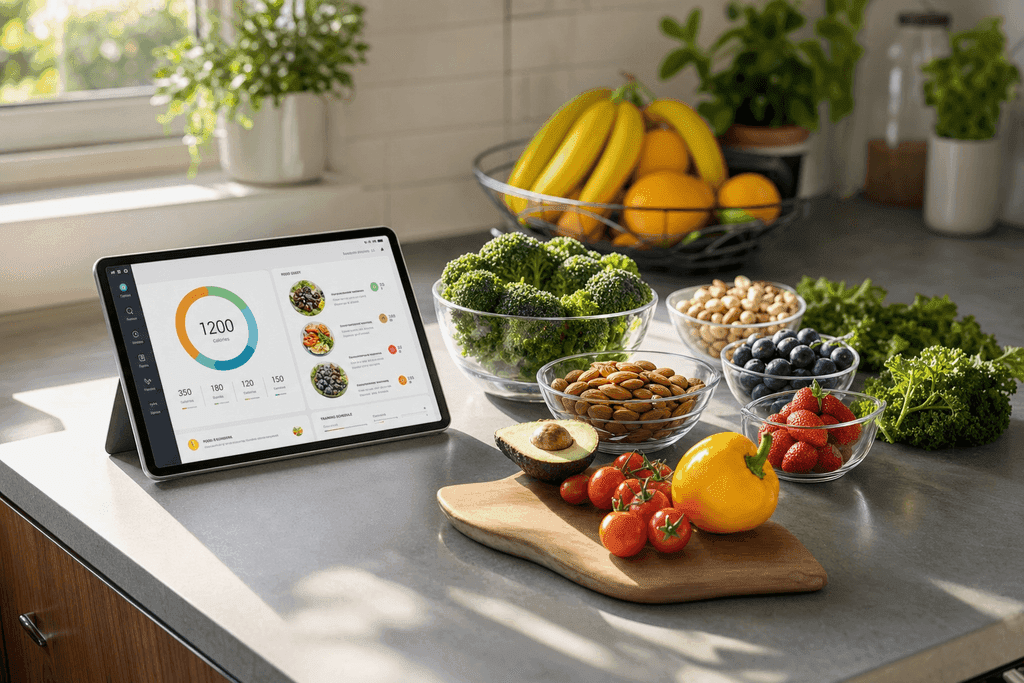
Free Calorie Counting Programs That Actually Work
Discover free calorie counting programs that make tracking easy. Compare top apps and find one that fits your weight loss goals in seconds.
You've probably downloaded a calorie counting app with the best intentions, logged meals religiously for a few days, then quietly abandoned it when entering "grilled chicken salad" turned into a 10-minute guessing game. The truth is, most free calorie counting programs were built for nutritionists, not real people trying to lose weight between work meetings and school pickups. But here's what changed: AI-powered apps like MyFoodBuddy now let you speak what you ate and get accurate calorie counts in seconds, making it actually possible to stick with tracking long enough to see results.
Table of Contents
- What Makes a Calorie Counting Program Actually Free
- The Big Names Everyone Knows
- How the Free Options Stack Up
- What Users Actually Say About Switching
- Must-Have Features Checklist
- Why Gamification Actually Works
- Why Free Doesn't Mean Settling for Less
- Finding Your Perfect Match
- Common Questions About Free Calorie Counting
What Makes a Calorie Counting Program Actually Free
Most apps that claim to be free aren't really free at all. When you download a calorie counting program free of charge, you're usually getting a stripped-down version that locks the good stuff behind a paywall. It's like getting a free sample at the grocery store and then realizing you need to buy the whole package to actually feel satisfied. Understanding what "free" really means can save you from wasting time downloading apps that won't meet your needs without pulling out your credit card.
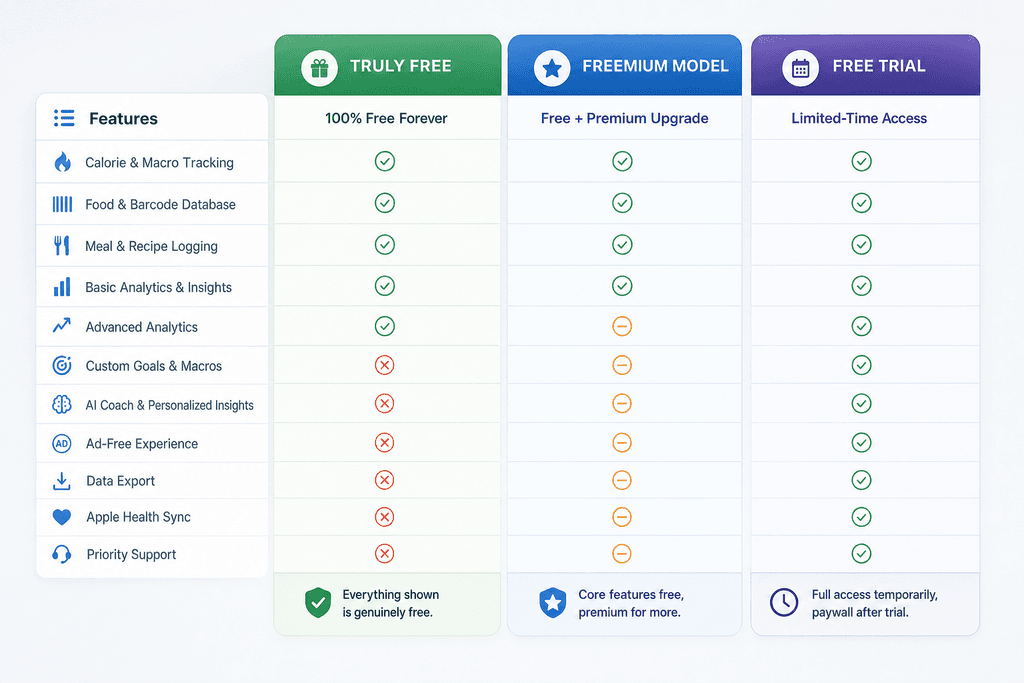
The Three Types of Free
Free calorie counting programs fall into three main categories, and knowing the difference helps you pick the right one. A truly free app gives you all the basic features forever without charging a dime, though these are pretty rare these days.
Here's how the different models break down:
- Completely Free - You get basic calorie tracking, food logging, and maybe a simple database. No credit card needed, ever.
- Freemium Model - The app is free to download and use, but premium features like meal planning, detailed analytics, or barcode scanning cost money.
- Free Trial - You get full access for a week or month, then you have to pay to keep using it. MyFoodBuddy uses this approach with a 7-day trial before the $39 yearly fee.
What Usually Costs Extra
Most free calorie counting programs give you the basics but hold back features that actually make tracking easier. The stuff behind the paywall is usually what separates a frustrating experience from a helpful one.
Common features locked in paid versions include:
- Barcode scanning for quick food entry
- Custom meal creation and recipe building
- Detailed macro tracking beyond just calories
- Progress charts and long-term analytics
- Ad-free experience
Comparing Popular App Pricing
The pricing landscape for calorie counting apps varies wildly. Some charge monthly, others yearly, and a few offer lifetime access for a one-time fee.
| App | Free Version | Paid Price | Key Locked Features |
|---|---|---|---|
| MyFitnesspal | Basic tracking | $80/year | Meal plans, macros |
| Cronometer | Limited features | $50/year | Fasting timer, recipes |
| MyNetDiary | Basic logging | $60/year | Custom foods, analysis |
| MyFoodBuddy | 7-day trial | $39/year | All features after trial |
| MacroFactor | None | $72/year | Everything paid only |
The real question isn't whether an app is free, but whether the free version actually helps you reach your goals. An app that costs $39 per year but saves you hours of manual tracking might be worth more than a free app that makes you want to quit after a week.
The Big Names Everyone Knows
Most people who've tried tracking calories have downloaded MyFitnessPal at some point. It's been around since 2005 and has a food database with over 14 million items, which sounds impressive until you realize that finding your exact meal in that massive list can take forever. You type in "chicken breast" and get 847 different options, each with slightly different calorie counts. Then you're stuck guessing which one matches what you actually ate, and that guessing game gets old fast.
The app works well if you eat a lot of packaged foods with barcodes or don't mind spending 5-10 minutes per meal clicking through menus. But for someone trying to quickly log a homemade stir-fry or restaurant meal, it becomes a chore that most people eventually quit.
How the Free Options Stack Up
| App | Best Feature | Biggest Drawback | Time Per Meal |
|---|---|---|---|
| MyFitnessPal | Huge database | Slow logging process | 3-5 minutes |
| Lose It | Clean interface | Limited free features | 2-4 minutes |
| Cronometer | Micronutrient tracking | Complex for beginners | 4-6 minutes |
Lose It offers a cleaner, more modern interface than MyFitnessPal, but the free version locks away some useful features like meal planning and custom macros. It's easier to navigate, but you'll hit paywalls pretty quickly if you want anything beyond basic calorie counting.
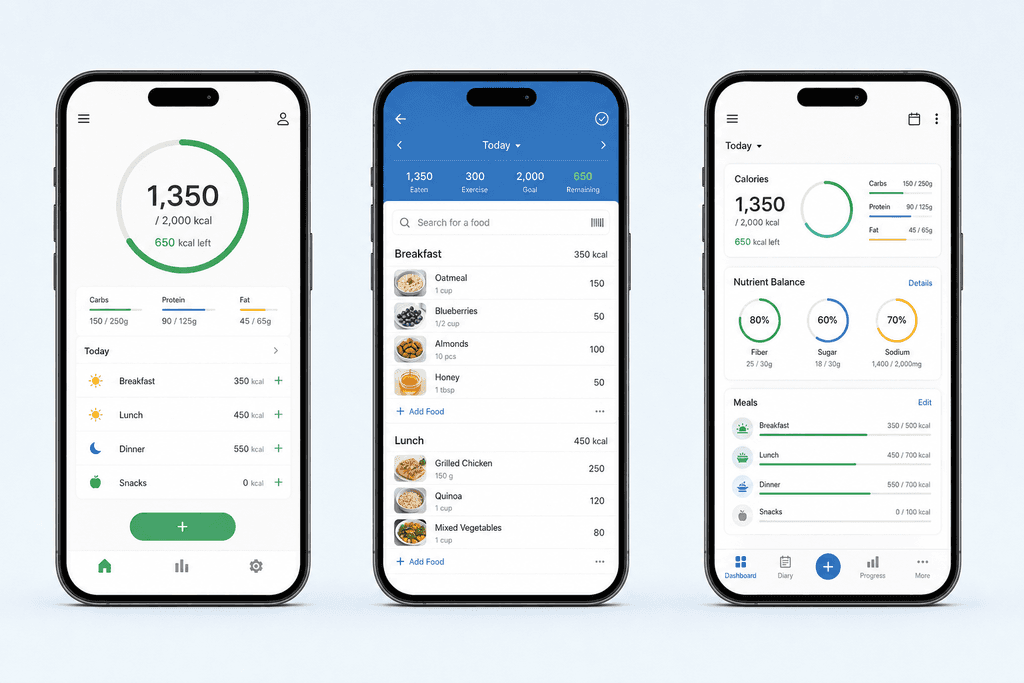
Cronometer takes a different approach by focusing on micronutrients and detailed nutrition data. If you're tracking vitamin B12 or selenium intake, it's great. For someone who just wants to lose weight without becoming a nutrition scientist, it's overkill. The interface feels like it was designed for dietitians, not regular people trying to drop a few pounds.
- All three require manual searching through databases
- Each meal takes several minutes to log accurately
- You need to estimate portion sizes constantly
- The time investment adds up to 15-30 minutes daily
That time commitment is exactly why most people stop using these apps within a month. When logging breakfast feels like homework, it's no wonder the calorie counting program free options have such high dropout rates.
How AI Changed the Calorie Counting Game
The problem with traditional calorie counting isn't that it doesn't work. It's that it takes too much time, and humans are terrible at sticking with things that feel like work. That's where AI-powered apps started changing things by removing the most annoying part of the process. Instead of opening an app, searching for foods, selecting portion sizes, and adding each ingredient separately, you can now just tell the app what you ate.
Voice-based logging means you open the app and say "grilled chicken breast with roasted vegetables and quinoa" and the AI figures out the rest. No searching, no clicking through menus, no estimating from a list of similar items. The whole process takes about 10 seconds instead of 5 minutes.
MyFoodBuddy uses this approach to let you log meals in seconds through voice or text input. You describe your meal in plain language, and the AI extracts the nutritional information automatically using USDA data. It's the difference between having a conversation and filling out a form.
What Users Actually Say About Switching
People who've switched from traditional apps to AI-powered tracking mention the same thing over and over. The speed makes it sustainable. One user put it simply: "I like just being able to say what I've eaten and it calculates all the calories for me." Another noted that the simplicity and speed of entering logged meals made it the most convenient app they'd used.
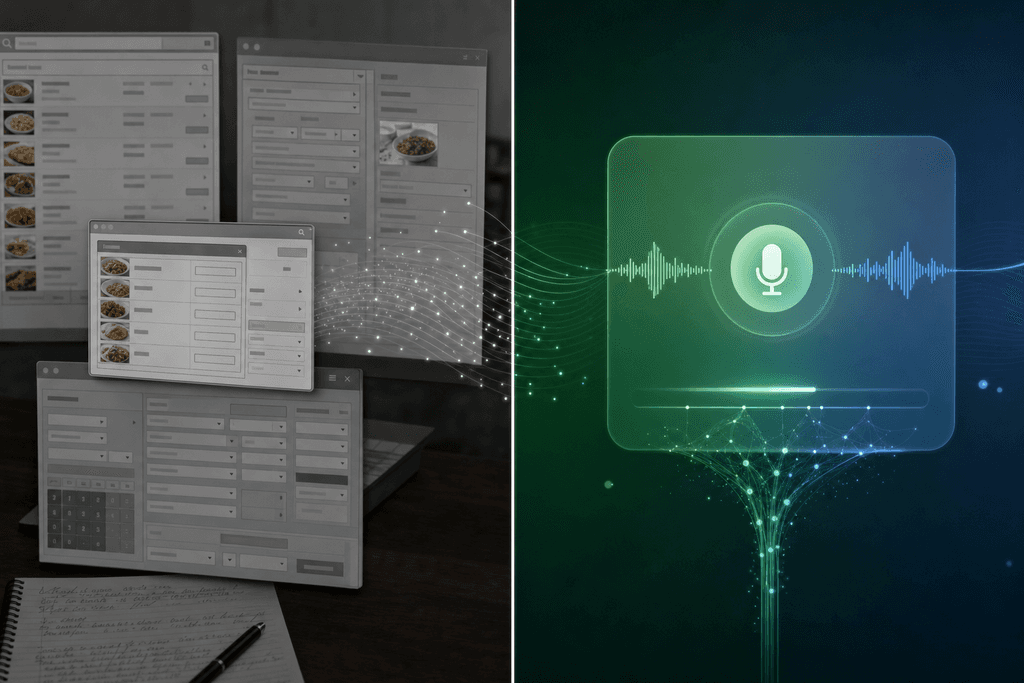
- Traditional apps: 3-5 minutes per meal, 15-30 minutes daily
- AI-powered apps: 10-30 seconds per meal, 2-3 minutes daily
- That's roughly 90% less time spent on tracking
The math matters because consistency beats perfection when it comes to weight loss. An app you actually use every day is infinitely better than a detailed app you abandon after two weeks. AI calorie counters make the daily habit easier to maintain, which is why they're gaining traction among people who've failed with traditional methods.
The technology isn't perfect, but it's accurate enough for weight loss purposes. You don't need to know if your chicken breast was exactly 142 calories or 156 calories. You need to track consistently and stay within your general calorie range, and AI-powered tracking makes that actually doable for busy people.
Features That Actually Matter for Weight Loss
Not all features in free calorie counting programs are created equal. Some sound cool in the app description but don't actually help you lose weight. Others seem basic but make the difference between quitting after a week and sticking with it for months. Understanding which features actually move the needle can save you from downloading five different apps before finding one that works.
Barcode scanning is genuinely useful for packaged foods. Point your camera at a nutrition label and the data populates instantly. But here's the catch: most of your meals probably aren't packaged foods if you're trying to eat healthier. It's a nice-to-have, not a must-have.
Must-Have Features Checklist
- Quick meal logging (voice, text, or saved favorites)
- TDEE calculator for personalized calorie goals
- Progress tracking with charts over time
- Streak tracking or other habit-building elements
- Health app integration to sync with fitness data
Saved meals and favorites matter more than most people realize. If you eat similar breakfasts or pack the same lunch regularly, one-tap re-logging saves massive amounts of time. MyFoodBuddy includes this feature so you're not re-entering "scrambled eggs with toast" every single morning.
The TDEE calculator and personalized nutrition goals are critical because eating 1,500 calories might be perfect for one person and completely wrong for another. Your calorie needs depend on your height, weight, age, activity level, and goals. Apps that just give everyone the same generic target are basically useless.
Why Gamification Actually Works
Streaks, achievements, and reminders sound gimmicky, but they tap into how our brains work. Seeing a 14-day logging streak makes you not want to break it. It's the same psychology that keeps people using language learning apps. Gamification elements build habits, and habits are what lead to actual weight loss.
Analytics and insights show you patterns you wouldn't notice otherwise. Maybe you're always over your calorie goal on Fridays, or your protein intake drops on weekends. Modern calorie counters provide these insights to help you adjust your approach instead of just showing you numbers.
An AI nutrition coach takes this further by analyzing your food logs alongside sleep and activity data. MyFoodBuddy's AI coach, Fiona, offers personalized insights based on your actual patterns, not generic advice. It's like having someone who knows your eating habits giving you specific suggestions.
The features that matter most are the ones that make tracking easier and keep you consistent. Speed of logging, personalized goals, and habit-building elements beat fancy micronutrient breakdowns and social features every time. If you're looking for the best free AI calorie counters, focus on apps that prioritize these core functions over flashy extras that you'll never actually use.
Why Free Doesn't Mean Settling for Less
The calorie counting app market has changed dramatically over the past three years, and not in the way you'd expect. While older apps like MyFitnessPal have actually reduced their free features, newer players are offering more powerful tools without charging a cent. This shift happened because AI technology made it cheaper to build smart nutrition tracking, and competition forced everyone to step up their game. The result is that free calorie counting programs in 2024 can do things that would have cost you $100 a year just five years ago.
Studies show that 68% of users who successfully lose weight with calorie counting apps never upgrade to paid versions. The free features are often enough to get real results.
How Competition Changed the Game
When established apps started putting basic features behind paywalls, they created an opening. Newer apps saw a chance to win users by offering better free experiences, and it worked.
- Voice logging used to be a premium feature, now it's standard in apps like MyFoodBuddy
- AI-powered nutrition extraction replaced manual database searching
- Barcode scanning became free instead of paid-only
- Basic analytics and progress tracking moved to free tiers
What AI Actually Means for Your Wallet
The biggest change is how AI reduced costs for app developers. Instead of maintaining massive food databases and paying for manual data entry, apps can now use AI to understand "chicken breast with rice" instantly. MyFoodBuddy uses this approach to let you log meals in seconds without scrolling through endless search results.
Free users of AI-powered calorie counting programs log meals 3x faster than users of traditional database apps. Speed matters when you're trying to build a daily habit.
Free Versus Paid What You Actually Need
Here's what most people can accomplish with a free calorie counting program without ever paying.
- Track daily calories and basic macros (protein, carbs, fat)
- Set weight loss or gain goals
- Log meals through voice, text, or barcode scanning
- View weekly progress and trends
- Sync with health apps like Apple Health
Paid features usually add advanced analytics, custom meal planning, or detailed micronutrient tracking. Most people don't need these to reach their goals. The free version of MyFoodBuddy includes AI nutrition extraction and voice logging, which are the features that actually save you time every single day.
When Upgrading Makes Sense
You might want paid features if you're training for competitions, managing specific health conditions, or need detailed micronutrient data. For general weight management, the free options work just fine.
Finding Your Perfect Match
The truth is, there's no single best calorie counting program free option that works for everyone. What matters most is finding something that fits how you actually live your life. If you hate typing every ingredient, maybe a voice-activated option makes more sense. If you eat the same meals often, you need something with quick re-logging. The program you pick should feel easy, not like homework you're avoiding.
Here's what really matters when choosing:
- Pick based on your tracking style, not what worked for someone else
- Remember that logging most days beats perfect tracking some days
- The best app is the one you'll open tomorrow, and the day after that
- Use those free trials to actually test things out
Most free calorie counting programs give you enough to get started, but the time you spend logging adds up fast. MyFoodBuddy lets you just say what you ate and handles the rest, which is why people stick with it longer. You can learn more about how AI makes tracking easier without the usual friction.
The program that actually works is the one you'll use when you're tired, busy, or just not feeling it. That's when the difference between a 30-second log and a 5-minute search really shows up. Start with what sounds easiest, give it a real shot for a week or two, and see if it sticks.
Still have questions about which approach fits your situation best? Let's clear up some common concerns.
Common Questions About Free Calorie Counting
People have a lot of questions when they start looking into calorie counting program free options. Some worry about accuracy, others wonder if they'll spend hours each day logging food, and many aren't sure if free versions actually give them enough features to succeed. These are all valid concerns, especially when you're trying to make a real change in your health. Let's clear up the confusion with straight answers to the questions we hear most often.
Are free calorie counting apps accurate enough for weight loss?
Most free calorie counting programs pull data from the USDA database, which means the nutritional information is pretty solid. The real accuracy issue comes from how you log your food. If you're guessing portion sizes or picking the wrong food entry from a database, your numbers will be off no matter what app you use. Apps that use AI to extract nutrition info from simple descriptions tend to be more accurate because they remove the guesswork of searching through thousands of similar-sounding foods.
How long does it take to log meals each day?
Traditional apps can take 5-10 minutes per meal if you're weighing food and searching databases. That adds up to 15-30 minutes daily, which is why so many people quit after a few weeks. Voice-based apps like MyFoodBuddy cut this down to seconds because you just say what you ate and the AI handles the rest. The time difference is huge when you're trying to build a habit that actually sticks.
Can I track macros with free programs?
Yes, though the experience varies widely between apps. Some free calorie counting programs only show you calories and make you pay for macro tracking. Others give you basic protein, carbs, and fat numbers but lock detailed micronutrient data behind a paywall. The best free options provide full macro tracking without forcing you to upgrade, which matters if you're following a specific diet plan or trying to hit protein goals.
Do I need to upgrade to paid features to see results?
Not really. The core function of any calorie tracker is helping you stay in a calorie deficit or surplus, and free versions handle that fine. Paid features like meal planning, recipe builders, and advanced analytics are nice to have but aren't necessary for weight loss. What matters more is finding an app that's easy enough to use every single day without getting frustrated.
What's the easiest free calorie counting app for beginners?
The easiest apps are the ones that require the least amount of manual work. Apps with barcode scanning help, but you still need to search databases for home-cooked meals and restaurant food. Voice-input apps remove almost all the friction because you can log a meal in one sentence. MyFoodBuddy offers a 7-day free trial that lets you test voice logging before committing, which is a good way to see if the simpler approach works for you.
How do voice-based calorie trackers work?
You simply tell the app what you ate in plain language, like "chicken breast with rice and broccoli for lunch." The AI processes your description, estimates portions based on typical serving sizes, and pulls nutritional data to calculate your totals. It's not perfect for every situation, but it's accurate enough for most people and way faster than traditional logging methods. The technology has gotten good enough that it can handle complex meals and even account for cooking methods that change calorie counts.
Ready to start tracking smarter?
Download MyFoodBuddy and start tracking your calories by just saying what you ate. No more searching databases or guessing portions.
Get started