
3 Fast Ways to Log Meals With a Calorie Tracking App
Learn 3 quick methods to log meals in seconds with a calorie tracking app. Voice logging, text shortcuts, and favorites make tracking effortless.
Most people quit using a calorie tracking app within two weeks, and the biggest reason is simple: it takes too long. Traditional apps make you search through endless food databases, measure portions, and tap through multiple screens just to log a single meal. The good news is that modern apps like MyFoodBuddy have changed the game with faster methods that cut logging time from minutes down to seconds.
Table of Contents
The Problem With Traditional Meal Logging
Most people who try tracking calories give up within the first two weeks. The reason isn't lack of motivation or willpower. It's because logging food the old-fashioned way takes forever and feels like a part-time job. Every single meal turns into a mini research project where you're searching through massive databases, guessing portion sizes, and doing mental math just to figure out if you can eat that cookie.
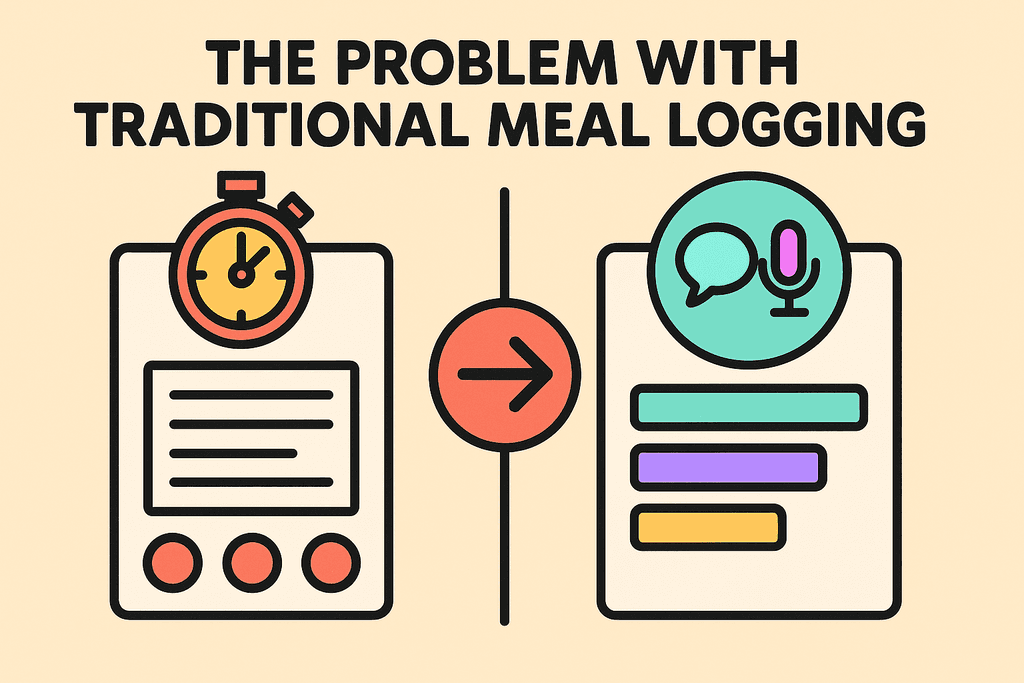
Traditional calorie tracking apps like MyFitnessPal and Cronometer were built years ago when smartphones were slower and AI didn't exist. They still use the same clunky process that requires way too many steps. You have to open the app, search for each ingredient separately, scroll through dozens of similar items, pick the right one, adjust the serving size, and repeat this for every single thing you ate.
Why the Old Way Takes So Long
The average person spends between 3 to 5 minutes logging a single meal using traditional methods. That might not sound like much, but it adds up fast. If you're tracking three meals and two snacks per day, you're spending up to 25 minutes just on food logging. That's almost three hours per week doing data entry instead of actually living your life.
Here's what makes traditional meal logging such a time sink:
- Searching through databases with thousands of entries for common foods
- Picking between multiple versions of the same food with different nutritional values
- Manually adjusting serving sizes and quantities for each ingredient
- Adding each component of a meal separately instead of all at once
- Double-checking that everything adds up correctly
The Friction That Kills Consistency
Every extra step in the logging process creates friction that makes you less likely to stick with it. When you're hungry and just finished eating, the last thing you want to do is spend five minutes playing detective with a food database. So you tell yourself you'll log it later, and later never comes.
This friction shows up in different ways throughout the day:
- Forgetting what you ate by the time you sit down to log it
- Skipping meals in your log because you're too busy or tired
- Estimating portions incorrectly because you didn't measure
- Giving up entirely after missing a few days
Old vs New: How Logging Methods Compare
The difference between traditional and modern calorie tracking apps isn't just about features. It's about how much of your time and energy they demand. Apps like MyFoodBuddy use voice and AI to cut down the logging process from minutes to seconds, which changes everything about whether you'll actually stick with tracking.
| Method | Time Per Meal | Steps Required | User Action |
|---|---|---|---|
| Traditional Apps | 3-5 minutes | 8-12 steps | Search, select, adjust portions |
| Voice-Based Apps | 10-20 seconds | 1-2 steps | Speak or type meal |
The speed difference isn't just convenient—it's the difference between tracking consistently and giving up. When logging takes seconds instead of minutes, you're way more likely to do it every single time you eat. That consistency is what actually helps you reach your goals, not the app with the biggest food database.
Voice Logging: Talk Your Way to Better Tracking
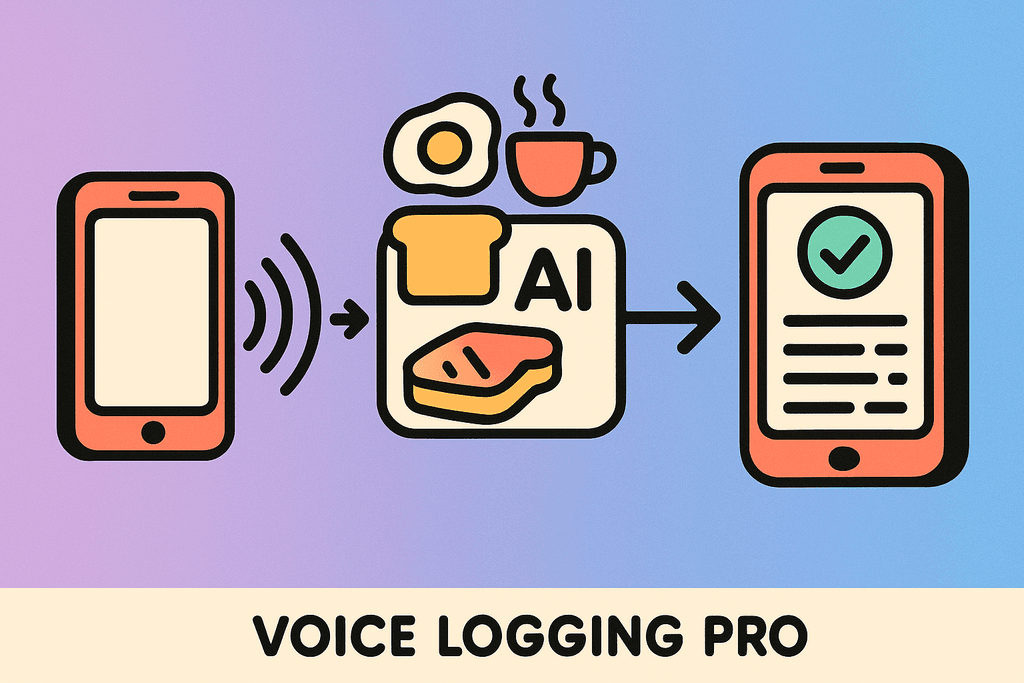
Most people quit tracking calories within the first week because it takes too long. You're standing in your kitchen, trying to remember if you had one tablespoon or two of peanut butter, scrolling through endless database entries that don't quite match what you ate. Voice logging changes all of that by letting you speak naturally about what you ate, just like you'd tell a friend. MyFoodBuddy processes your voice input using AI and USDA data to calculate everything automatically, turning a five-minute task into a five-second one. No more searching through databases or measuring every ingredient down to the gram.
The technology works through natural language processing, which means you don't need to use specific commands or formats. You can say "two eggs, toast with butter, and a coffee with oat milk" while you're washing dishes or driving to work, and the app figures out the rest.
How to Use Voice Logging Effectively
- Open the app and tap the microphone icon
- Speak your meal in plain English, including approximate portions
- Let the AI process and calculate nutritional values
- Review the entry and adjust if needed
- Save frequently eaten meals as favorites for even faster logging next time
Voice logging works best when you're multitasking. Maybe you're cooking dinner and want to log lunch, or you're at a restaurant and need to track your meal before you forget. The feature processes meals in seconds, so you can log while walking, cooking, or even lying in bed at night trying to remember what you ate for breakfast.
Voice Logging: Talk Your Way to Better Tracking
Here's what makes it different from traditional apps: you don't need to know the exact name of every food item in the database. Just describe what you ate like you're texting a friend, and the AI matches it to nutritional data automatically.
Smart Text Input: Type Less, Track More
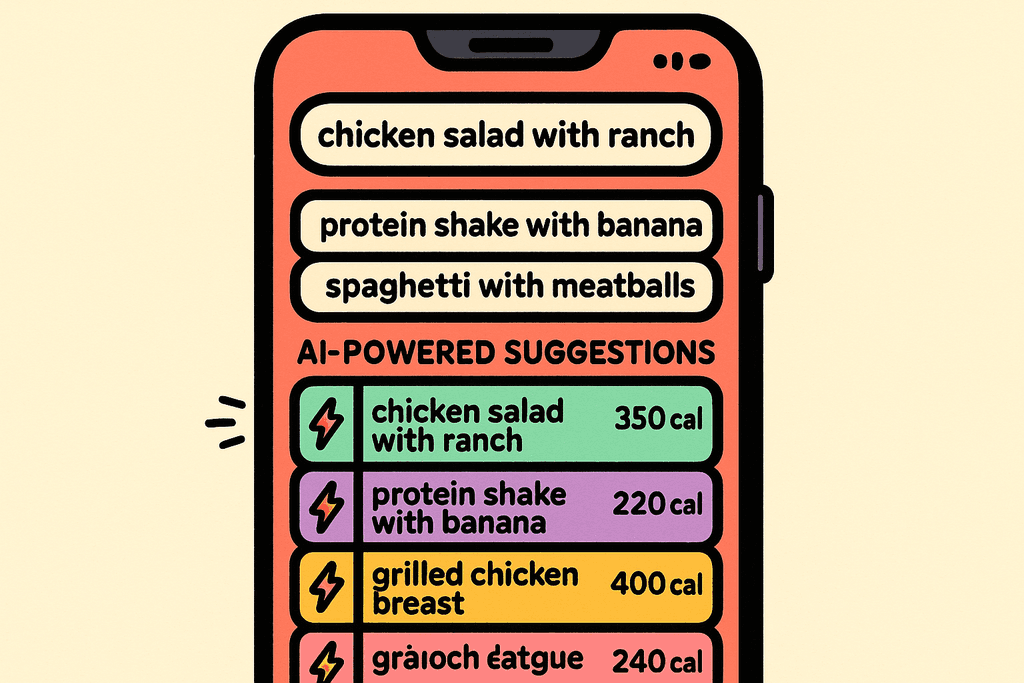
Sometimes you can't use voice, like when you're in a quiet office or at a library. That's where smart text input comes in, and it's nothing like the old way of tracking calories. Traditional apps make you search through massive food databases, scrolling past "Egg, whole, raw" and "Egg, whole, cooked, scrambled" and fifteen other variations before finding the right one. Natural language text input eliminates all that searching by letting you type meals in plain English. The AI interprets what you mean, even if you don't use the exact database terminology.
You can type "chicken salad with ranch" instead of searching for each ingredient separately. The system understands context and common food combinations, so it knows you probably mean grilled chicken breast, mixed greens, and ranch dressing unless you specify otherwise.
| Traditional Method | Smart Text Input |
|---|---|
| Search database | Type naturally |
| 3-5 minutes per meal | Under 30 seconds |
| Multiple steps | One simple entry |
The time savings add up fast. If you're logging three meals and two snacks daily, you could save over an hour each week compared to traditional database searching. That's time you could spend actually cooking healthy meals instead of just tracking them.
This method works great in quiet environments where voice would be disruptive. You get the same AI-powered nutrition extraction without speaking out loud. For anyone who's ever used apps like MyFitnessPal and gotten frustrated with the endless scrolling, this approach feels like a breath of fresh air.
Saved Favorites: One Tap for Repeat Meals
Most people eat the same breakfast four or five days a week. Maybe it's oatmeal with berries, or eggs and toast, or a protein shake. Once you've logged a meal once using voice or text, you can save it as a favorite and never type it again. MyFoodBuddy lets you organize favorites by meal type, so your breakfast options stay separate from your lunch and dinner choices. This creates a personal library of your go-to meals that you can log with a single tap.
The system gets smarter the more you use it. After a week or two, you'll have built up a collection of your most common meals, and logging becomes almost effortless.
Building Your Favorites Library
- Start with breakfast since most people eat similar morning meals
- Save meal prep batches if you cook in bulk for the week
- Create variations of the same meal with different portion sizes
- Organize by category using the breakfast, lunch, dinner, and snack sections
- Update favorites as your eating habits change over time
This feature is perfect for meal preppers who eat the same lunch all week, or anyone with a consistent routine. Instead of logging "grilled chicken, brown rice, and broccoli" five times, you log it once and tap to repeat. One-tap logging turns a daily chore into a two-second task.
Smart Text Input: Type Less, Track More
The favorites system also helps you stay consistent with your goals. When you know exactly what your usual meals contain, you can plan your day better and make smarter choices about where you have room for treats or larger portions. If you're interested in achieving balanced meals without the hassle, building a solid favorites library is your first step.
These three methods work together to make calorie tracking actually sustainable. Voice logging handles on-the-go situations, smart text input works in quiet spaces, and saved favorites eliminate repetitive logging entirely. The goal isn't to spend more time tracking, it's to spend less time while getting better results. When logging takes seconds instead of minutes, you're way more likely to stick with it long enough to see real progress.
Making Calorie Tracking Actually Stick
The difference between tracking your meals for a week versus tracking them for months comes down to one thing: how much time it takes. When you can log breakfast in 10 seconds instead of 5 minutes, you're way more likely to actually do it every single day. That's why these three methods matter so much for anyone trying to stick with their nutrition goals.
Voice logging works great when you're on the go or your hands are full. Text input is perfect when you're in a quiet place or want to be more specific. Favorites save you time on meals you eat regularly. The best part is you don't have to pick just one method.
Apps like MyFoodBuddy combine all three approaches so you can switch between them based on whatever situation you're in. Some mornings you might use voice to log your coffee and eggs while getting ready for work. Other times you might type out your lunch order or just tap a saved favorite from yesterday.
The real secret isn't finding the perfect calorie tracking app. It's finding one that's fast enough that you'll actually use it when life gets busy. Because the best tracking method is the one you'll still be using three months from now. If you've struggled with consistency before, it probably wasn't a motivation problem. It was a friction problem.
Speed matters more than most people think. When tracking takes seconds instead of minutes, it stops feeling like a chore and starts feeling like checking your phone. That's when the habit actually sticks. Want to learn more about staying consistent with calorie tracking or explore how voice technology helps with weight management. To dive deeper into how technology can enhance your meal tracking experience, read our article on the best calorie counter apps for fast food logging.
Common Questions About Fast Meal Logging
Switching to faster logging methods brings up some practical questions. Most people wonder if they're sacrificing accuracy for speed, or how these features actually work in real life. Here are the answers to the most common questions about quick meal tracking with a calorie tracking app.
How accurate is voice logging compared to manual entry?
Voice logging is just as accurate as manual entry because it uses the same nutritional database in the background. When you say "two eggs and toast," the app pulls from USDA data just like it would if you typed and searched for each item separately. The main difference is speed, not accuracy. MyFoodBuddy's AI processes your natural language and matches it to verified nutritional information, so you get reliable calorie counts without the tedious searching.
Can I use voice logging in public places?
You can absolutely use voice logging anywhere, but if you're in a quiet meeting or library, the text input works just as fast. Most users find that voice logging in public feels natural, like leaving a quick voice memo. If you're uncomfortable speaking your meal out loud, typing "chicken salad with ranch" takes only seconds and gives you the same quick results.
What if the app doesn't recognize my food?
Modern calorie tracking apps handle most foods pretty well, but when something unusual comes up, you can add details or edit the entry. With MyFoodBuddy, the AI makes its best guess based on common foods and portion sizes, then lets you adjust if needed. You can also save custom meals as favorites so next time it recognizes exactly what you mean.
Do I need internet connection for these features?
Voice logging and AI-powered features typically need an internet connection to process your input and access the nutritional database. However, saved favorites usually work offline since they're stored on your device. This means your most common meals are always accessible, even without wifi or data.
How do saved favorites work with portion sizes?
Saved favorites remember your exact portions from when you created them, but you can adjust quantities each time you log. If your usual breakfast is two eggs but today you had three, just update the amount before confirming. The calorie tracking app recalculates everything automatically based on your changes.
Can I edit meals after logging them quickly?
Yes, quick logging doesn't lock you into anything permanent. You can go back and edit any meal to adjust portions, add forgotten items, or correct mistakes. The goal of fast logging is to capture your meals in the moment, but you always have full control to refine the details later if needed.
Ready to start tracking smarter?
Download MyFoodBuddy and start tracking your calories by just saying what you ate. No more searching databases or guessing portions.
Get started