
How Accurate Is Whoop Calories for Weight Loss?
Whoop calorie accuracy explained: how daily burn estimates work, common tracking errors, and better solutions for weight loss goals.
You burned 800 calories during your morning workout according to your Whoop, so you added an extra protein shake and snack to your day without thinking twice. But here's the problem: if that calorie estimate is off by even 20%, you just accidentally ate yourself out of a deficit and wondered why the scale hasn't budged in two weeks. Understanding how accurate Whoop calories really are can be the difference between hitting your weight loss goals and spinning your wheels while trusting bad data.
Table of Contents
What Whoop Actually Measures
Whoop straps sit on your wrist 24/7, constantly monitoring your heart rate to figure out how many calories you're burning throughout the day. The device doesn't just count steps or track workouts like most fitness trackers. Instead, it uses something called heart rate variability (HRV) and a metric they call "strain" to estimate your total energy expenditure. Think of strain as a score that shows how hard your body is working, whether you're lifting weights, running, or just sitting at your desk feeling stressed about a deadline.
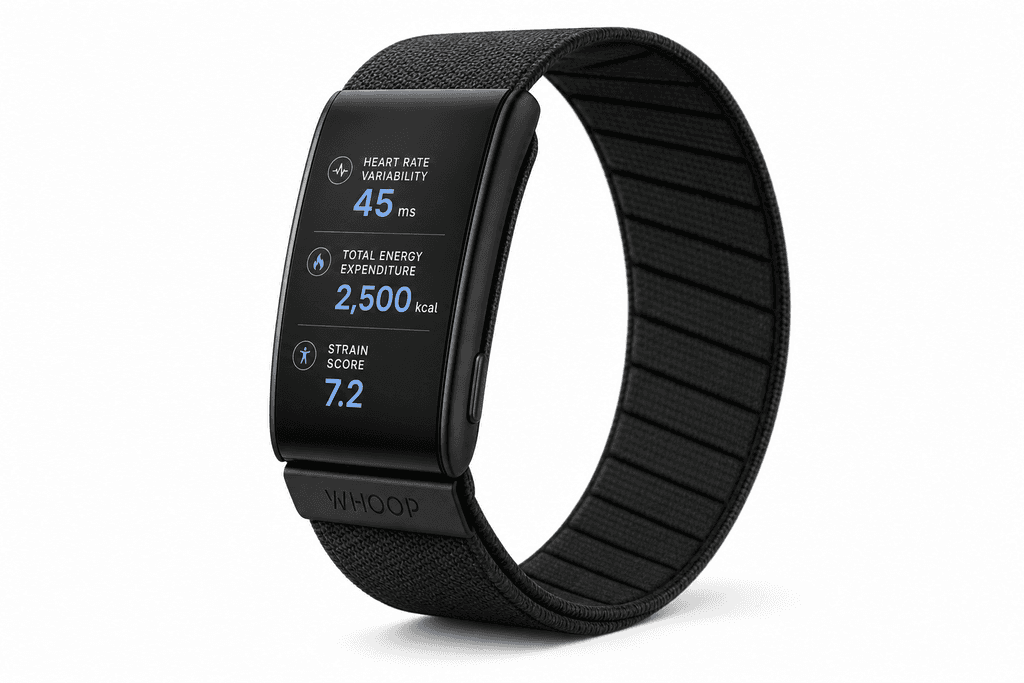
The calorie number you see in your Whoop app actually comes from two different calculations. Your basal metabolic rate (BMR) represents the calories your body burns just keeping you alive, like breathing and pumping blood. Then there are active calories, which come from everything else you do during the day. Whoop combines these numbers to give you a total daily calorie burn estimate, but the accuracy of this number depends on a lot of factors that the device can't always measure perfectly.
How Whoop Calculates Your Burn
When you set up Whoop, you enter basic information about yourself. This data becomes the foundation for all the calorie calculations the device makes.
- Your age, weight, height, and biological sex create your baseline BMR estimate
- Heart rate data during activities helps estimate how many extra calories you're burning
- The strain score adjusts based on how elevated your heart rate gets compared to your resting rate
- Sleep and recovery metrics influence how Whoop interprets your daily calorie needs
What Actually Affects Calorie Burn
Here's where things get tricky. Whoop can measure some factors that affect your calorie burn, but not everything. Your actual calorie expenditure depends on way more than just heart rate.
| What Whoop Tracks | What Actually Matters |
|---|---|
| Heart rate and HRV | Muscle mass percentage |
| Activity duration | Metabolic efficiency |
| Strain score | Hormone levels |
| Sleep quality | Genetics and metabolism |
| Basic body stats | Body composition changes |
Different types of exercise also throw off the accuracy in different ways. Whoop tends to be more accurate for steady-state cardio like running or cycling because your heart rate stays elevated consistently. But for strength training or high-intensity interval workouts, the estimates can be way off since your heart rate spikes and drops rapidly.
The Personal Factor Problem
Two people can wear Whoop, do the exact same workout, and get totally different calorie estimates. That's because the device relies heavily on the personal information you entered when you first set it up.
- Someone with more muscle mass burns more calories at rest, but Whoop doesn't know your body composition
- As you lose or gain weight, your BMR changes, but Whoop only updates if you manually change your weight
- Fitness level affects how efficiently your body burns calories during exercise
If you're trying to lose weight and tracking calories, understanding how accurate is whoop calories becomes really important. Apps like MyFoodBuddy help you log what you're actually eating with AI-powered tracking, which gives you the other half of the equation. But if your Whoop is overestimating your burn by 300 calories a day, you might wonder why the scale isn't moving even though you think you're in a deficit.
The Real Accuracy Numbers Behind Whoop Calories
Most fitness trackers claim to tell you exactly how many calories you burn each day, but the truth is a lot messier than the number on your wrist. Research shows that wearables like Whoop can be off by 20-30% on calorie estimates, which might not sound like much until you realize that's the difference between losing weight and staying stuck. When you're trying to drop pounds and trusting your device to tell you how much you can eat, that margin of error becomes a real problem.
The accuracy gets even worse depending on what type of workout you're doing. Whoop tends to overestimate calories during strength training because it relies heavily on heart rate data, and lifting weights spikes your heart rate without burning as many calories as cardio does. Your device sees your heart pumping and assumes you're torching energy at the same rate as a run, but your body knows better.
- Cardio activities show better accuracy than mixed workouts or strength sessions
- Individual metabolism variations create additional error margins that no device can account for
- The difference between what Whoop says and reality can be 300-500 calories daily
- These errors compound over time, making weight loss nearly impossible if you eat back those calories
That daily difference of 300-500 calories might explain why you've been stuck at the same weight for months. If you're eating back what Whoop says you burned, you could be accidentally maintaining your weight or even gaining when you thought you were in a deficit.
Why Whoop Gets Your Daily Burn Wrong
The problem isn't that Whoop is a bad device, it's that heart rate doesn't always correlate perfectly with calorie burn. Your heart might race during a stressful meeting or after drinking coffee, but you're not burning extra calories just because your pulse is elevated. Whoop and similar trackers use algorithms that assume a direct relationship between heart rate and energy expenditure, but your body is way more complicated than that.
Your actual calorie burn depends on factors that no wrist device can measure. Muscle mass and body composition affect actual burn rates significantly, meaning two people doing the same workout can burn vastly different amounts of calories. Someone with more muscle burns more at rest and during activity, but Whoop doesn't know your body composition.
| What Whoop Measures | What Actually Affects Burn |
|---|---|
| Heart rate | Muscle mass |
| Movement patterns | Body composition |
| Sleep duration | Metabolic adaptation |
| Strain score | NEAT levels |
Here's something most people don't realize: Whoop can't measure non-exercise activity thermogenesis accurately. That's all the calories you burn from fidgeting, standing, walking around your house, and just existing throughout the day. These small movements can account for hundreds of calories daily, but they don't register as "workouts" on your tracker.
- Algorithm assumptions don't account for metabolic adaptation when you've been dieting
- Environmental factors like temperature affect real calorie burn but aren't tracked
- Your tracker doesn't know if you're building muscle or losing it during weight loss
The longer you've been dieting, the more your metabolism adapts and slows down. Whoop has no way of knowing this is happening to you specifically.
How Inaccurate Calorie Tracking Sabotages Weight Loss
This is where the rubber meets the road for anyone trying to lose weight. When Whoop tells you that you burned 2,800 calories today but you actually burned 2,400, and you eat 2,600 calories thinking you're in a deficit, you're actually in a surplus. Eating back overestimated burned calories creates a calorie surplus that completely derails your progress, and you'll have no idea why the scale isn't moving.
The math is brutal when you look at it over time. If you're off by just 200 calories per day because you trust your tracker, that's 1,400 calories per week. Small daily errors compound into pounds over weeks and months, and suddenly you've been "doing everything right" for three months with nothing to show for it.
- People blame their metabolism when it's really tracking errors causing the problem
- The frustration of doing everything right but not seeing results makes people quit
- You can't out-exercise a bad estimate of how much you're actually eating
Here's what actually matters for weight loss: better food tracking matters more than perfect burn estimates. You have way more control over what goes into your mouth than you do over exactly how many calories you burn. If you're off by 200 calories on your intake tracking, that's the same problem as being off by 200 on your burn estimate, except intake is something you can measure more accurately.
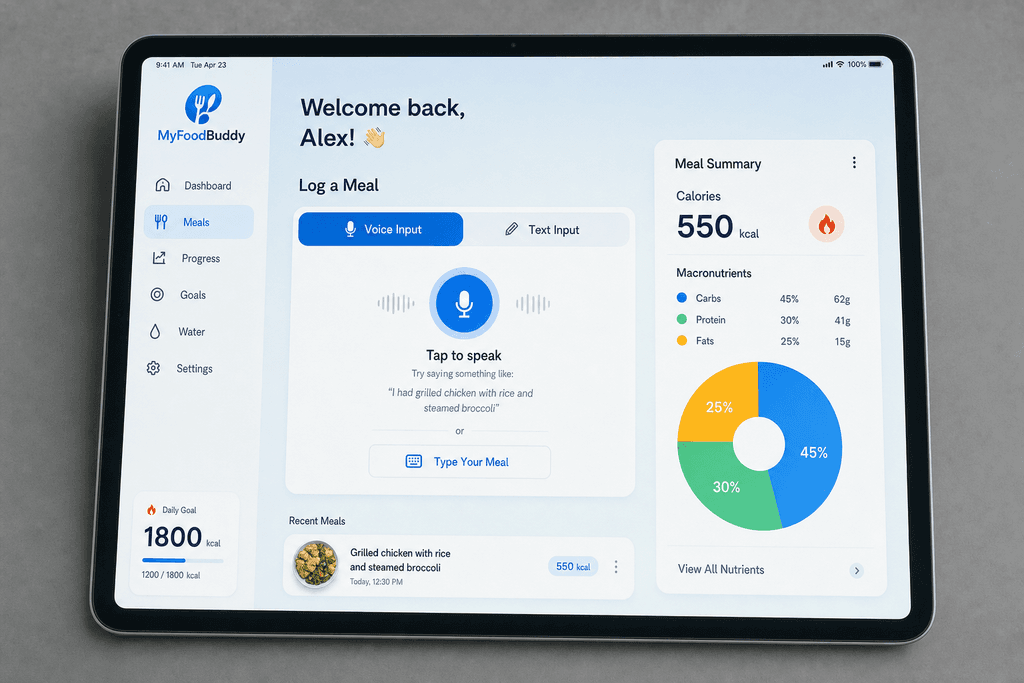
That's why apps like MyFoodBuddy focus on accurate intake instead of guessing output. When you can log your meals in seconds using voice or text and get accurate nutritional data from AI and USDA sources, you're controlling the variable that actually matters. You can't control your exact calorie burn, but you can control what you eat when you have tools that make tracking easy enough to actually stick with.
The people who succeed at weight loss aren't the ones with the most accurate fitness tracker. They're the ones who track their food consistently and create a real calorie deficit based on results, not estimates. If you want to learn more about how accurate calorie tracking impacts your health or discover why personalized calorie goals matter for weight loss, the answer always comes back to controlling what you can measure reliably.
What Actually Works for Weight Loss Tracking
Here's the thing about weight loss that most people miss: you can't control how many calories your Whoop says you burned, but you can control every single calorie that goes into your mouth. The math is simple, but the execution is where everyone gets tripped up. When you obsess over whether Whoop's calorie burn estimate is accurate, you're focusing on the wrong side of the equation. The real game-changer is knowing exactly what you're eating, not guessing how much you burned during your morning workout.
Most people give up on calorie tracking because traditional apps make it feel like a part-time job. Searching through databases, weighing portions, and manually entering every ingredient takes forever. That's why consistency beats perfection every single time.
The Real Comparison That Matters
| Tracking Method | Accuracy Level | Your Control | Time Required |
|---|---|---|---|
| Whoop Calorie Burn | ±20-30% variance | Low | Automatic |
| Traditional Food Apps | High (if done right) | Complete | 5-10 min per meal |
| Voice-Based AI Logging | High | Complete | Under 30 seconds |
The friction of logging is what kills most diet plans. When tracking takes too long, you skip meals, forget entries, and eventually quit altogether. Voice-based logging solves this by letting you say what you ate in seconds.
Why AI-Powered Tracking Changes Everything
- No more searching through endless food databases
- AI extracts nutrition data from natural language instantly
- Removes the mental barrier of "I'll log it later"
- Makes consistency actually achievable for normal people
MyFoodBuddy uses AI to handle the hard part of calorie tracking, so you just speak or type what you ate and move on with your day. The whole process takes less time than checking your Whoop stats. When you combine your Whoop activity data with accurate food intake tracking, you finally get the complete picture of your energy balance.
The Consistency Factor
- Logging 80% of meals accurately beats logging 20% perfectly
- Daily tracking builds habits that stick long-term
- Small tracking friction leads to big compliance drops
- Voice input removes the biggest barrier to daily logging
Your Whoop can estimate your burn all day long, but if you're not tracking what goes in, you're flying blind. The people who actually lose weight and keep it off aren't the ones with the most accurate burn estimates. They're the ones who track their food consistently without making it a second job.
The Bottom Line on Whoop Calorie Accuracy
So here's what you need to know about how accurate is whoop calories for weight loss. Whoop gives you helpful data about your activity and recovery, but it's not designed to be your main tool for losing weight. The calorie burn estimates can be off by 20-30%, which means you could be eating way more than you think if you're relying on those numbers alone. The real secret to weight loss isn't tracking every calorie you burn, it's tracking every calorie you eat.
Most people who struggle with weight loss are guessing at their food intake. They might think they're eating 1,800 calories when it's actually closer to 2,400. That gap is enough to completely stall your progress, no matter how accurate your Whoop data is.
The good news is that modern food tracking apps have gotten way easier to use. MyFoodBuddy lets you just say what you ate instead of spending five minutes searching through databases and measuring portions. You can log a meal in about 10 seconds, which means you're more likely to actually do it every day.
Here's what matters most for weight loss:
- Track your food intake consistently, even if it's not perfect
- Use your Whoop data to understand trends, not exact numbers
- Focus on setting realistic calorie goals based on your actual results
- Don't eat back all the calories Whoop says you burned
The people who see the best results combine activity tracking with accurate food logging. Whoop can tell you if you're moving enough, but only a proper food tracker can tell you if you're eating the right amount to lose weight.
Common Questions About Whoop Calorie Tracking
When you're trying to lose weight using a fitness tracker, you probably have a bunch of questions about how to actually use the data. Whoop gives you numbers about calories burned, but what are you supposed to do with them? The answers aren't always straightforward, and making the wrong choice could slow down your progress. Here are the most common questions people ask when they're trying to figure out how accurate is whoop calories and how to use that information for weight loss.
Should I eat back calories burned according to Whoop?
Most experts say you shouldn't eat back all the calories Whoop says you burned, especially if weight loss is your goal. Since Whoop can overestimate calorie burn by 20-40%, eating back those calories could put you at maintenance or even a surplus. If you want to eat back some exercise calories, stick to about 50% of what Whoop reports to stay safe.
Is Whoop more accurate than other fitness trackers?
Whoop is generally in the same ballpark as other wrist-based trackers like Apple Watch or Fitbit when it comes to calorie accuracy. They all struggle with the same issues because they're estimating based on heart rate and movement. No wrist tracker can measure actual calorie burn, so they're all making educated guesses that can be off by hundreds of calories per day.
How can I improve my calorie tracking accuracy?
The best way to improve accuracy is to focus on what you can actually measure, which is your food intake. Track everything you eat as precisely as possible using a food tracking app. MyFoodBuddy makes this super easy since you can just say what you ate instead of searching through databases. Then use your Whoop data as just one piece of information, not the final word on how much you should eat.
Do I need Whoop if I'm tracking food intake?
You don't technically need Whoop for weight loss if you're already tracking your food accurately. Your body weight trend over time will tell you if you're in a calorie deficit better than any tracker can. That said, Whoop can be helpful for tracking sleep, recovery, and general activity levels, which all matter for overall health even if they're not essential for weight loss.
What's the best way to use Whoop data for weight loss?
Use Whoop as a general guide for your activity level, not as an exact calorie prescription. Look at trends over weeks and months rather than daily numbers. Combine your Whoop data with accurate food tracking and weekly weigh-ins to see what's actually working. If you're not losing weight after a few weeks, the issue is probably your food intake, not that Whoop is lying to you. Focus most of your energy on logging meals accurately, which is where apps that use voice input really shine since they make it quick enough to actually stick with.
Can I trust Whoop calories for setting my daily food target?
You can use Whoop's calorie estimate as a starting point, but don't treat it as gospel. Start with what Whoop suggests, subtract 300-500 calories for weight loss, then adjust based on your actual results after 2-3 weeks. Your real-world weight loss will tell you way more than any algorithm can.
Ready to start tracking smarter?
Download MyFoodBuddy and start tracking your calories by just saying what you ate. No more searching databases or guessing portions.
Get started