
Best Food Diary Apps for Easy Calorie Tracking
Compare the best food diary apps by voice entry, ease of use, and price to find the easiest way to track calories and lose weight.
Most people quit an app food diary within a few weeks because typing in every meal, weighing food, and searching databases for the right entry just takes too long. That drop-off rate is the real reason so many weight loss plans stall out before they get anywhere. The apps below get compared on four things that actually matter day to day: how fast you can log by voice, how accurate the numbers come out, how simple the app feels after the first week, and what it costs once the free trial ends. The goal is picking one that fits into your routine instead of becoming one more chore you quietly stop doing.
Table of Contents
What Actually Makes a Food Diary App Worth Using
Judge any app food diary by four things before you commit a month of your life to it. Speed of entry matters most, because the difference between saying "two eggs and toast" and typing it into a search box, scrolling through ten matches, then picking portions, adds up to minutes a day that turn into quit dates.
Accuracy comes next. A bigger food database and barcode scanning both cut down on guesswork, but only if the app pulls from a solid source like USDA data instead of crowd-sourced entries that vary wildly in quality.
Daily habit-building depends on friction. Saved meals, one-tap re-logging, and reminders keep you logging on day 40, not just day 4. Price is the last filter: know what's free forever, what's behind a paywall, and how long the trial runs before your card gets charged.
- Time it takes to log a typical breakfast, lunch, and dinner
- Whether barcode scanning is included or an extra feature
- Size and source of the nutrition database
- What happens to your data if you stop paying
- Length of the free trial and the renewal price
Get this wrong and you'll pay for a year of an app you stop opening by week three, which is exactly the pattern described in a user-friendly calorie tracking app worth checking against your own habits. The one number worth remembering is that logging speed under 30 seconds per meal is the bar that separates apps people stick with from apps they abandon.
How Top Food Diary Apps Stack Up
Five apps come up again and again when people search for a better way to log food, and they split pretty clearly on these four points. MyFoodBuddy uses voice and text input with AI extraction to log a meal in seconds, costs $39 a year after a 7-day free trial, and syncs with Apple Health. MyFitnessPal has the largest food database around, but entry is mostly manual search-and-select, and the free tier comes loaded with ads.
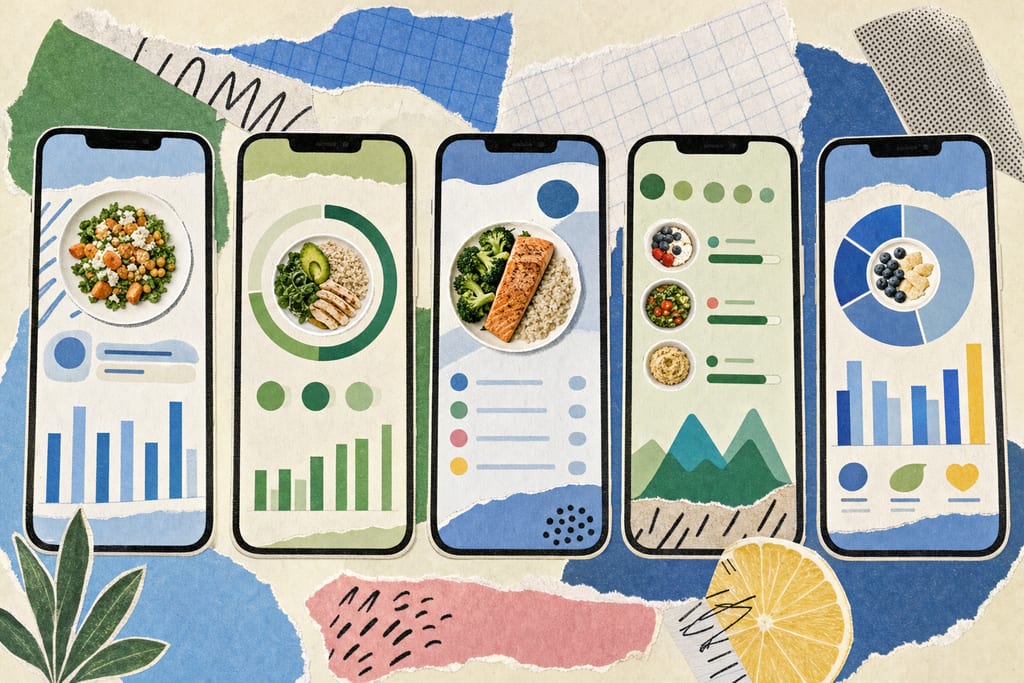
Cronometer is built for people who care about micronutrients, tracking vitamins and minerals most apps skip, though its entry process is slower and more detailed by design. It has a free tier and a paid Gold tier for extra features. Lose It! leans on barcode scanning and photo logging, which works well for packaged food, but the full feature set sits behind a subscription. Noom focuses on coaching and behavior psychology rather than fast logging, and it costs more than the others here.
- MyFoodBuddy: voice/text logging, $39/year, 7-day trial
- MyFitnessPal: largest database, manual entry, free with ads
- Cronometer: micronutrient depth, slower entry, free plus Gold tier
- Lose It!: barcode and photo logging, subscription for full access
- Noom: coaching focus, higher price, less emphasis on speed
The $39/year price point puts MyFoodBuddy below Noom and roughly in line with Cronometer Gold, while MyFitnessPal's free ad-supported tier remains the cheapest entry point if logging speed isn't your top priority.
Which App Fits Your Specific Goal
Pick based on what you'll actually do every day, not which app has the most features on paper. If you want to log meals by talking while you cook or eat, MyFoodBuddy's voice input gets food logged before you sit down, which matters if your past attempts died from typing fatigue.
If money is tight, MyFitnessPal's free tier covers basic logging and its database is hard to beat, ads aside. Cronometer fits anyone managing a condition where vitamin or mineral intake matters, not just calories. Lose It! suits people who eat a lot of packaged and branded food and want to scan rather than search. Noom works for people who want structured coaching alongside tracking and don't mind paying more for it.
- Voice logging on the go: MyFoodBuddy, fastest entry, $39/year
- Tight budget: MyFitnessPal free tier, ads included
- Micronutrient detail: Cronometer, free or Gold
- Packaged food and barcodes: Lose It!, subscription required
- Coaching and behavior change: Noom, higher monthly cost
The real decision point is whether you'll open the app on a bad day, not just a good one, since that's when fast voice logging or a saved-meal shortcut keeps a streak alive instead of breaking it.
Try Before Your Card Gets Charged
Before you commit a year of money to anything, run it through one week of your actual life, not a weekend when you have extra time. Cook a normal dinner and log it the way you'd really do it, tired, in a hurry, maybe with your hands full. Every option here offers a free trial or a free tier, so there's no reason to guess. A week of daily, average logging beats one perfect day of careful entries. Pick the app you'll still open on a Tuesday night when you just want to eat and move on.
Food Diary App Questions Before You Switch
Can I switch food diary apps without losing my logged history?
Not usually, and most apps don't let you import another app's history directly. Your old logs typically stay stuck in the old app unless it offers a data export you can reference manually. Start the new app with a clean slate and treat the switch as a fresh start rather than a continuation.
Do these apps handle homemade meals, not just packaged food?
It depends on how you log, not just which app you pick. Barcode-focused apps work best with packaged items, since a homemade stew or mixed curry has no barcode to scan. Apps that let you describe a dish in plain words, like saying what's in a casserole, tend to handle homemade cooking better because they're not relying on a label.
Will a food diary app actually help me lose weight?
Only if you keep using it long enough to see where your calories actually go. The app itself doesn't burn anything, it just shows you the gap between what you eat and what you planned to eat. Weight loss still comes from eating less than you burn over time, the app just makes that number visible every day instead of guessed at.
Ready to start tracking smarter?
Download MyFoodBuddy and start tracking your calories by just saying what you ate. No more searching databases or guessing portions.
Get started