
Nutrition of Chipotle Orders Without Guesswork
Track Chipotle nutrition instantly without manual calculations. Learn what's in your bowl, burrito, or salad and log it in seconds.
You order your usual Chipotle burrito bowl thinking it's a healthy choice, but that innocent-looking combination of rice, beans, chicken, cheese, and guac can easily pack over 1,000 calories before you even realize it. Most people underestimate the nutrition of Chipotle orders by 300-500 calories because tracking every customizable ingredient manually takes forever and rarely gets the portions right. With thousands of possible combinations and each topping adding different macros, figuring out what you actually ate shouldn't require a calculator and guesswork.
Table of Contents
- What Makes Chipotle Orders So Tricky to Track
- Breaking Down Your Chipotle Bowl by Ingredient
- Popular Chipotle Orders and Their Real Nutrition
- Smart Swaps to Keep Your Chipotle Order on Track
- The Real Problem with Tracking Chipotle Manually
- Making Chipotle Work for Your Goals
- Common Questions About Chipotle Nutrition
What Makes Chipotle Orders So Tricky to Track
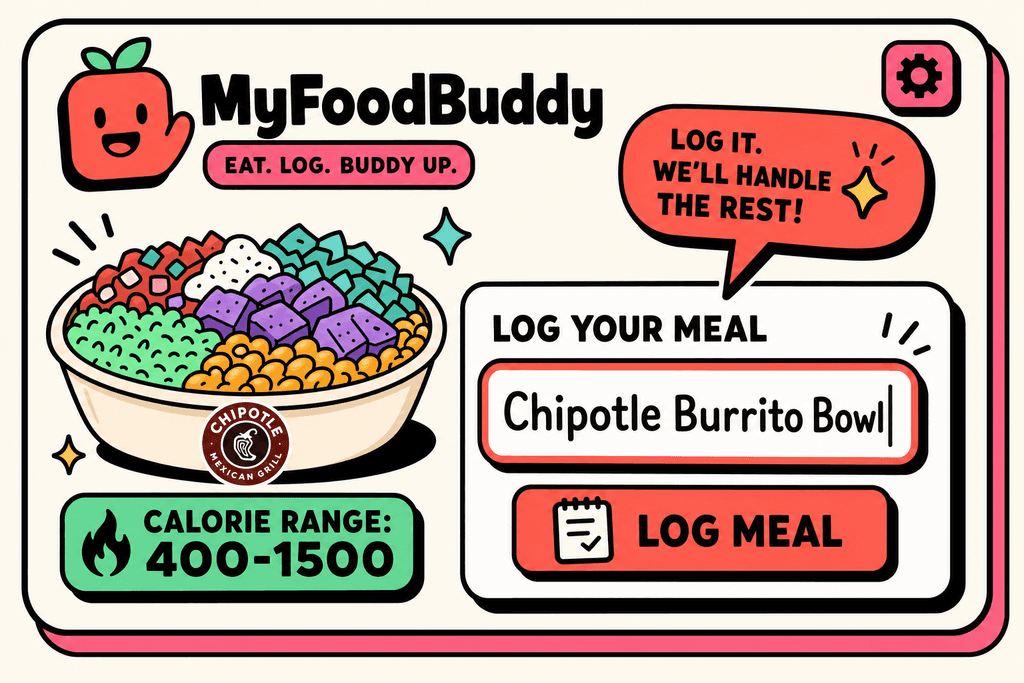
A single Chipotle burrito bowl can range anywhere from 400 to 1,500 calories depending on what you choose. The build-your-own model that makes Chipotle so popular is the same thing that makes tracking the nutrition of Chipotle orders nearly impossible without help. You're standing in line, making quick decisions about rice, beans, protein, and toppings, but each choice dramatically changes your meal's nutritional profile. What seems like a healthy bowl can quickly turn into a calorie bomb with just a few extra scoops.
Portion Sizes Change Everything
The biggest problem with figuring out the nutrition of Chipotle meals is that portion sizes vary wildly between locations and even between employees at the same store. One person might give you a modest scoop of rice while another loads up your bowl. This inconsistency makes it almost impossible to accurately track what you're eating.
Here's what makes it even trickier:
- Chipotle's official nutrition calculator assumes standard portions that rarely match reality
- Employees are trained to be generous, which sounds great until you're trying to track calories
- The same order on Monday might have 200 more calories than the identical order on Friday
- You can't exactly ask the person behind the counter to weigh each ingredient
Small Additions Make Big Differences
The gap between a reasonable meal and a calorie overload often comes down to just a few toppings. Cheese adds about 110 calories, sour cream brings another 110, and guacamole tacks on 230 more. Those three innocent-looking additions alone add 450 calories to your bowl.
Traditional apps like MyFitnessPal require you to input each ingredient separately, which means:
- Searching for "Chipotle brown rice" then "Chipotle black beans" then "Chipotle chicken"
- Guessing at portion sizes for each item
- Spending several minutes just to log one meal
- Often giving up halfway through and not tracking at all
With MyFoodBuddy, you can simply say "chicken bowl from Chipotle with brown rice, black beans, cheese, and guac" and the app figures out the nutrition of Chipotle ingredients for you.
Comparing Your Base Options
Before you even get to toppings, your choice of base sets the foundation for your meal's nutrition. Here's how the main options stack up:
| Base Option | Calories | Protein (g) | Carbs (g) | Fat (g) |
|---|---|---|---|---|
| White Rice | 210 | 4 | 40 | 4 |
| Brown Rice | 210 | 5 | 36 | 6 |
| Black Beans | 130 | 8 | 23 | 1 |
| Pinto Beans | 130 | 8 | 22 | 1 |
| Romaine Lettuce | 5 | 0 | 1 | 0 |
Most people don't realize that choosing lettuce instead of rice saves over 200 calories right off the bat. But tracking these differences manually in traditional calorie apps takes forever, which is why most people either skip tracking Chipotle meals entirely or make wild guesses that throw off their daily totals.
Breaking Down Your Chipotle Bowl by Ingredient
Most people walk into Chipotle thinking they're making a healthy choice, but the numbers tell a different story. A single burrito can pack more calories than two Big Macs, and most of us have no idea until we've already finished eating. The problem isn't Chipotle itself, it's that we're building our meals blind. Each ingredient you add changes the nutrition of Chipotle orders dramatically, and understanding these numbers is the first step to making choices that actually fit your goals. To better understand what you're actually eating, use our Chipotle Calories Calculator for Bowls, Burritos, and Macros.
Breaking Down Your Chipotle Bowl by Ingredient
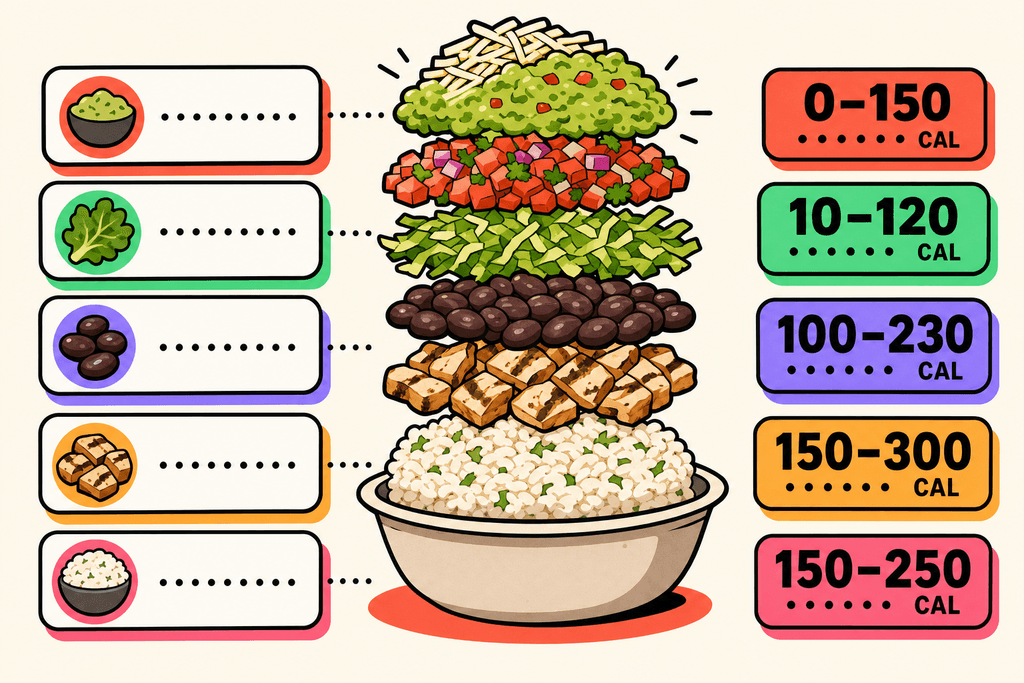
The base of your meal sets the foundation for everything else. White rice and brown rice both clock in at around 210 calories, while a salad base starts you at essentially zero. That tortilla you're eyeing for your burrito adds another 300 calories before you've even thought about protein or toppings.
| Base Option | Calories | Carbs (g) |
|---|---|---|
| Salad | 15 | 3 |
| White Rice | 210 | 40 |
| Brown Rice | 210 | 36 |
| Burrito Tortilla | 300 | 48 |
Protein choices matter more than most people realize. Chicken comes in at about 180 calories, while carnitas and steak push closer to 210-240 calories depending on the serving size. Sofritas, the tofu option, sits around 150 calories and packs a decent protein punch for vegetarians.
Here's where things get tricky. The toppings and extras can literally double your meal's calorie count without you noticing. Cheese adds 110 calories, sour cream brings another 110, and guacamole tacks on 230 calories of mostly healthy fats. A bowl that starts at 400 calories can easily hit 1,000 once you add all the fixings.
- Cheese: 110 calories
- Sour cream: 110 calories
- Guacamole: 230 calories
- Queso: 120 calories
- Fajita veggies: 20 calories
- Corn salsa: 80 calories
- Pico de gallo: 25 calories
Popular Chipotle Orders and Their Real Nutrition
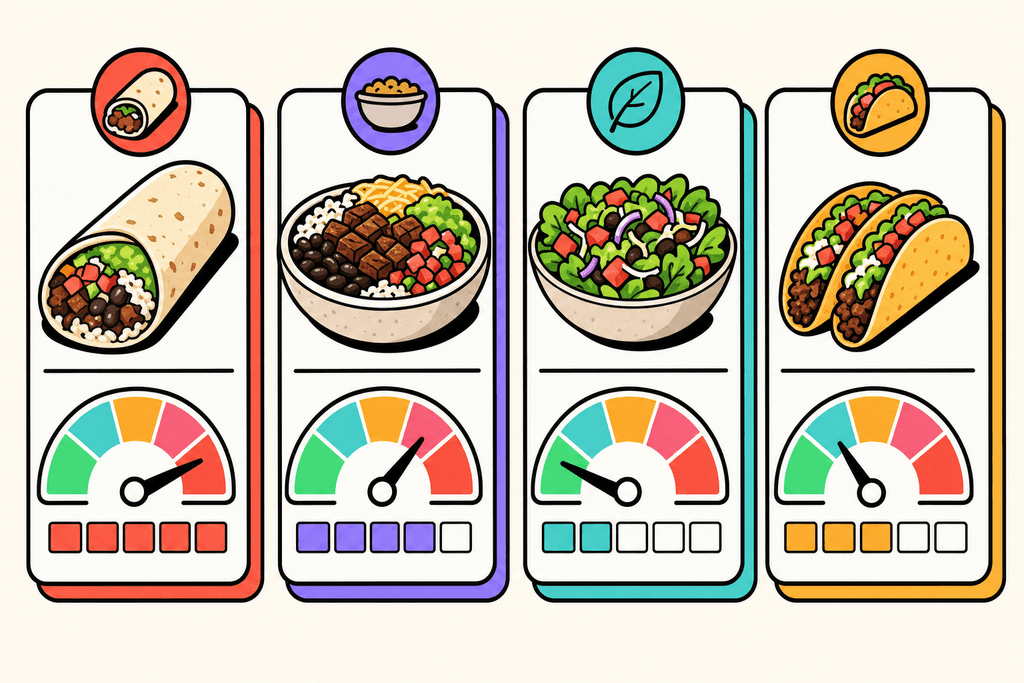
The classic chicken burrito is what most people order without thinking twice. You get the tortilla, rice, beans, chicken, cheese, sour cream, and maybe some salsa. This combination typically lands between 1,100 and 1,300 calories, which is more than half of what most people should eat in an entire day. The tortilla alone accounts for nearly a quarter of those calories, and the dairy toppings add another 220 calories on top of everything else.
Popular Chipotle Orders and Their Real Nutrition
Carnitas bowls feel like the smarter choice because you're skipping the tortilla. A typical carnitas bowl with rice, beans, mild salsa, cheese, and lettuce comes in around 700-900 calories. That's definitely better than the burrito, but it's still a substantial meal that needs to fit into your daily plan.
| Popular Order | Calories | Protein (g) | Carbs (g) |
|---|---|---|---|
| Chicken Burrito (loaded) | 1,200 | 65 | 125 |
| Carnitas Bowl | 800 | 45 | 80 |
| Veggie Bowl with Guac | 850 | 20 | 95 |
| Steak Salad | 550 | 40 | 35 |
Vegetarian options surprise a lot of people. A veggie bowl with sofritas, rice, beans, guacamole, cheese, and sour cream can hit 850-950 calories. Just because there's no meat doesn't mean it's automatically lighter. The guacamole and dairy add up fast, and beans contribute both protein and carbs that push the numbers higher.
Salads seem like the obvious healthy choice, but they can be just as calorie-dense as bowls. The vinaigrette dressing adds 270 calories, and if you're loading up on cheese, sour cream, and guacamole, you're looking at 700-900 calories for what you thought was a light meal. Apps like MyFoodBuddy make tracking these meals simple by letting you just say what you ordered instead of manually adding each ingredient.
Smart Swaps to Keep Your Chipotle Order on Track
The easiest swap you can make is choosing a bowl over a burrito. That single change saves you 300 calories from the tortilla, and you still get all the same flavors and ingredients you love. If you really want the tortilla experience, you can ask for it on the side and use half of it, cutting those calories in half while still getting some of that wrapped burrito feeling.
Fajita veggies are your secret weapon for building a bigger, more satisfying meal without the calorie cost. They add volume, fiber, and nutrients for only 20 calories. Loading up on fajita veggies makes your bowl look fuller and keeps you satisfied longer without impacting your daily calorie budget much at all.
- Bowl instead of burrito: saves 300 calories
- Skip cheese and sour cream: saves 220 calories
- Choose salsa over queso: saves 95 calories
- Half portion of rice: saves 105 calories
- Add fajita veggies: adds volume for 20 calories
Going easy on cheese and sour cream is probably the hardest swap for most people, but it makes the biggest difference. These two toppings alone add 220 calories of mostly fat. You can ask for half portions of each to cut that in half, or skip them entirely and rely on salsa and guacamole for creaminess and flavor.
Double protein instead of double rice changes your macro balance in a way that keeps you fuller longer. An extra scoop of chicken adds 180 calories and 32 grams of protein, while double rice adds 210 calories of mostly carbs. The protein keeps your blood sugar stable and reduces cravings later in the day, making it easier to stick to your goals overall.
Salsa varieties give you tons of flavor without the calorie cost of creamy toppings. Pico de gallo adds only 25 calories, corn salsa brings 80 calories with some sweetness, and the hot salsas are basically calorie-free. You can pile these on without worry, unlike the cheese and sour cream that add up so quickly. If you're trying to track your nutrition of Chipotle orders more carefully, tools that use voice logging make it way easier than trying to remember every ingredient you added. You can check out similar approaches for calorie counting at Qdoba or learn about voice-powered calorie tracking for fast food to see how much simpler the process can be.
The truth is that knowing the nutrition of Chipotle orders doesn't have to involve guesswork or spending ten minutes on a calculator. Whether you're comparing options like Bareburger calories or figuring out the lowest calorie fast food meals, the key is having a system that works without making you think too hard about it.
The Real Problem with Tracking Chipotle Manually
Most people who try to track the nutrition of Chipotle meals end up quitting within a week. The process of manually entering each ingredient into traditional tracking apps takes anywhere from 3 to 5 minutes per meal, and that's if you're being thorough. You have to search for brown rice, then add it. Search for black beans, add those. Then chicken, then each salsa, then cheese if you got it. By the time you're done, your food is cold and you've lost all motivation to keep tracking.
The bigger issue isn't just the time investment. Portion size estimation at restaurants like Chipotle creates massive tracking errors that make your entire effort pointless. Did the person behind the counter give you 4 ounces of chicken or 6 ounces? Was that a half cup of rice or three-quarters? These differences can mean 200-300 calories of error in a single meal, which completely defeats the purpose of tracking in the first place.
| 3-5 minutes Manual entry time per meal |
200-300 calories Average estimation error |
10 seconds Voice logging time |
Why People Quit Tracking When Eating Out
Research shows that most calorie trackers abandon their apps within the first month, and restaurant meals are the breaking point. When you're eating at home with measured portions, tracking feels manageable. But the moment you step into Chipotle or any customizable restaurant, the whole system falls apart.
- Traditional apps require you to remember every single ingredient after you've already eaten
- Searching through databases with thousands of entries wastes time and tests your patience
- The social awkwardness of pulling out your phone to log food for five minutes kills the experience
- Inconsistent portion sizes make accuracy nearly impossible without a food scale
How Voice Tracking Changes Everything
Voice-based tracking apps solve this problem by letting you describe your meal in plain English. Instead of searching for each ingredient separately, you simply say "chicken bowl with brown rice, black beans, fajita veggies, and salsa" and the app calculates everything instantly. MyFoodBuddy uses this approach to turn a 5-minute chore into a 10-second task.
The accuracy improvement comes from AI-powered portion estimation that uses USDA data and typical restaurant serving sizes. While it's not perfect, it's far more consistent than human guessing. You get reliable nutrition data for Chipotle orders without pulling out measuring cups or spending your lunch break doing math.
- No more searching through endless food databases
- Portion sizes calculated based on standard restaurant servings
- Complete nutritional breakdown in seconds, not minutes
The difference between tracking and not tracking often comes down to convenience. When logging a Chipotle meal takes less time than checking a text message, you're far more likely to stay consistent with your nutrition goals. That consistency is what actually leads to results, not perfect accuracy on every single calorie.
Making Chipotle Work for Your Goals
The nutrition of Chipotle really comes down to knowing what goes into your bowl or burrito. A few simple swaps can turn a 1,200 calorie meal into something closer to 600 calories without losing much flavor. The difference between white rice and brown rice might seem small, but when you add up all your ingredient choices, those numbers start to matter. Most people don't realize that the tortilla alone adds about 300 calories before you even get to the good stuff.
The real challenge isn't understanding what's healthy at Chipotle. It's actually tracking everything without spending ten minutes tapping through a traditional app. Apps like MyFitnessPal require you to search for each ingredient separately, which gets old fast when you're trying to log a custom order.
That's where voice-powered calorie tracking changes things. With MyFoodBuddy, you can just say "chicken burrito bowl with brown rice, black beans, fajita veggies, mild salsa, and guacamole" and the app figures out the rest. No searching through databases or creating custom meals.
The same approach works whether you're eating at Qdoba, Bareburger, or any other fast casual spot. Once you understand how to make smarter choices and have a quick way to track them, eating out doesn't have to derail your progress. You might be surprised how often you can fit Chipotle into your weekly routine when you know exactly what you're getting.
Common Questions About Chipotle Nutrition
Tracking the nutrition of Chipotle meals brings up a lot of questions, especially when you're trying to stay on top of your health goals. The customizable nature of their menu means every bowl can have wildly different calorie counts and macro breakdowns. Here are the most common questions people ask when trying to figure out what they're actually eating at Chipotle, along with straightforward answers that'll help you make better choices.
How many calories are in a typical Chipotle bowl?
A typical Chipotle bowl ranges from 500 to 1,200 calories depending on what you add. A basic bowl with rice, beans, chicken, and veggies sits around 650 calories, but adding cheese, sour cream, and guacamole can push it past 1,000 calories quickly. The rice and tortilla are usually the biggest calorie contributors besides the fatty toppings.
What's the healthiest protein option at Chipotle?
Chicken is generally the leanest protein choice at Chipotle with about 180 calories and 32 grams of protein per serving. Sofritas (tofu) comes in second at around 150 calories but with less protein at 8 grams. Carnitas and barbacoa pack more calories and fat, while steak falls somewhere in the middle with decent protein and moderate fat content.
Does Chipotle provide accurate nutrition information?
Chipotle does provide nutrition information on their website and app, but portion sizes can vary significantly between locations and employees. What one person considers a "standard scoop" might be 20-30% more or less than another, which throws off the accuracy. This inconsistency makes it harder to track precisely compared to pre-packaged foods.
How can I track my chipotle order quickly?
Instead of manually entering each ingredient into a tracking app, you can simply describe your entire order in one go. MyFoodBuddy lets you say or type something like "Chipotle bowl with brown rice, black beans, chicken, fajita veggies, cheese, and guac" and it calculates everything automatically. This beats spending five minutes searching for each topping separately in traditional apps like MyFitnessPal.
Are Chipotle bowls good for weight loss?
Chipotle bowls can absolutely work for weight loss if you make smart choices and watch your portions. Skip the rice or ask for half portions, load up on fajita veggies and lettuce, choose chicken or sofritas, and go easy on cheese and sour cream. A well-built bowl can keep you under 500 calories while still being filling and satisfying.
What Chipotle toppings have the most calories?
The biggest calorie bombs at Chipotle are the extras people don't think twice about adding. Guacamole adds 230 calories, cheese adds 110 calories, sour cream adds 110 calories, and queso adds 120 calories. Even the chips on the side pack 540 calories before you add any salsa. The rice alone contributes about 210 calories, so skipping it or getting a half portion makes a noticeable difference in your total count.
Ready to start tracking smarter?
Download MyFoodBuddy and start tracking your calories by just saying what you ate. No more searching databases or guessing portions.
Get started