
Macro Calculator Mistakes That Sabotage Your Goals
Avoid common macro calculator errors that derail your fitness goals. Learn how to set accurate targets and track macros effortlessly.
You spend twenty minutes with a macro calculator, get your perfect numbers, and feel ready to crush your goals. Three weeks later, you've either gained weight when you wanted to lose it or you're so hungry you can't stick to the plan. The truth is, most people make the same handful of mistakes when using a macro calculator, and these errors completely derail their progress before they even realize what went wrong.
Table of Contents
What Macro Calculators Actually Do
Your body runs on three main fuel sources called macronutrients, or macros for short. These are protein, carbohydrates, and fats, and they make up every calorie you eat throughout the day. A macro calculator is basically a tool that figures out how much of each one you should eat based on your body stats, how active you are, and what you're trying to achieve. Most people use these calculators when they want to lose weight, build muscle, or just maintain where they're at.
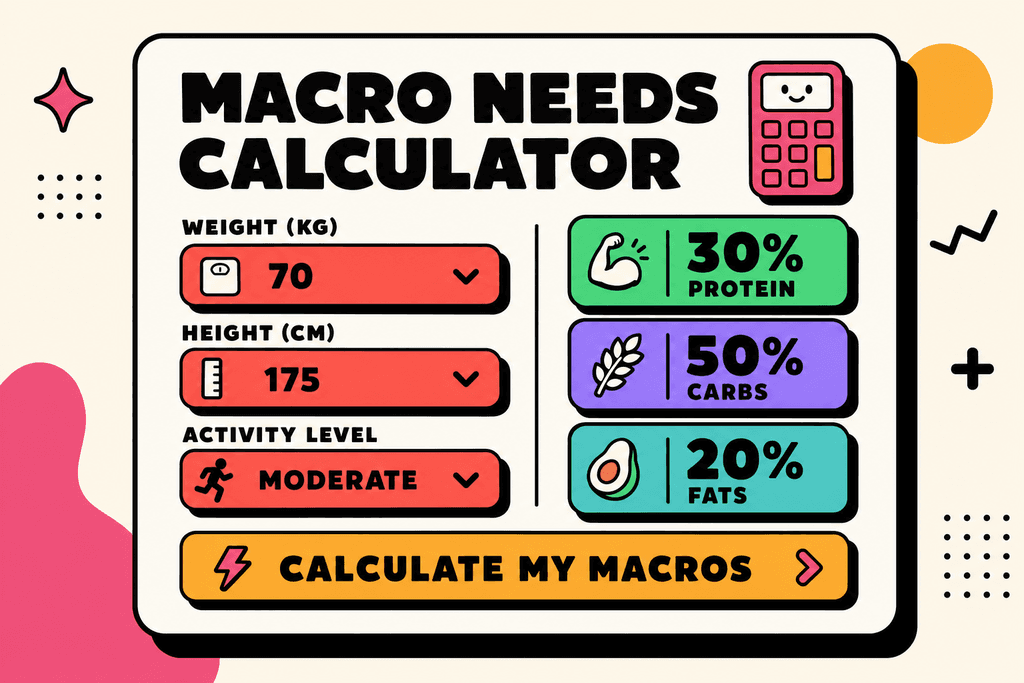
The math behind these calculators starts with something called TDEE, which stands for Total Daily Energy Expenditure. This is the total number of calories your body burns in a day just from being alive, moving around, and doing your workouts. Your TDEE includes everything from breathing and digesting food to walking your dog and hitting the gym. Once a macro calculator knows your TDEE, it can suggest how many calories you should eat and how to split them between protein, carbs, and fats.
How Each Macro Works in Your Body
Not all macros are created equal when it comes to calories. Each one gives your body a different amount of energy and serves a different purpose.
| Macro | Calories per Gram | Main Role |
|---|---|---|
| Protein | 4 calories | Builds and repairs muscle |
| Carbohydrates | 4 calories | Provides quick energy |
| Fats | 9 calories | Supports hormones and organs |
Understanding these differences matters because a gram of fat has more than twice the calories of protein or carbs. This is why tracking macros can be more helpful than just counting calories alone.
Why Your Goals Change Your Macro Needs
Different fitness goals need different macro splits. Someone trying to build muscle needs way more protein than someone just trying to lose a few pounds. Here's what typically works for common goals:
- Weight loss usually means eating fewer calories than your TDEE while keeping protein high
- Muscle building requires more protein and often more total calories than you burn
- Maintenance means eating right around your TDEE with balanced macros
- Athletic performance often needs higher carbs for energy during training
Apps like MyFitnessPal and Cronometer have built-in macro calculators, but they often require you to manually input every ingredient and measurement. MyFoodBuddy takes a different approach by letting you just say what you ate, and the app figures out the macros automatically using AI and USDA data. Instead of spending five minutes searching for "chicken breast grilled 6oz," you can simply log "grilled chicken with rice and broccoli" and move on with your day.
The Activity Level Problem
Most macro calculators ask you to pick an activity level from options like sedentary, lightly active, or very active. This is where things get tricky because most people either overestimate or underestimate how active they really are.
- Sedentary means you sit most of the day with little to no exercise
- Lightly active is a desk job plus walking or light exercise 1-3 days per week
- Moderately active includes exercise 3-5 days per week
- Very active means hard exercise 6-7 days per week or a physical job
Picking the wrong activity level can throw off your entire macro calculation by hundreds of calories. That's enough to completely stall your progress or leave you feeling exhausted and hungry all the time.
Picking the Wrong Activity Level
Most people using a macro calculator make the same mistake right at the start. They see options like "lightly active," "moderately active," and "very active" and immediately overestimate where they fall. It's an easy trap because we all want to believe we're more active than we actually are. You hit the gym three times a week, so you must be "very active," right? Not quite. The reality is that most people who work desk jobs fall into the sedentary or lightly active category, even if they exercise regularly.
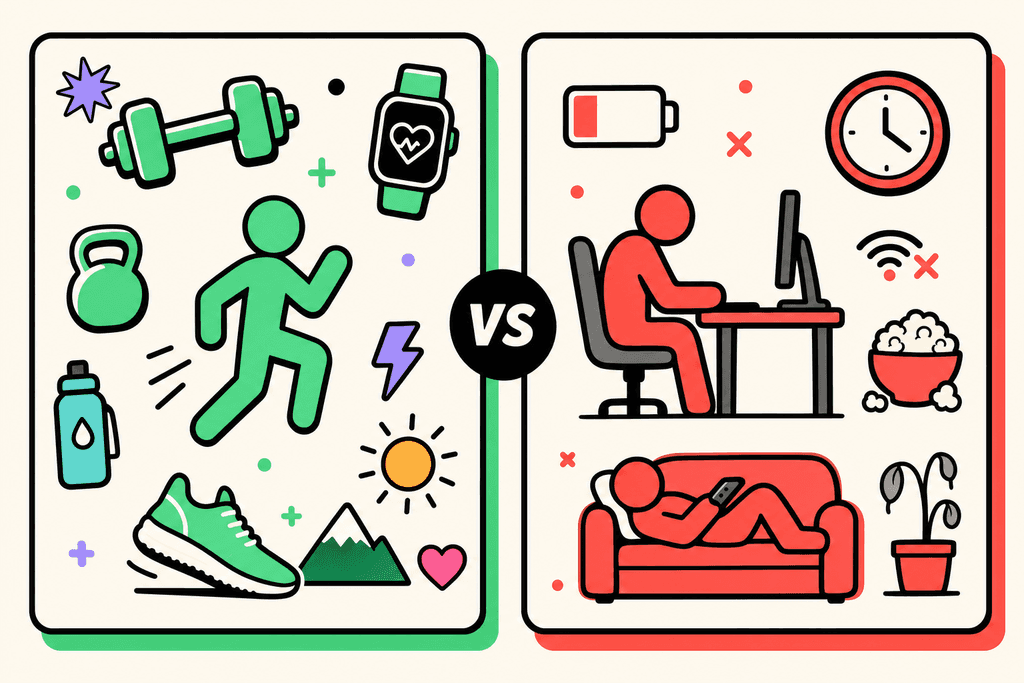
Here's what really matters. If you spend eight hours sitting at a computer, your three gym sessions don't magically bump you up to "very active." That category is reserved for people who are on their feet most of the day, like construction workers or nurses who walk miles during their shifts.
| Activity Level | Daily Description | Calorie Multiplier |
|---|---|---|
| Sedentary | Desk job, minimal movement | 1.2x BMR |
| Lightly Active | Light exercise 1-3 days/week | 1.375x BMR |
| Moderately Active | Moderate exercise 3-5 days/week | 1.55x BMR |
| Very Active | Hard exercise 6-7 days/week | 1.725x BMR |
The difference between these levels can mean 300 to 500 extra calories per day. That's enough to completely stall your weight loss or cause unwanted weight gain. When you pick "moderately active" but you're actually "lightly active," you're essentially giving yourself permission to eat an extra meal's worth of calories that your body doesn't need.
The smarter approach is to start conservative. Pick the lower activity level and see how your body responds over two to three weeks. You can always adjust upward if you're losing weight too quickly or feeling low on energy. But starting too high means you'll spend weeks wondering why the scale isn't moving, when the answer was in that first dropdown menu all along.
Forgetting to Adjust as You Progress
Your body isn't static, so your macro targets shouldn't be either. This is where a lot of people hit a wall after making great initial progress. They calculate their macros once, see results for a few weeks or months, then suddenly everything stops working. The problem isn't that their body is broken or that they've hit some mysterious plateau. The problem is that a 200-pound body needs more calories than a 180-pound body, and they're still eating like they weigh 200 pounds.
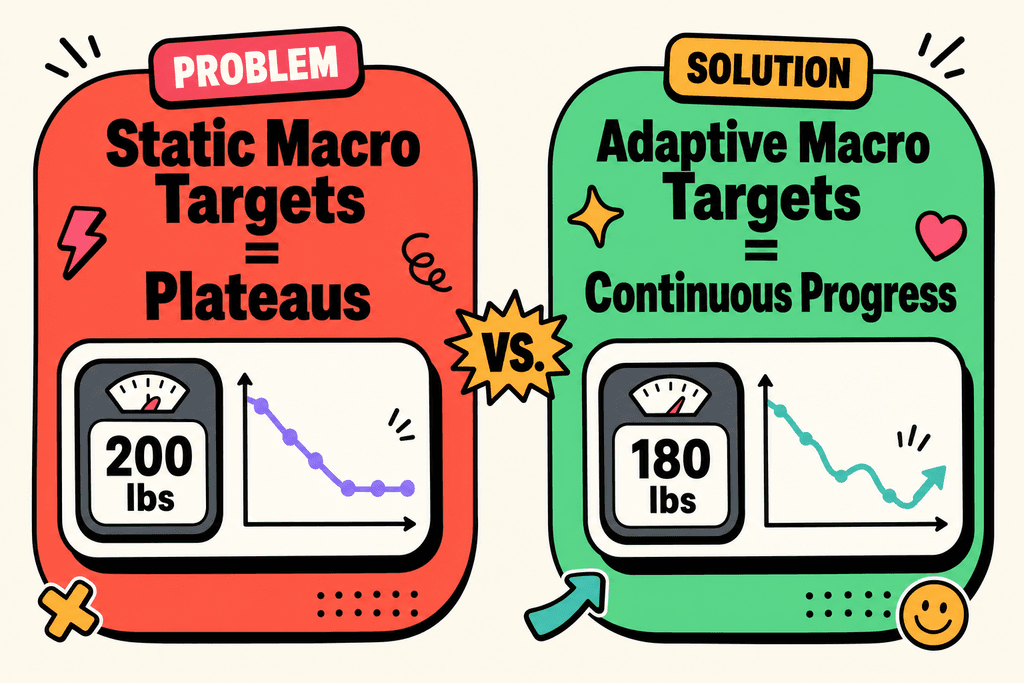
Think about it this way. Every pound of body weight you carry requires energy to maintain. When you lose weight, you literally need less food to function. A person who weighs 200 pounds might need 2,200 calories to maintain their weight, but at 180 pounds, that same person might only need 2,000 calories.
- Recalculate your macros every 10-15 pounds of weight change
- Watch for signs like stalled progress for 3+ weeks
- Pay attention to energy levels and workout performance
- Consider metabolic adaptation if you've been dieting for months
- Don't wait until you're frustrated to make adjustments
Your body also adapts to prolonged calorie restriction through metabolic adaptation. This means your metabolism can slow down slightly when you've been in a deficit for a long time. It's not "starvation mode" like some people claim, but it is real. This is another reason why setting realistic health goals matters more than aggressive cuts that you can't sustain.
The fix is simple but requires attention. Set a reminder to recalculate your macros every month or after every 10 pounds of change. MyFoodBuddy's TDEE calculator makes this easy since you can quickly update your current weight and get new targets without any complex math.
Not Actually Tracking What You Eat
You can have the most perfectly calculated macros in the world, but they mean absolutely nothing if you're not tracking your food accurately. This is the gap that kills more progress than any other mistake. People spend time finding the perfect macro calculator, get their numbers dialed in, then proceed to eyeball their portions and forget about the olive oil they cooked with. Studies show that people who eyeball portions underestimate their intake by 20 to 30 percent on average. That's not a small margin of error.
The hidden calories are everywhere. That tablespoon of oil in your pan? That's 120 calories. The "splash" of cream in your coffee? Probably 50 calories. The handful of nuts you grabbed as a snack? Easily 200 calories. None of these feel significant in the moment, but they add up fast.
| Common Hidden Calories | Typical Amount | Calories |
|---|---|---|
| Cooking oil | 1 tablespoon | 120 |
| Coffee creamer | 2 tablespoons | 70 |
| Salad dressing | 2 tablespoons | 100-150 |
| Nuts (almonds) | Small handful | 170 |
| Cheese | 1 ounce | 110 |
Traditional tracking apps make consistency hard because they require so many steps. You have to search for foods, select the right entry from dozens of options, adjust serving sizes, and repeat this for every ingredient. It's tedious enough that most people either skip items or give up entirely after a few weeks. This is exactly why we built MyFoodBuddy with voice logging. You can just say what you ate and the app handles the rest, making it actually possible to track consistently without the friction.
The difference between tracking and not tracking is often the difference between results and frustration. If you want to learn more about automating your calorie tracking, you'll see how much easier consistency becomes when the process takes seconds instead of minutes.
Using Generic Ratios Instead of Personal Needs
The internet loves to throw around macro ratios like they're universal truths. You've probably seen the 40-30-30 split recommended everywhere, or maybe the 50-30-20 version. These ratios can work for some people, but they're not magic formulas that work for everyone. Your ideal macro split depends on your specific goals, activity level, body composition, and even how your body responds to different foods. A powerlifter trying to gain strength needs different ratios than someone doing endurance training or someone just trying to lose fat while preserving muscle.
Protein needs are a perfect example. The standard recommendation might be 30 percent of calories from protein, but that could be way too low if you're lifting heavy and trying to build muscle. Someone who weighs 180 pounds and trains hard might need 180 grams of protein per day, which could be 35 to 40 percent of their total calories depending on their goals.
| Goal | Protein % | Carbs % | Fats % |
|---|---|---|---|
| Fat Loss | 35-40% | 30-35% | 25-30% |
| Muscle Gain | 30-35% | 40-50% | 20-25% |
| Endurance Training | 20-25% | 50-60% | 20-25% |
| General Health | 25-30% | 40-45% | 25-30% |
The key is to start with a reasonable baseline and then adjust based on how you feel and perform. If you're constantly hungry and low on energy, you might need more carbs. If you're not recovering well from workouts, bump up your protein. Your body will tell you what it needs if you pay attention.
- Start with evidence-based ranges for your goal
- Track how you feel, not just what the scale says
- Adjust one macro at a time to see what works
- Give changes at least two weeks before deciding
- Remember that flexibility matters more than perfection
This is where personalized calorie goals become crucial. Generic ratios are just starting points. The real progress happens when you fine-tune your approach based on your individual response and work with tools that let you adjust your targets as you learn what works for your body.
Why These Mistakes Keep Happening
The problem with most macro calculator tools isn't that they give you wrong numbers. It's that they dump a bunch of numbers on you and expect you to figure out what to do with them. You get told to eat 150 grams of protein, 200 grams of carbs, and 60 grams of fat, but nobody explains how to actually hit those targets without spending hours weighing food and searching databases. This lack of context is why so many people get their macros calculated and then never actually use them.
73% of people quit tracking their macros within the first month because the process is too complicated and time-consuming.
The Decision Fatigue Problem
Traditional macro tracking creates a mental burden that most people don't anticipate. Every single meal becomes a math problem that you need to solve before you can eat.
- Searching through databases to find the exact food item
- Weighing portions or estimating serving sizes
- Manually entering each ingredient in mixed dishes
- Double-checking that everything adds up correctly
- Adjusting your remaining meals based on what you've already eaten
This is why apps like MyFitnessPal and Cronometer have millions of downloads but relatively few active daily users. The friction between wanting to track and actually tracking is just too high.
When the Process Defeats the Purpose
Most people quit before they see any results because they burn out on the tracking process itself. You might be perfectly capable of hitting your macro targets, but if logging your food takes 10 minutes per meal, you'll find reasons to skip it.
- You're at a restaurant and can't weigh your food
- You're busy and don't have time to search for every ingredient
- You ate something homemade and don't know where to start
This is where modern solutions change the game. MyFoodBuddy removes the friction by letting you just say what you ate. No searching, no weighing, no manual calculations. The AI handles the macro breakdown using USDA data while you move on with your day.
Making It Easy Enough to Stick
Success with macro tracking isn't about having perfect willpower. It's about making the process so simple that you don't need willpower at all. When logging a meal takes 5 seconds instead of 5 minutes, you actually do it consistently enough to see results.
- Voice logging eliminates the need to type or search
- AI extraction removes manual calculation work
- Natural language input works with how you already think about food
The macro calculator mistakes we make aren't really about the numbers. They're about choosing tools that set us up to fail by making the daily work too hard to maintain.
Getting Your Macros Right
So let's recap the big mistakes that mess up your macro calculator results. Using outdated activity multipliers makes you think you burn way more calories than you actually do. Forgetting to recalculate as you lose weight means you're eating too much for your new body size. Setting aggressive deficits might work for a week, but they always backfire when hunger takes over. And copying someone else's macros is like wearing their prescription glasses, it just doesn't work for your body.
Here's the thing though. Even perfect macros from a macro calculator won't help if you can't track them consistently. Most people quit because traditional tracking apps turn every meal into a 10-minute research project.
That's where tools like MyFoodBuddy come in. You just say what you ate, and it handles the math using AI and USDA data. No searching through databases or measuring every ingredient. The app also has a built-in TDEE calculator that sets personalized calorie goals based on whether you want to lose or gain weight.
The best approach is starting conservative with your estimates. Pick a slightly lower activity level than you think. Set a moderate deficit instead of an extreme one. Then track everything for two weeks and see what actually happens with your weight and energy levels. Automated tracking makes this adjustment period way easier because you're not burning out on manual logging.
Your body will tell you if the numbers are right. You just need to give it time and stay consistent with tracking.
Common Macro Calculator Questions
Getting your macros right can feel like solving a puzzle, especially when you're just starting out. Most people have the same questions when they first use a macro calculator, and the answers aren't always what you'd expect. Here are the most common questions we hear about tracking macros and what actually works in real life.
How often should I recalculate my macros?
You should recalculate your macros every 10-15 pounds of weight change or every 4-6 weeks if your weight stays the same. Your body's needs change as you lose or gain weight, so what worked last month might not work now. If you've hit a plateau for more than two weeks, that's also a good sign it's time to run the numbers again.
What's the best macro split for weight loss?
There's no single "best" split because everyone's body responds differently. A common starting point is 40% protein, 30% carbs, and 30% fat, but some people do better with higher carbs or higher fat depending on their activity level and preferences. The most important factor is actually staying in a calorie deficit, not the exact macro split.
Do I need to hit my macros exactly every day?
No, and trying to be perfect every single day usually leads to burnout. Aim to get within 5-10 grams of your targets, and look at your weekly average rather than stressing about daily perfection. Consistency over time matters way more than hitting exact numbers on any given day.
How do I track macros when eating out?
Restaurant meals are tricky because portions vary and ingredients aren't always clear. Your best bet is to make an educated guess by finding a similar meal in your tracking app or estimating based on what you can see. With MyFoodBuddy, you can simply say what you ate like "grilled chicken salad with ranch dressing" and the AI figures out reasonable estimates for you, which beats spending ten minutes searching through databases.
What if I'm not seeing results with my current macros?
First, make sure you're actually tracking accurately for at least two weeks before changing anything. If you're truly hitting your numbers and still not seeing progress, you might need to adjust your total calories down by 100-200 or increase your protein intake. Sometimes the issue isn't the macro calculator itself but portion sizes being larger than you think.
Can I use a macro calculator if I'm a beginner?
Absolutely, and starting with a macro calculator actually gives you a structured approach instead of guessing. Beginners often do better with macro tracking than experienced dieters because they haven't developed tracking fatigue yet. Just remember that the calculator gives you a starting point, not a perfect answer, and you'll need to adjust based on how your body responds over the first few weeks.
Ready to start tracking smarter?
Download MyFoodBuddy and start tracking your calories by just saying what you ate. No more searching databases or guessing portions.
Get started