
What Diet Management Apps Fix That Spreadsheets Miss
Diet management apps solve spreadsheet problems with voice logging, AI tracking, and instant insights. Learn why apps beat manual tracking.
You spent 20 minutes yesterday logging breakfast into a spreadsheet, double-checking nutrition labels, and calculating macros by hand. Most people who start tracking their diet this way quit within two weeks because manual entry eats up time they don't have. Diet management apps like MyFoodBuddy solve this by letting you speak what you ate and handling all the math automatically, but the question is whether ditching your free spreadsheet is really worth it.
Table of Contents
Why People Turn to Spreadsheets First
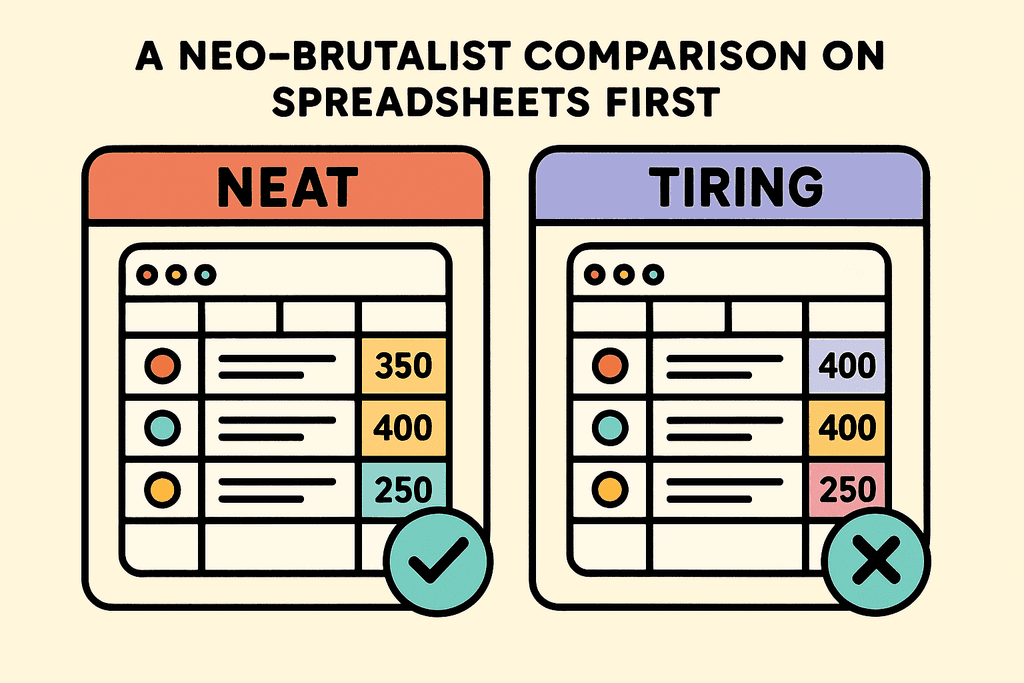
About 68% of people who start tracking their diet begin with a simple spreadsheet or notebook. It makes sense when you think about it. Most of us already know how to use Excel or Google Sheets from school or work. The idea of creating your own diet management system feels empowering, like you're building something that fits exactly what you need. Plus, spreadsheets are completely free, which is a huge draw when you're not sure if tracking will even work for you.
The Initial Appeal of Spreadsheets
When you first open a blank spreadsheet, the possibilities feel endless. You can set it up however you want, with whatever columns matter to you. Some people track just calories, while others want protein, carbs, fats, and even micronutrients like iron or vitamin D.
Here's what makes spreadsheets so tempting at first:
- No monthly subscription fees or app downloads required
- Complete control over what you track and how you organize it
- Works on any device with basic software
- Easy to share with a nutritionist or accountability partner
- You can add notes, color coding, and custom formulas
The Setup Seems Simple Enough
Creating your first diet tracking spreadsheet takes maybe 20 minutes. You add column headers like "Date," "Meal," "Food Item," "Calories," and maybe "Protein." You might even get fancy with some formulas to add up your daily totals. The first few days of logging feel productive and manageable.
Many people stick with their spreadsheet for a week or two before the cracks start showing. The manual work of looking up nutritional information for every single ingredient becomes exhausting. That chicken breast you ate? You need to search the USDA database, figure out if it was 4 or 6 ounces, and manually type in all the numbers.
When Reality Hits the Spreadsheet
The problems with spreadsheet-based diet management don't show up immediately. They creep in slowly as you try to maintain the habit. Apps like MyFitnessPal and Cronometer exist because people realized these issues, though even those traditional calorie trackers require multiple steps and manual searching.
Here's what actually happens after the honeymoon phase:
- Looking up nutrition data takes 5-10 minutes per meal
- You start skipping entries when you're busy or eating out
- Tracking mixed dishes or recipes becomes a nightmare
- There's no quick way to log repeat meals
| Aspect | Week 1 Reality | Week 4 Reality |
|---|---|---|
| Time per entry | 2-3 minutes | 8-12 minutes |
| Completion rate | 95% of meals | 40% of meals |
| Accuracy level | Precise measurements | Rough guesses |
| Motivation level | High and excited | Frustrated and tired |
This is where modern solutions like MyFoodBuddy come in. Instead of typing everything manually, you can just say "two eggs, toast with butter, and a coffee with oat milk" and the app calculates everything automatically. The difference between spending 10 minutes per meal versus 10 seconds changes whether you'll actually stick with tracking.
The spreadsheet approach isn't wrong, it's just outdated. What seemed like a simple solution becomes a part-time job that most people eventually abandon. Understanding why spreadsheets fail helps explain why voice-based diet management apps are gaining traction with people who've tried and quit traditional tracking methods multiple times.
The Manual Entry Time Trap
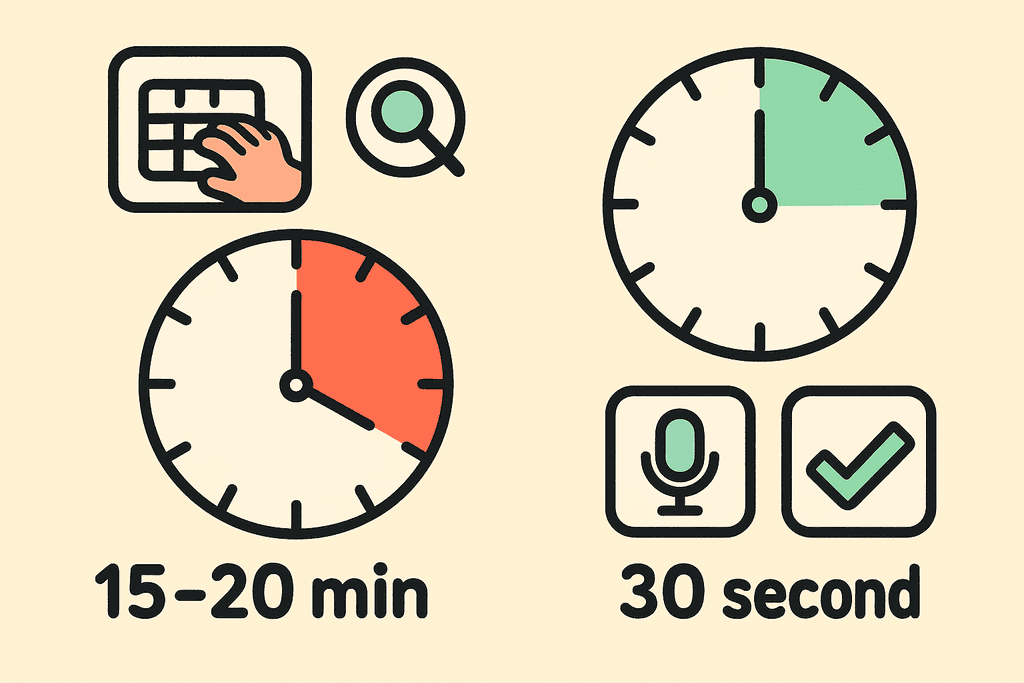
Most people who track their food in spreadsheets spend about 15 to 20 minutes every single day just entering data. That's before they even start analyzing what they ate or making decisions about their next meal. You have to open your spreadsheet, type in each food item, then hunt down the nutritional information for every ingredient. If you're making a homemade meal with eight different ingredients, you're looking at a serious time commitment just to log one meal.
The Manual Entry Time Trap
The real problem isn't just the typing. It's the constant switching between your spreadsheet and nutrition databases to find accurate calorie counts. You end up with a dozen browser tabs open, trying to figure out if your chicken breast was 4 ounces or 6 ounces, and whether that matters enough to spend another five minutes getting it exactly right.
Here's what that time adds up to:- 15-20 minutes per day equals over 2 hours per week
- That's roughly 100 hours per year spent on manual data entry
- Most of that time is spent searching for nutritional information, not actually eating or enjoying food
- The mental load of remembering to log everything adds even more invisible time
Voice logging changes this completely. With MyFoodBuddy, you can say "two eggs, toast with butter, and a coffee with oat milk" and the app handles everything else. The AI-powered extraction pulls nutritional data from USDA databases automatically, so you're not hunting through websites trying to find accurate numbers. What used to take 15 minutes now takes about 30 seconds.
The time savings compound quickly. If you're tracking three meals and two snacks daily, you're saving roughly 90 minutes every single day. That's time you could spend meal prepping, exercising, or just living your life instead of being chained to a spreadsheet.
Accuracy Problems You Can't See
Spreadsheets only know what you tell them, and most of us are terrible at estimating portion sizes. Research shows that manual portion estimation leads to calorie miscalculations of 20 to 30 percent, which means you could think you're eating 1,800 calories when you're actually consuming closer to 2,300. That gap is enough to completely derail weight loss goals, and you'd never know because your spreadsheet just accepts whatever numbers you give it.

Accuracy Problems You Can't See
The accuracy issues go deeper than just portions. When you cook food, the nutritional content changes. Grilled chicken has different values than fried chicken, and roasted vegetables lose water weight that affects their calorie density. A spreadsheet can't account for these changes unless you manually research and adjust every single entry.
| Tracking Method | Nutrients Tracked | Data Source |
|---|---|---|
| Typical Spreadsheet | 3-5 (calories, protein, carbs, fat) | Manual research |
| Diet Management Apps | 20+ nutrients | USDA database |
Most people tracking in spreadsheets focus on the big three: calories, protein, and maybe carbs. But your body needs way more than that to function properly. Micronutrients like vitamin D, iron, and magnesium matter for energy levels, immune function, and overall health. Tracking these manually is so tedious that almost nobody does it.
Apps like MyFoodBuddy track over 20 nutrients automatically without requiring any extra effort from you. The AI pulls comprehensive nutritional data from USDA databases, giving you a complete picture of what you're actually putting in your body. You get consistent, accurate data every time because it's coming from a standardized source, not from your best guess or whatever random website popped up first in Google.
The consistency matters more than you might think. When you're manually entering data, you might use different sources for the same food on different days. One database says an apple has 95 calories, another says 72. These small inconsistencies add up over time and make it nearly impossible to spot real patterns in your eating habits.
Missing the Insights That Matter
A spreadsheet is basically just a fancy list. It shows you what you ate yesterday, last week, or last month, but it doesn't tell you what any of that means for your actual goals. You can see that you ate 1,847 calories on Tuesday, but was that good or bad? Were you over on protein? Did you hit your fiber target? Unless you're willing to create complex formulas and pivot tables, your spreadsheet is just storing information without giving you any useful feedback.
Creating charts and tracking trends in spreadsheets requires actual Excel skills that most people don't have. You need to know how to build formulas, create graphs, and set up conditional formatting just to see basic patterns. Even if you do have those skills, it takes time to set everything up and maintain it as your goals change.
What spreadsheets can't do:- Automatically show you when you're consistently low on certain nutrients
- Identify patterns between what you eat and how you feel
- Provide personalized recommendations based on your specific goals
- Give you visual feedback that makes trends obvious at a glance
- Remind you to stay consistent or celebrate when you hit milestones
Diet management apps turn your data into actual insights. MyFoodBuddy provides color-coded calendars that let you see your tracking consistency at a glance, plus weight trend charts that show whether you're moving in the right direction. You don't need to build these yourself or spend time updating them manually.
The AI coach feature takes this even further. Fiona analyzes your food logs, health data, and goals to provide personalized recommendations that actually make sense for your situation. It's like having a nutritionist who knows your complete eating history and can spot patterns you'd never notice on your own. If you're consistently low on iron or eating too much sodium on weekends, the AI picks up on these patterns and helps you adjust.
Gamification elements like streaks and achievements might sound silly, but they work. Spreadsheets can't celebrate with you when you hit a seven-day tracking streak or remind you gently when you're about to break one. These small psychological nudges help maintain the consistency that actually leads to results. For more tips on staying consistent with your nutrition goals, check out our guide on how to stay consistent tracking calories.
The difference between storing data and getting insights is the difference between knowing what happened and understanding what to do next. Apps designed for diet management bridge that gap in ways that spreadsheets simply can't match, no matter how many hours you spend setting them up.
When Spreadsheets Work and When They Don't
There's a small group of people who can actually make spreadsheets work for diet management. If you're only tracking your daily weight and maybe total calories, a simple spreadsheet might get the job done. These are usually people who eat the same meals repeatedly and don't care much about the details. But the moment you need to track macros, micros, or understand patterns in your eating habits, spreadsheets become a nightmare. The reality is that most people who start with spreadsheets abandon them within a week because the manual work becomes overwhelming.
The Rare Spreadsheet Success Cases
Spreadsheets can technically work if you fit into a very specific profile. You need to be comfortable with formulas, have tons of free time, and honestly not care about accuracy that much.
- Tracking only 2-3 basic metrics like weight and total calories
- Eating the same meals every single day without variation
- Having strong Excel skills and enjoying data entry
- Not caring about micronutrients or detailed macro breakdowns
Where Spreadsheets Completely Fail
The problem is that effective diet management requires way more complexity than a spreadsheet can handle. When you're trying to track protein, carbs, fats, fiber, vitamins, and minerals across multiple meals, you're looking at hundreds of data points per week.
| Tracking Need | Spreadsheet Reality | App Solution |
|---|---|---|
| Macro tracking | Manual calculation per food | Instant AI calculation |
| Micronutrients | Nearly impossible | Automatic from USDA data |
| Meal logging time | 5-10 minutes | Under 30 seconds |
| Pattern recognition | Manual analysis required | Built-in analytics |
Why Purpose-Built Tools Win
Diet management apps eliminate every technical barrier that makes spreadsheets fail. MyFoodBuddy, for example, lets you just say what you ate and handles all the complex calculations automatically. You don't need to know formulas or spend time looking up nutrition data. The app does in seconds what would take you ten minutes in a spreadsheet, and it's accurate because it pulls from verified USDA databases.
- No manual data entry or formula creation needed
- Automatic calculation of 20+ nutrients per meal
- Visual analytics that show patterns you'd miss in rows of numbers
- Mobile access means you can log anywhere, not just at your computer
Studies show that people using dedicated diet management apps stick with their tracking 5-7 times longer than those using spreadsheets. The difference isn't willpower, it's friction. When logging takes seconds instead of minutes, you actually do it consistently.
Wrap-up
Spreadsheets might be free, but they cost you something way more valuable than money. Every minute you spend updating formulas, searching nutrition databases, and double-checking your math is time you could spend actually living your life. The whole point of diet management is to make your life better, not to give you a second job as a data entry clerk.
The difference between spreadsheets and purpose-built diet management apps comes down to automation. Apps handle the boring stuff automatically while you just tell them what you ate. MyFoodBuddy lets you say "chicken breast with rice and broccoli" and figures out the rest in seconds, not minutes.
Voice logging changes everything because it removes the biggest barrier to consistency. When tracking takes 10 seconds instead of 10 minutes, you actually do it every day. That's how people stick with their goals long enough to see real results.
The AI insights piece matters too because patterns you'd never spot in a spreadsheet become obvious. Your app can tell you why Tuesdays are always harder or which meals keep you full longest. That kind of feedback loop is what turns tracking from a chore into something that actually helps.
If you're curious whether the switch is worth it, MyFoodBuddy offers a 7-day free trial so you can test it without commitment. Sometimes the best way to understand the difference is to experience how much faster your mornings get when you're not wrestling with spreadsheet cells. The questions below cover what most people wonder about making the switch.
Common Questions About Diet Tracking
Switching from spreadsheets to a diet management app brings up a lot of practical questions. Most people wonder about data portability, accuracy, costs, and whether apps can really handle the custom tracking they've built into their spreadsheets. Here are the answers to the most common concerns people have when making the switch.
Can I import my spreadsheet data into an app?
Most diet management apps don't offer direct spreadsheet imports, which means you'll typically start fresh when you switch. The good news is that apps like MyFoodBuddy make logging so quick through voice and text input that rebuilding your meal history happens naturally within a few days. Your favorite meals can be saved for one-tap re-logging, which actually ends up being faster than referencing old spreadsheet entries.
How accurate is voice logging compared to manual entry?
Voice logging uses AI and USDA nutritional databases to calculate values, which is just as accurate as manually looking up foods yourself. The difference is speed—saying "two eggs, toast with butter, and coffee with oat milk" takes seconds instead of minutes of searching and entering. The AI handles portion recognition and nutritional calculations automatically, removing the human error that often happens when you're tired of logging and start estimating.
Do I need to pay for a diet management app?
Many diet management apps offer free versions with basic tracking, though premium features usually require payment. Apps like MyFitnessPal and Cronometer have free tiers, while others focus on paid subscriptions. MyFoodBuddy offers a 7-day free trial and costs $39 per year, which breaks down to about $3 per month for features like voice logging, AI nutrition coaching, and detailed analytics that would be impossible to replicate in a spreadsheet.
What happens to my data if I stop using the app?
Data policies vary by app, but most allow you to export your information before canceling. Some apps keep your data accessible even after your subscription ends, though you may lose the ability to add new entries. This is actually similar to spreadsheets—if you stop maintaining them, the data sits there but becomes less useful over time without active tracking and analysis.
Can apps track custom recipes like spreadsheets?
Yes, and often better than spreadsheets. Most diet management apps let you create custom recipes by listing ingredients, then automatically calculate the nutritional breakdown per serving. You can save these recipes and log them with a single tap later. MyFoodBuddy even lets you describe your custom meals through voice input, and the AI figures out the nutritional content without you needing to build a recipe database manually.
Will I lose the flexibility I have with spreadsheets?
You'll trade spreadsheet flexibility for specialized diet tracking features that actually matter. While you can't create custom formulas, you gain things like automatic macro calculations, color-coded calendars showing your tracking consistency, weight trend charts, and AI-powered insights that would take hours to build in a spreadsheet. The question isn't about flexibility—it's about whether you want to spend time building tracking tools or actually tracking your diet.
Ready to start tracking smarter?
Download MyFoodBuddy and start tracking your calories by just saying what you ate. No more searching databases or guessing portions.
Get started