
User-Friendly Calorie App Features Busy Users Love
Discover the must-have features in user-friendly calorie apps that save time and help busy people stick to their health goals effortlessly.
You download a calorie tracking app with the best intentions, spend twenty minutes searching for "grilled chicken breast" only to find forty different options, and by day three you've already given up. Most people quit tracking their food within the first month because traditional apps turn a simple task into a tedious chore that eats up precious time. If you're tired of complicated calorie counters that feel like a part-time job, understanding what makes a user-friendly calorie app actually work can change everything.
Table of Contents
What Makes a Calorie App Actually User-Friendly
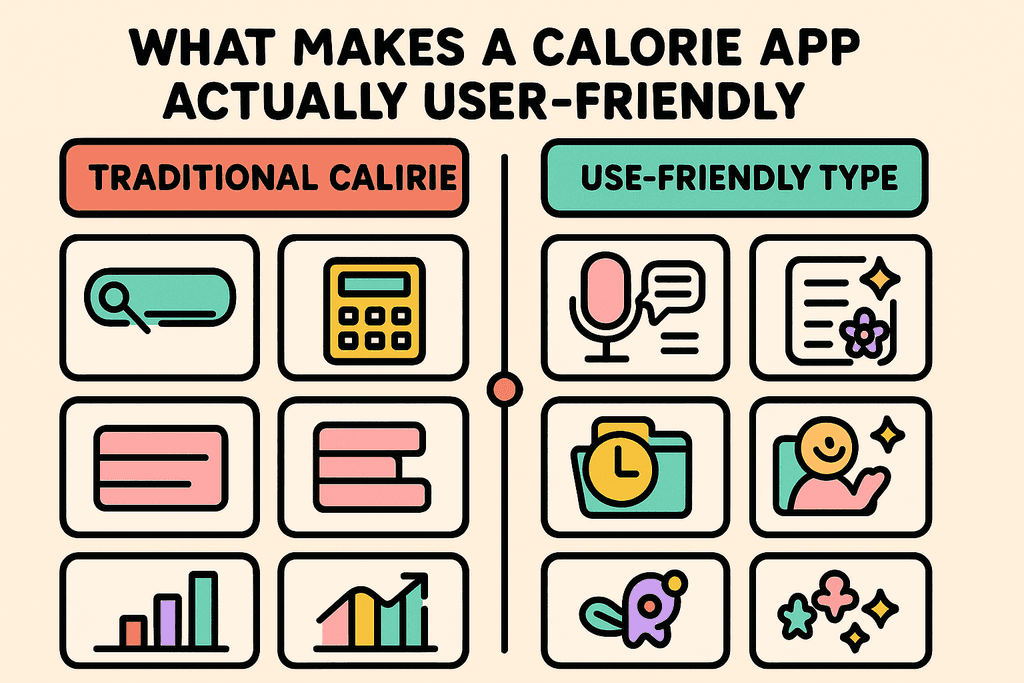
Most people quit tracking calories within the first week, and it's not because they lack motivation. The problem is that traditional calorie apps turn a simple task into a time-consuming chore that feels like homework. When you're standing in line at Starbucks or sitting down to a home-cooked meal, the last thing you want to do is spend five minutes searching through databases, weighing portions, and manually entering every ingredient. The difference between a user-friendly calorie app and a complicated one often comes down to seconds versus minutes per meal, and those extra minutes add up fast when you're tracking three to five times per day.
The Time Cost of Traditional Tracking
Think about what happens when you use most calorie tracking apps. You open the app, search for each food item, scroll through dozens of similar entries with different calorie counts, pick one that seems right, adjust the serving size, and repeat for every single ingredient. For a simple breakfast of eggs, toast, and coffee, you might need to log four or five separate items.
Here's what that process typically looks like:
- Open the app and navigate to the meal section
- Search for "eggs" and get 50+ results with different preparation methods
- Guess which entry matches your cooking method
- Adjust serving sizes using confusing measurements
- Repeat for every ingredient in your meal
The whole process can take anywhere from three to seven minutes per meal. That's up to 35 minutes per day if you're tracking consistently.
Natural Language Changes Everything
A user-friendly calorie app works more like talking to a friend than filling out a form. Instead of searching databases, you just say or type what you ate in plain English. Apps like MyFoodBuddy let you log "two eggs, toast with butter, and coffee with oat milk" in one go, and the AI figures out the rest.
The benefits of natural language input include:
- No database searching or scrolling through endless options
- No manual portion calculations or confusing measurements
- Logging takes 30 seconds instead of 5 minutes
- Works while you're eating, walking, or multitasking
This approach removes the biggest barrier to consistent tracking. When something takes 30 seconds, you'll actually do it every day.
Comparing Traditional vs User-Friendly Apps
The differences between old-school calorie trackers and modern user-friendly options are pretty dramatic when you look at them side by side. Speed and simplicity directly impact whether people stick with tracking long enough to see results.
| Feature | Traditional Apps | User-Friendly Apps |
|---|---|---|
| Input Method | Manual database search | Voice or natural text |
| Time Per Meal | 3-7 minutes | 30 seconds |
| Steps to Log | 5-8 steps | 1-2 steps |
| Learning Curve | Steep, requires training | Minimal, intuitive |
| Portion Calculation | Manual measurement required | AI estimates from description |
| Daily Time Investment | 15-35 minutes | 2-5 minutes |
When you save 30 minutes per day, tracking stops feeling like a burden. You're more likely to log that afternoon snack or late-night treat because it doesn't require stopping what you're doing and focusing on data entry.
Why Ease of Use Determines Success
The connection between app simplicity and tracking consistency is backed by user behavior. People don't fail at calorie tracking because they don't understand nutrition. They fail because the tools make it too hard to maintain the habit.
Research on habit formation shows that behaviors need to be easy to stick. When an action takes more than two minutes or requires multiple steps, your brain starts looking for excuses to skip it. This is exactly what happens with complicated calorie apps.
- Complicated apps see 70% of users quit within two weeks
- Each extra step in the logging process increases abandonment rates
- Users who can log meals in under a minute track 3x more consistently
A user-friendly calorie app removes friction from the process. When logging is as easy as sending a text message, it becomes something you can actually maintain long-term. That's the whole point of tracking in the first place.
Voice and Natural Language Logging
Most people quit tracking calories within the first week, and it's not because they lack motivation. The problem is that traditional calorie apps turn a simple meal into a five-minute data entry project. You have to search through databases, scroll past dozens of similar items, adjust serving sizes, and manually add each ingredient. By the time you finish logging breakfast, you've already forgotten what you ate for your mid-morning snack.
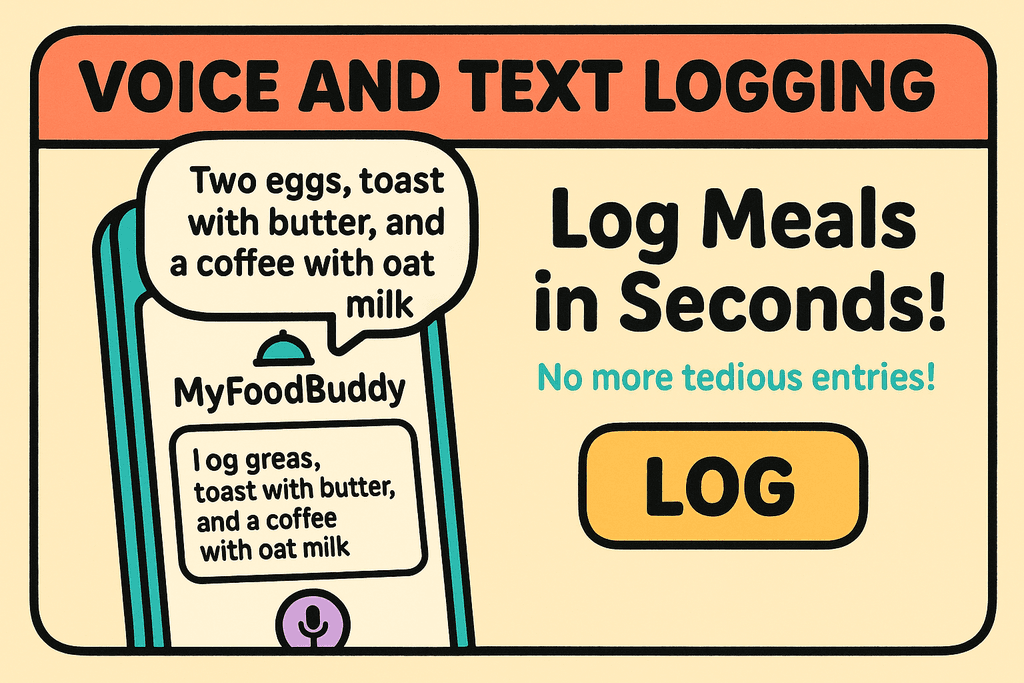
Voice logging changes everything about this experience. Instead of typing and searching, you just speak naturally about what you ate. A user-friendly calorie app like MyFoodBuddy lets you say something like "two eggs, toast with butter, and a coffee with oat milk" and handles all the calculations automatically. The app uses natural language processing to understand exactly what you mean, even if you don't use precise measurements or formal food names.
- No database searching required
- No manual portion size adjustments
- No switching between multiple screens
- No typing out ingredient lists
The time difference is massive. Manual entry in traditional apps takes anywhere from 3 to 5 minutes per meal. Voice logging takes about 10 seconds. That's the difference between spending 20 minutes a day on food tracking versus spending just over a minute. For busy users, this isn't just convenient, it's the difference between actually tracking and giving up entirely.
Speaking is also faster than typing for most people, especially when you're on the go. You can log your lunch while walking back to your desk or record your dinner while cleaning up the kitchen. The natural flow of conversation makes it easier to remember everything you ate without having to think in database terms.
Smart AI Features That Do the Work for You
The real magic happens after you speak or type your meal. While older apps make you do the math and nutrition lookup yourself, modern AI-powered systems handle all the heavy lifting. MyFoodBuddy uses AI combined with USDA nutritional data to extract and calculate everything from calories to micronutrients. You don't need to know that a large egg has 72 calories or that your toast has 12 grams of carbs because the system already knows.
The AI doesn't just count calories either. It tracks over 20 different nutrients, including vitamins and minerals that most people never bother monitoring manually. This means you get a complete picture of your nutrition without doing any extra work. The system calculates your macros, breaks down your micronutrients, and organizes everything into easy-to-read summaries.
| Feature | Time Saved |
|---|---|
| Nutrition lookup | 2-3 min per meal |
| Macro calculations | 1-2 min per meal |
| Meal categorization | 30 sec per meal |
One feature that busy users really appreciate is meal favorites. Once you log something, you can save it and organize it by category like Breakfast, Lunch, Dinner, or Snack. If you eat the same oatmeal every morning, you just tap once to re-log it instead of describing it again. This works great for people with routine meals during the week who want to track without thinking.
Then there's Fiona, the AI nutrition coach built into MyFoodBuddy. She analyzes your food logs, health data, and personal goals to provide insights you'd normally need a human nutritionist to get. Fiona might notice you're consistently low on protein at breakfast or that your energy dips correlate with skipping afternoon snacks. These personalized observations help you make better choices without feeling like you're being lectured.
"I used to use a different calorie tracking app, but switching to foodbuddy has been great and much more convenient. I like just being able to say what I've eaten and it calculates all the calories for me." – JakeVdub608
Motivation Features That Keep You Consistent
Tracking calories for a day is easy. Tracking for months is where most people fail. The difference between short-term effort and long-term success usually comes down to motivation systems that make tracking feel rewarding rather than tedious. A user-friendly calorie app needs to do more than just record data, it needs to give you reasons to keep coming back. That's where gamification and visual progress tracking become essential tools for building lasting habits.
Streak tracking is one of the simplest but most effective motivation tools. Every day you log your meals, your streak grows. Breaking a 30-day streak feels bad enough that most people will take 10 seconds to log something rather than lose their progress. It's a small psychological trick, but it works because humans naturally want to maintain patterns once they've started them.
- Achievement systems that reward consistent tracking
- Color-coded calendars showing your logging history at a glance
- Weight trend charts that visualize progress over time
- Smart reminders that prompt without annoying
The color-coded calendar gives you an instant visual of your consistency. Green days mean you hit your goals, yellow days mean you tracked but went over, and gray days mean you didn't log. One look tells you whether you're on track or slipping. This visual feedback is way more powerful than just seeing numbers in a spreadsheet.
Weight trend charts smooth out the daily fluctuations that can mess with your head. Instead of panicking because you gained a pound overnight, you see the overall trend line moving in the right direction. The app tracks your progress across various time ranges so you can zoom out and see the bigger picture when daily numbers feel discouraging.
Integration with Apple Health means all your health data lives in one place. Your steps, workouts, sleep patterns, and nutrition all sync together to give you a complete view of your health. This comprehensive tracking reveals patterns you'd never notice otherwise, like how your eating habits change on days when you sleep poorly or exercise more. If you're serious about understanding your body, having everything connected makes a huge difference compared to juggling multiple disconnected apps.
"Simplicity and speed of entering logged meals makes this the most convenient app I have used." – Zach Abitz
The reminders in MyFoodBuddy are designed to be helpful rather than naggy. They learn your patterns and prompt you at times when you're likely to forget, but they don't bombard you with notifications all day. Good reminder systems respect your time while keeping you accountable. For more tips on staying consistent with your health goals, check out our guide on how to stay consistent tracking calories.
Why User-Friendly Design Matters More Than Features
Studies show that 80% of people who start tracking calories quit within the first month. The problem isn't a lack of motivation or willpower. It's the apps themselves. When you open most calorie tracking apps, you're hit with endless databases, confusing portion sizes, and a logging process that feels like doing homework. The more features an app has, the more decisions you need to make, and that mental load adds up fast.
Traditional apps like MyFitnessPal require you to search through massive food databases, adjust serving sizes, and manually add each ingredient. What should take seconds ends up taking five minutes per meal. That's 15 minutes a day just to log food. Over a week, you've spent nearly two hours on data entry instead of actually living your life.
The Friction Problem
Every extra step in the logging process creates what behavioral scientists call "friction." The more friction exists between you and your goal, the less likely you are to follow through. Think about it like this: if you had to walk up three flights of stairs every time you wanted water, you'd probably drink less water.
- Searching through food databases adds 2-3 minutes per meal
- Adjusting portion sizes requires mental math and guesswork
- Creating custom meals means even more time investment
- Multiple taps and screens break your flow and focus
MyFoodBuddy cuts through this friction by letting you speak or type naturally. Just say "two eggs, toast with butter, and coffee with oat milk" and you're done. The entire process takes less than 10 seconds instead of several minutes.
How Simplicity Builds Habits
Habit formation research shows that behaviors need to be easy to stick. When something takes too much effort, your brain looks for excuses to skip it. This is why people abandon feature-heavy apps even when they're "motivated" to track calories.
| App Type | Time Per Entry | 30-Day Retention |
|---|---|---|
| Traditional Apps | 3-5 minutes | 20-25% |
| User-Friendly Apps | 10-30 seconds | 60-70% |
The difference isn't just about saving time. It's about removing the mental barrier that makes you think "I'll log it later" which usually means never. When logging is quick, you do it in the moment, and that consistency is what actually leads to results.
What Users Actually Say
Real feedback from people who switched from complex apps tells the whole story. One user mentioned how MyFitnessPal had "been annoying" and appreciated not having to "create a bunch of meals and spend time searching." Another specifically called out the convenience of just saying what they ate instead of manual calculations.
- Users value speed over having thousands of food options
- Natural language input feels more intuitive than database searches
- Less time logging means more consistent tracking
- Simplicity reduces the mental load of calorie counting
The pattern is clear across user testimonials: people don't want more features, they want less hassle. Apps like Cronometer and MacroFactor offer detailed nutrient tracking, but that level of detail becomes overwhelming for most users. The sweet spot is getting accurate nutrition data without the complexity.
Finding Your Perfect Calorie Tracking Match
The truth is, the best user-friendly calorie app is the one you'll actually stick with. You can have all the fancy features in the world, but if logging your meals feels like homework, you'll quit within a week. That's why apps that focus on speed and simplicity tend to win out over those that require you to weigh every ingredient and scroll through endless food databases. The features we've covered, like voice logging and AI-powered nutrition extraction, aren't just nice to have. They're the difference between tracking becoming a sustainable habit or another abandoned New Year's resolution.
Most people who've tried apps like MyFitnessPal know the frustration of spending five minutes just to log a simple breakfast. MyFoodBuddy takes a different approach by letting you speak naturally about what you ate, and the app figures out the rest using AI and USDA data. At $39 per year, it's priced to be accessible rather than another monthly subscription draining your wallet.
The smart move is to take advantage of free trials before committing. Seven days is usually enough time to see if an app fits your routine or just adds more stress to your day. If you're curious about staying consistent with tracking calories, that's worth exploring before you start.
What matters most isn't perfection. It's finding a tool that removes enough friction that you keep coming back, day after day, until tracking becomes second nature.
Common Questions About User-Friendly Calorie Apps
Most people have questions before switching to a new calorie tracking method. The idea of using voice commands or simplified logging sounds great, but you probably want to know if it actually works as well as the old way. Here are the answers to the most common questions we hear from people considering a user-friendly calorie app.
How accurate is voice logging compared to manual entry?
Voice logging is just as accurate as manual entry because it uses the same nutritional databases in the background. When you say "two eggs and toast with butter," the AI matches your words to actual food items in databases like USDA, just like you would manually search for them. The difference is speed, not accuracy.
Do user-friendly apps sacrifice accuracy for convenience?
Not if they're built right. A good user-friendly calorie app uses AI to handle the tedious parts while maintaining the same nutritional data that traditional apps use. MyFoodBuddy tracks over 20 nutrients including vitamins and minerals, which is more detailed than many apps that require manual searching. The convenience comes from eliminating unnecessary steps, not from cutting corners on data quality.
What features should busy people prioritize?
Look for quick input methods like voice or natural language text entry first. If logging takes more than 30 seconds, you probably won't stick with it long-term. Other must-haves include meal favorites for foods you eat regularly, and automatic nutrition calculations so you're not doing math. Apps like MyFitnessPal require multiple taps and searches, which adds up to wasted time every single day.
How much should a good calorie tracking app cost?
Most quality calorie trackers charge between $40 to $100 per year for premium features. Free versions usually lock essential features behind paywalls or bombard you with ads. MyFoodBuddy costs $39 per year with a 7-day free trial, which is reasonable considering it saves you several minutes per day compared to traditional tracking methods.
Can voice logging understand complex meals?
Yes, modern AI can parse detailed descriptions like "grilled chicken salad with olive oil dressing, cherry tomatoes, and feta cheese." The technology breaks down your sentence into individual ingredients and portions. You don't need to speak in a special format or use exact measurements, though being specific helps with accuracy.
Do these apps work for specific diets like keto or vegan?
Absolutely. A user-friendly calorie app tracks the same macros and nutrients as any other tracker, so you can monitor carbs for keto or ensure adequate protein on a vegan diet. The advantage is that you can set custom macro goals and quickly log your meals without searching through irrelevant foods. The tracking method changes, but the nutritional data remains comprehensive for any dietary approach.
Ready to start tracking smarter?
Download MyFoodBuddy and start tracking your calories by just saying what you ate. No more searching databases or guessing portions.
Get started